
Is your mix falling apart in the low-end? Do certain bass notes boom uncontrollably or clash with the kick, leading to muddy energy and even distortion during mastering?
This is a major roadblock to a clean, professional-sounding track. Unchecked low-end eats up headroom, triggers unwanted compression, and wrecks your master’s clarity.
In this guide, I’ll show you how to fix overpowering low frequencies using two powerful tools: RESO and FUSER. You’ll learn how to identify the real culprits, clean them up surgically, and finally get your kick and bass working together, not against each other.

Why Low-End Distortion Happens (And Why It Matters)
Low-end distortion usually starts with one thing: imbalance.
Some bass notes hit harder than others, chewing up headroom and overloading your limiter. The kick and bass fight for the same space, blurring the groove and making your low-end feel muddy or weak.
Even if your mix isn’t clipping, this can lead to:
- Distortion during mastering
- A kick that disappears under the bass
- Bass notes that jump out and dominate the mix
The worst part? These issues are dynamic. They come and go, making them hard to catch until your track is finished.
That’s why cleaning up your low-end isn’t optional. It’s essential if you want a tight, punchy mix that sounds pro on any system. RESO and FUSER give you the tools to fix it fast, without killing your vibe.

Fix the Problem at the Source with RESO
When certain bass notes are louder than others, they don’t just stick out—they wreck your mix. RESO is built to fix this with surgical precision.
Instead of smashing the entire low-end with EQ or compression, RESO listens to your audio in real time and targets only the frequencies causing problems.

Here’s how to use it:
1. Insert RESO on your kick or bass channel.
2. Go into settings and lower the frequency range so it scans the full low-end.

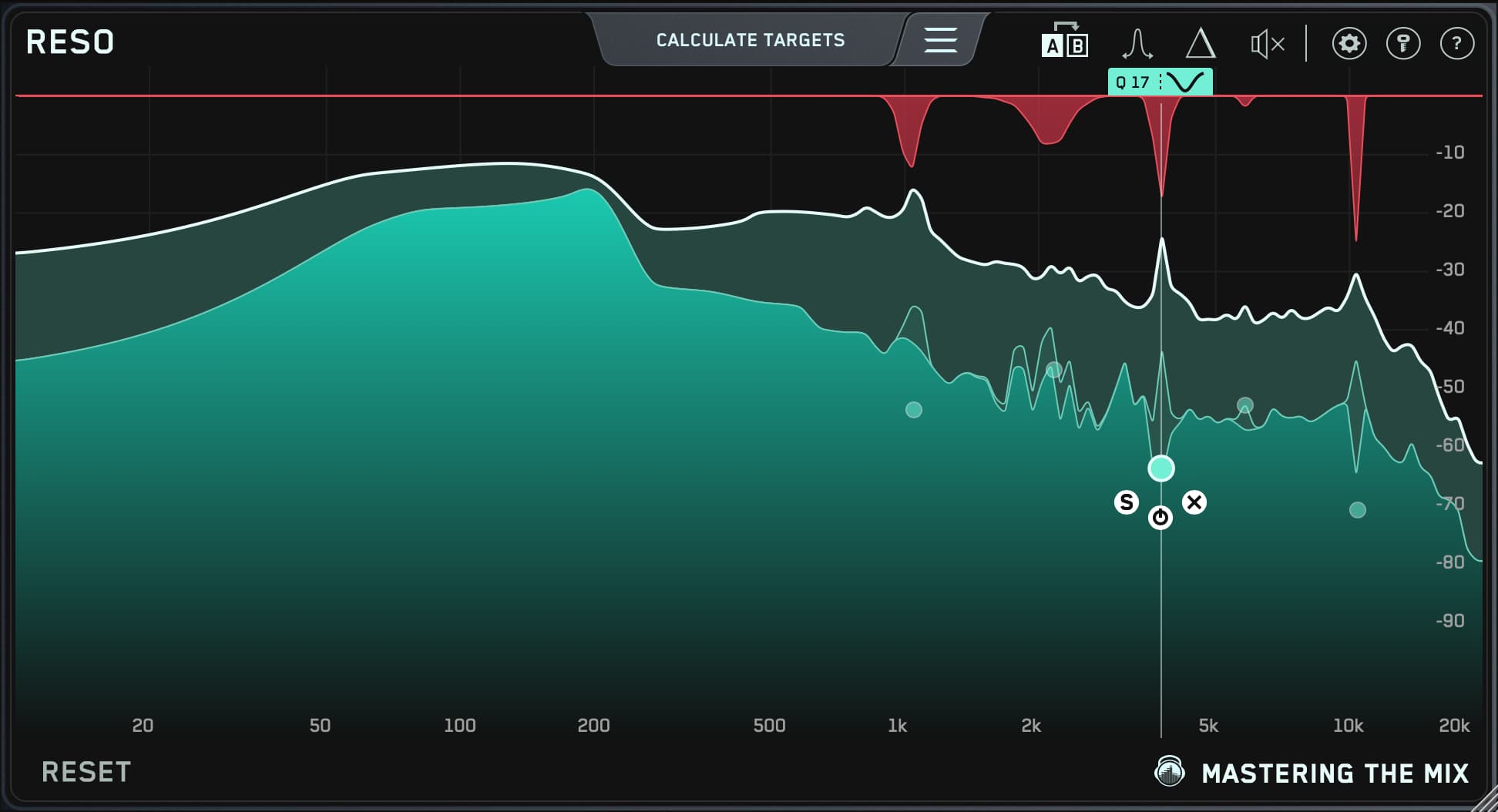
3. Hit Calculate Targets. RESO will instantly highlight any resonances that are too loud.

4. Place nodes on the worst offenders and adjust the threshold to control them dynamically. The position of the node is critical:
- A lower vertical position applies more suppression, controlling overly dominant frequencies.
- A higher vertical position is less invasive, allowing for a more natural balance in the mix.

You’ll notice immediate improvements. The bass stops jumping out. The kick sits better. The low-end gets tighter without losing weight.
Pro tip:
Focus on the 50–100Hz range. That’s where most of the destructive resonances live, especially in bass-heavy genres.
Unlike static EQ, RESO only pulls down frequencies when they’re a problem. That means your tone stays musical and alive, but your limiter doesn’t get crushed every time the bass drops.
Solve Kick and Bass Clashes with FUSER
You’ve tamed the rogue bass notes with RESO, now it’s time to make your kick and bass work together, not fight for dominance.
Enter FUSER.
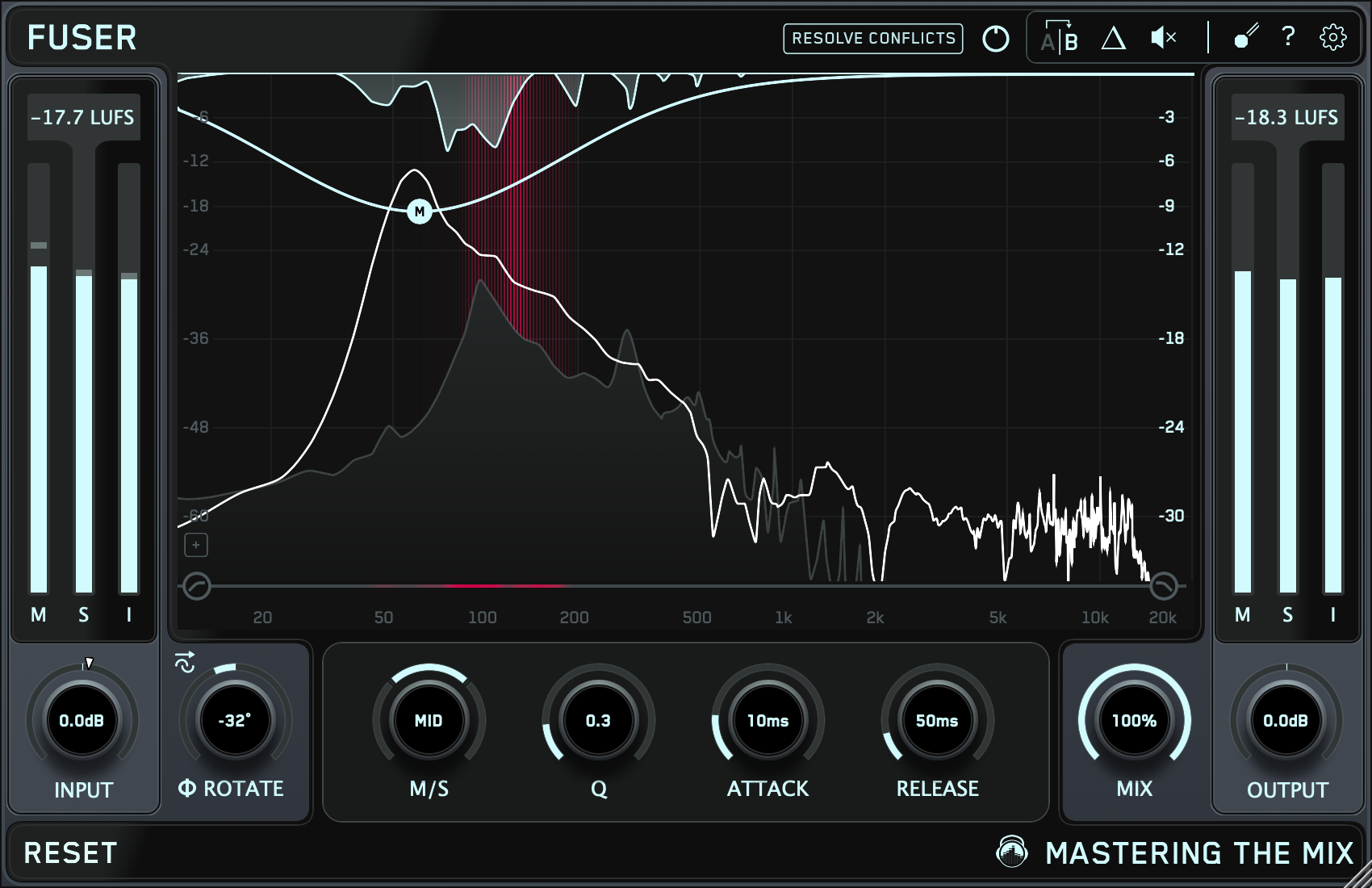
FUSER identifies where your kick and bass overlap and automatically applies dynamic ducking so both elements shine and you get that clean, controlled low-end that hits hard and translates everywhere.
Here’s how to do it:
- Load FUSER on the bass channel and sidechain the kick.
- Play the audio, and 'Resolve Conflicts' will flash as it analyzes the overlap between the two channels.
- Click Resolve Conflicts to apply the perfect amount of ducking to your bass to allow the kick to punch through without ducking too much.
You’ll hear it straight away. The kick punches through while the bass stays full and powerful.

Final Low-End Polish on the Master Channel
Even after you’ve cleaned up your kick and bass tracks, a few sneaky low-end peaks can still cause trouble in mastering. These tiny imbalances can push your limiter too hard, leading to unwanted distortion.
That’s where RESO’s Frequency Sweep feature comes in.

This powerful tool lets you manually sweep through the low-end and hear exactly where the buildup or distortion is coming from, so you can fix it with total precision.
Here’s how to use RESO:
- Drop RESO on your master bus.
- Activate the Sweep mode. Use the icon shown in the image above or hold 'Control' whilst you sweep the mouse.
- Slowly move across the low-end, around 40–120Hz, while looping the loudest part of your track.
- Listen for “boomy” or muddy frequencies that jump out or trigger pumping in your limiter.
- Double-click to drop a node on those problem spots and adjust the threshold to control just the excess energy.

Why it works:
The Sweep tool trains your ear to detect resonances by isolating them one at a time. You’re not guessing, you’re hearing the problem and fixing it right at the source.
Don't overdo it:
You don’t need to slam the reduction either. A small amount of dynamic control, often 1–2dB, is all it takes to stop distortion before it starts.

Conclusion: Clean Low-End, Pro Results
Low-end distortion isn’t just a technical flaw, it’s a dealbreaker. It kills punch, eats headroom, and ruins translation. But now you’ve got the tools to stop it in its tracks.
✅ RESO gives you precision control over resonant bass notes, both in the mix and on the master.
✅ FUSER intelligently separates your kick and bass so they hit hard without stepping on each other.
✅ Together, they let you sculpt a low-end that’s clean, powerful, and ready for release.
You don’t need to over-compress, guess with EQ, or settle for a muddy mix. With dynamic suppression from RESO and surgical unmasking from FUSER, you can dial in a mix that hits just as hard in the club as it does on headphones.
Ready to hear the difference?
Download free trials of RESO and FUSER, load up your current project, and clean up that low-end once and for all.
Your low-end shouldn’t be a liability. Make it your secret weapon.