
ANIMATE | Bring Energy and Impact to Your Tracks

Sale price$79.00 USD 5.0 (111 reviews)

ANIMATE helps you bring your mix to life with energy, precision, and control. With four powerful modes, each with custom frequency targeting and mid/side options, you can enhance punch, add warmth, and widen your sound exactly how you want it.

0:00 0:00
30 Day Money Back Guarantee

If you don't LOVE our plugins, you don't pay. It's that simple.
Overview Video

Breathe Life Into Your Music

If your music is sounding lifeless, lacking energy, and missing character then it simply will not connect with your listeners. ANIMATE helps you revitalise your music with precision.

A Clear Winner

The phase reducing all-pass filters makes ANIMATE a great choice during mastering. Other filters can introduce transient smearing, reducing the impact of your music.

30-Day Money Back Gaurantee

You don't love ANIMATE, you don't pay!

ANIMATE - Multi purpose Mixing Plugin
01

EXPAND

Expand mode allows you to dial in a pristinely clean sounding upward expansion. This increases the volume of signals over the threshold, giving your audio more dynamic range in a transparent way.
02

PUNCH

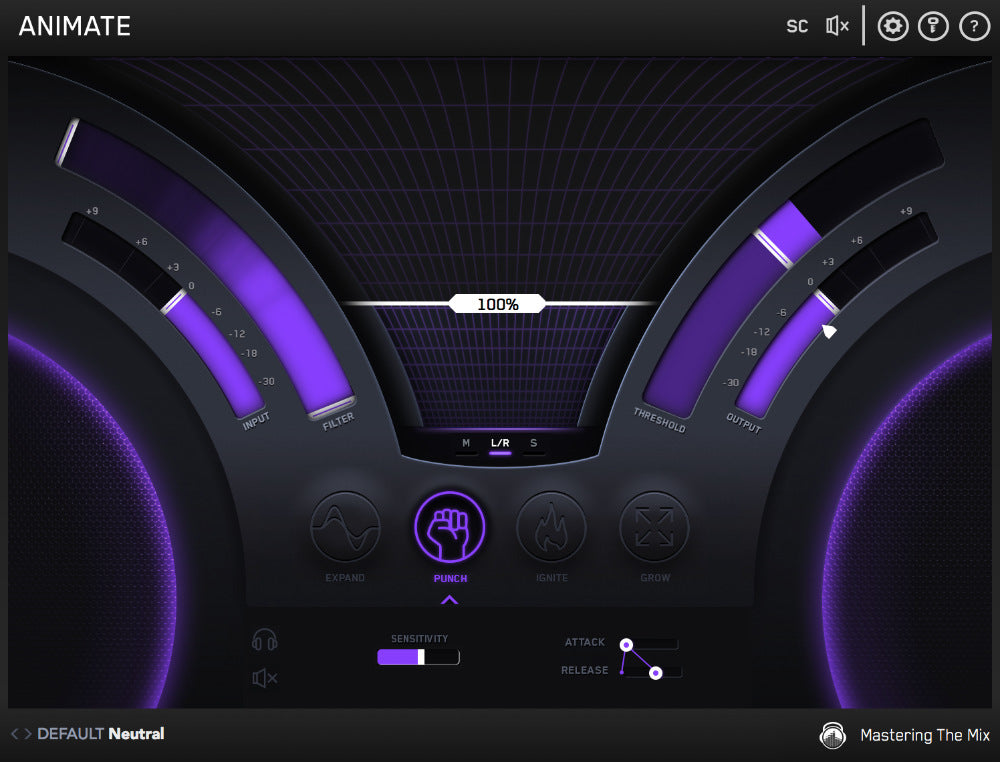
Punch mode enhances the transients of your audio to help them bite through the mix. Whether you want to subtly accentuate the high-frequency transients in the mid-channel of your master or bring out serious smack on an individual channel,Punchcan handle the task.
03

IGNITE

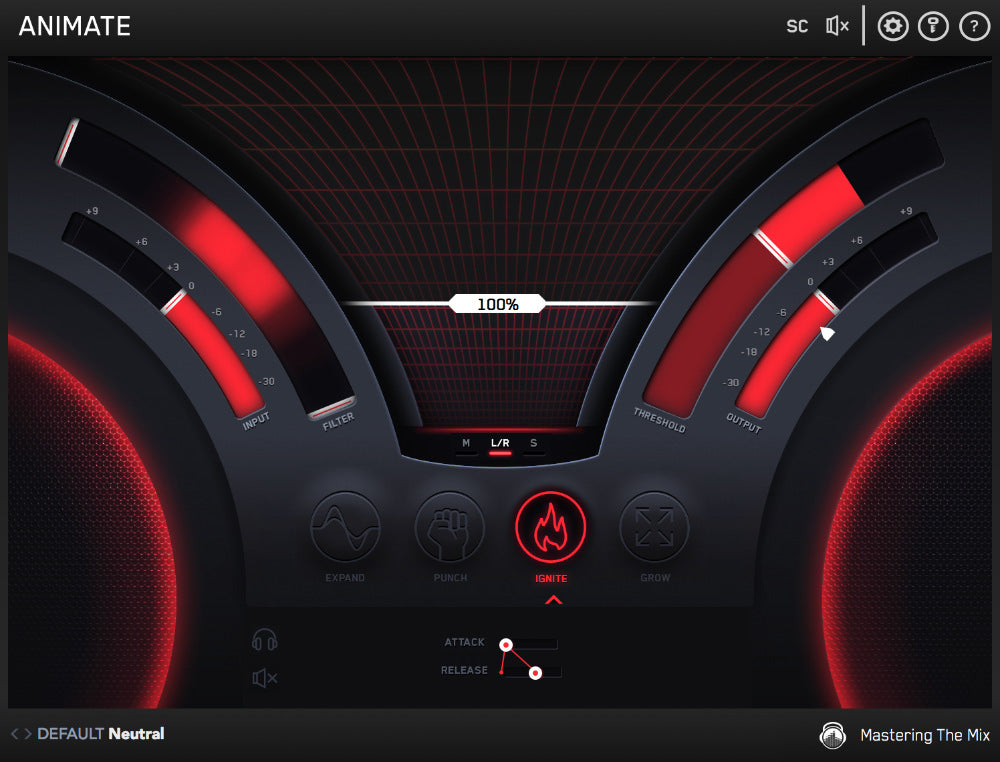
Ignite mode allows you to dial in rich harmonic distortion in a dynamic way based on the input signal. Ignite can increase the perceived loudness, power and presence of a channel without the pumping effects of a compressor.
04

GROW

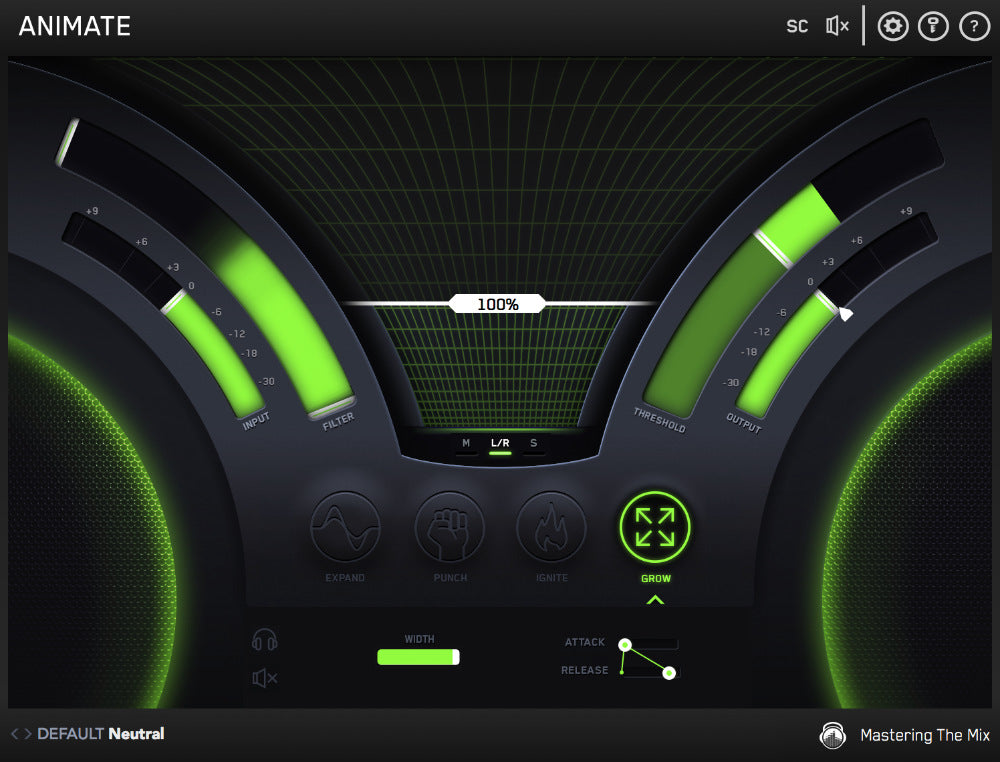
Grow mode lets you increase the width of the selected frequencies using a psychoacoustic precedence effect. Grow can be applied in a dynamic way meaning only the signal surpassing the threshold is widened. This along with the frequency selection gives you a new realm of movement to inject into your music.

01

EXPAND

Expand mode allows you to dial in a pristinely clean sounding upward expansion. This increases the volume of signals over the threshold, giving your audio more dynamic range in a transparent way.

02

PUNCH

Punch mode enhances the transients of your audio to help them bite through the mix. Whether you want to subtly accentuate the high-frequency transients in the mid-channel of your master or bring out serious smack on an individual channel,Punchcan handle the task.

03

IGNITE

Ignite mode allows you to dial in rich harmonic distortion in a dynamic way based on the input signal. Ignite can increase the perceived loudness, power and presence of a channel without the pumping effects of a compressor.

04

GROW

Grow mode lets you increase the width of the selected frequencies using a psychoacoustic precedence effect. Grow can be applied in a dynamic way meaning only the signal surpassing the threshold is widened. This along with the frequency selection gives you a new realm of movement to inject into your music.

ANIMATE - Multi purpose Mixing Plugin
  • 5 stars: 110 (99%)
  • 4 stars: 1 (1%)
  • 3 stars: 0 (0%)
  • 2 stars: 0 (0%)
  • 1 star: 0 (0%)
P
Peter Bojar
Just brilliant.

Got Animate as part of the all plug-ins bundle. Animate and the rest of the plug-ins are so effective, flexible and easy to use. The improvements they make to the final mastered track are simply fantastic. Reviewers write a lot about saving time, but its not just that. The plug-ins get me to a quality of master that I have never and would never achieve on my own. Brilliant tools. Well worth the investment.

R
ResilientStar
I was just amazed not only with ANIMATE but with

I was just amazed not only with ANIMATE but with every other mastering The Mix plugins I have gotten! it has made my mix & Master so much better! and with less time than before! its great when I have many projects to finish!

C
Chris Spade
explosive tool

I love it. user friendly. responsive. adds jus the right edge u need.

S
Shayanium
Gives a great punch to my sounds

Been using it since my previous song and now it's an essential tool

F
Franck
Amazing !

Waouuuuhhh !!! 👍👌

A
Andre Andreo
Amazing tool! Transparent, musical ... It's help me a lot (mix and master)

Amazing tool! Transparent, musical ... It's help me a lot (mix and master)

A
All Pro Mastering
Kind and attentive

This is more about the company than their exceptional tools for creating music that truly resonates with our communities. The industry is saturated with poorly composed and engineered material. While we all start somewhere, the reality of our musical journey is laid bare in today’s streaming services. Mastering The Mix isn’t just about profit; it’s about producing well-balanced music, enhancing our final products, and providing valuable educational content at reasonable rates
Life threw me a curveball when I survived a life-threatening car accident, and six months later, I lost my job. To add to the challenge, my wife was replaced after 30 years of dedicated service to a major retail company. Finances are tight, but my passion for music remains unwavering.
Most companies wouldn’t take the time to consider a humble opinion like mine, but I appreciate that Mastering The Mix does. I plan to start with a plugin and grow from there. I already own the REFERENCE plugin, which is fantastic, and I’m excited about FUSER—it’s a real game changer.
As we tune our rooms, upgrade our gear, and spend countless hours crafting, recording, and mixing, it’s easy to lose perspective. For beginners, ear fatigue can be a significant hurdle. Obsessing over a kick drum or snare can lead to excessive cuts and boosts, ultimately harming the song instead of enhancing it.
So, to anyone who’s made it this far, I highly recommend giving FUSER and the other plugins from Mastering The Mix a shot. Take advantage of the free trial, but keep your credit card handy; you won’t regret this investment.
Sincerely,
E.M. Meadows, CEO of CoolHouse Productions.

M
Marvin Davis
Bring it on!

I discovered this plugin by accident a couple of days ago. If only I would had this years ago! Now my work flow is MONSTROUS!!!

C
Cristian Bacargiu
ANIMATE

GOOD

m
mark johnstone
Amazing Plugin

Iv had the full bundle for a few days and already using this pluggin on my bass and kicks which gives a thick and punchy sound as well as highlighting my high hats.

G
Garret B
My new favourite plugin

This product is user-friendly and brings out great results.

K
Kile Sheeran
EQ ENHANCING SOFTWARE

Animate breathes life into parts of a mix and especially a master by uplifting the dynamics and adding that extra polish to selected parts of a mix, master or an individual instrument. The results are outstanding. This is by far my favourite plugin of the decade. Use it after gain staging and EQ and compression etc to add that extra zing to your track.

R
Rob B
A box of tricks that does what it says on the tin, plus more!

Animate is a brilliant multi-effects tool to enhance and precisely fine tune elements in a song. Also very useful for manipulating sampled sounds and placing them in their own space in a mix. Upward compression, transient control, saturation and stereo width control, all combined makes this plugin indispensable. Having a filter to choose only what bands of frequencies are affected is the secret sauce that allows for an enhanced level of creativity.

K
Kyle McHattie
Fantastic Plugin!

Animate does exactly what you'd think. It adds movement and feel to your tracks. It's worth every penny.

d
david randall-goddard
Another excellent plugin from MtM!

I now have almost all of the MtM plugins, I use them on every track I create. Animate adds a clarity and punch to sounds in a simple to use and understand way - the way I like plugins to work!

L
L.R
Great! But…..

I like this plugin, the only thing that I don’t like about it is the compressor settings. Most of the time I’m using for stereo spread, but there is no way to turn off the compressor settings at the bottom, or even have separate adjustments for the compressor on each section.

E
Excretion
Animate -- Most Excellent

Animate is a plugin given to the world by a man, Tom Frampton, who understands audio and mastering very well indeed. This plugin does what it claims -- animates and livens the sound.

A
Amaro
.... Life to the Mix ....

It is exactly what the name of the Plugin indicates: "animate" the sound in a simple, practical and professional way. The Animate Plugin brings the MIX to LIFE, whatever the music style. Congratulations to the creator of the Plugin and thanks for making it easier to produce things with great final quality.

A
Adalberto
Excelente

La verdad que cuando lo compré me dije: bué...otro plugin más, pero ofrece lo que yo deseo a ver si es verdad. Tengo que decir que me sorprendió y cumple con creces lo que promete, así que cuando mezclo y masterizo lo tengo en cuenta para mejorar mis sonidos.

G
Giulio R.
Much more than just help

I love tools that do the hard work without making me weigh it. Animate is simple to use and in a few clicks you can immediately feel the difference.

V
Vangelis
Excellent!

Perfect!!! Love it!!!

M
Maxim Khromov
Excellent

Very handy plugin with a high-quality processing algorithm. I would give 6 stars!

D
Daniel FISCH
Great tool

As a beginner in mastering, I find this easy to use and effective. Recommended!

D
David Mosele
Creative and professional tools

I am very happy to leave my comments related to this product and mastering the mix company in general . I have found all their products to be very effective in helping craft a professional sound and also resolve certain issues. ‘Animate’ is flexible and powerful using it for both track and bus applications and the company is very responsive with their communication. My experience has been very positive.

B
BiggyDelCentro
goog pluguin

i use it for everything in my workflow thanks for such a great tool...

a
acchin
good!

Thanks for the great product!

r
ryan.ar
Great tool

improves the character in my tracks!

M
MixedByMikael
Animate - the new gold standard.

Tbh if I could be totally honest, which I normally am unless stated otherwise, I feel the need to explain, if I could in a way that expresses my gratitude and infantile like excitement when I use mastering the mix plugins. Granted I don’t have the full suite, however I do have levels and reference, which has helped identify specific areas in a mix that need addressing. That being said, Animate is the first plug-in from mastering the mix that sonically affects a mix I am working on. I won’t get into much detail about my mixing process, only to say that when I put animate on a parallel bus, on a sub bass line or a synth it adds a level of clarity, shine, warmth grit and excellence you would find from one of those plug-in companies that charge ££££ or $$$$$,€€€€ depending on what side of the pond you from, but I digress. For those on the fence I would say invest in your home, project or professional studio buy purchasing not just animate but the full suite of plugins from mastering the mix.

S
Shinnaga
awesome

Awesome!
I’m glad I used this product!

L
Lefe
Animate - fast and efficient

Easy to work with. Great filters. Useful makeup-gain button. Fantastic mix of 4 effects.

R
Regis
Fast and effective tool

Effective tool for great results. Easy to use

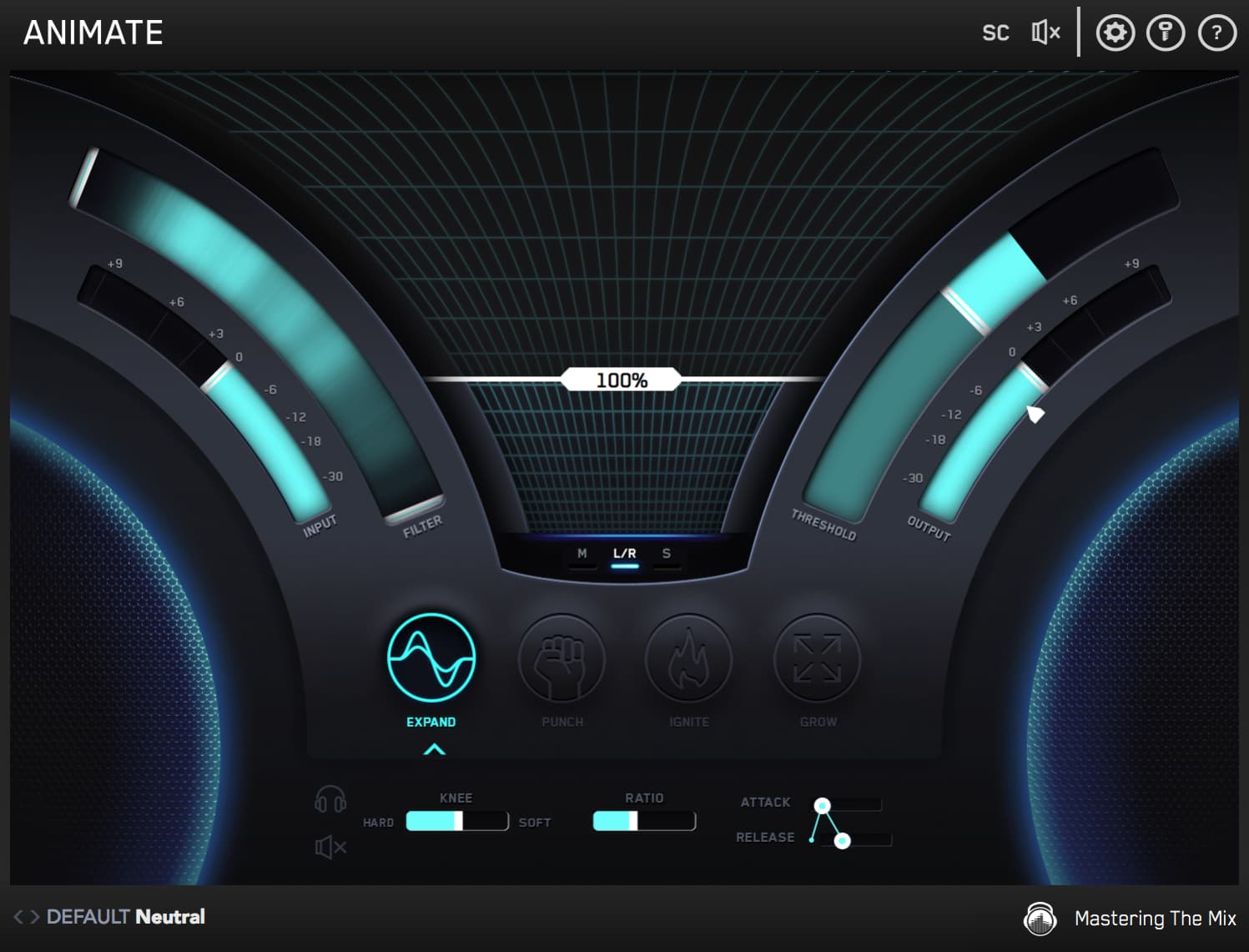
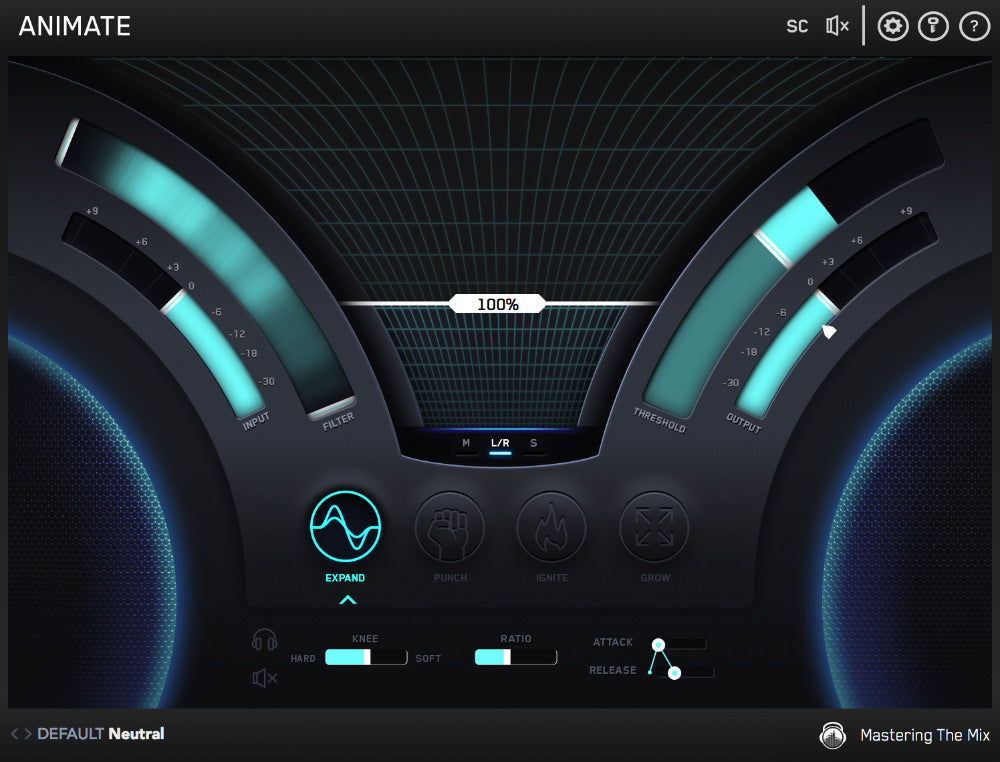
All Pass Filter

The filter allows you to isolate which frequencies are processed. The frequencies of the signal will glow giving you a better idea of where to set the bands. Slide the white handles to the far ends to disengage the filter and process the whole frequency spectrum.

The filters have a 24dB/octave slope and are combined with an innovative solution to dramatically minimise phase distortion. You can set individual filter settings for each mode (Expand, Punch, Ignite and Grow).

Ammount

The amount sets the gain range of the selected mode. The higher the percentage, the more intense the effect.

If the amount slider is at 0%, no effect is introduced. 1%-100% mixes the wet signal into the dry. 100%-300% increases the wet signal gain.

‘Option + Click’ jumps the amount straight to 100% which is often a great starting point. 

Non-selected modes with an amount greater than 0% will display a faint glow in the icon.

Threshold

The threshold sets the level at which the effect starts reacting to the audio signal.

If your audio is peaking below the threshold the effect won’t react to your audio. If you want an effect to only look at the peaks of your audio then set the threshold to just allow the peaks to surpass the threshold. If you wanted an exaggerated effect for your audio then you would set the threshold very low so the effect reacts to both the loudest and quietest parts of your audio.

The threshold meter will not display an input until the amount slider is above 0% or the threshold is below 0.0dB

Controls

Full control over the sonic qualities of each mode.

You can apply ANIMATE’s effects to the mid-channel, side channel or left and right channels.

If you want the selected effect to process the entire stereo spread of the audio coming through ANIMATE leave the default ‘L/R’ button engaged. If you want the selected effect to only process the mid signal, click ‘M’. If you want the selected effect to only process the side signal, click ‘S’.

EXPAND applies transparent upward expansion at ratios up to 1:4, while PUNCH does a superb job of subtly emphasizing transients or aggressively sharpening them up. IGNITE delivers truly delicious harmonic distortion, drivable into decimation if required, and GROW is ideal for dynamically widening mono sources and spreading out stereo ones.

Computer Music

ANIMATE adds color and depth to tracks in really expressive and musical ways whereas other plug-ins of this type can often touch the sound too much. ANIMATE, if used sparingly, lifts and energize tracks in a mix in ways that I have not experienced before.
Pro Tools Expert

This thing is pretty fire, I have to say. BIG user of Mastering The Mix products, but ANIMATE is a Swiss Army Knife plugin. SO many applications!

Funkagenda

Watch The Walkthrough Video

Mac System Requirements

OS X 10.15 or higher. 64-bit AU, VST 3 or AAX host.
Apple Silicon Native.

Download Mac Installer

Windows System Requirements

Windows 10 or higher. 64-bit VST 3 or 64-bit AAX host.

Download Windows Installer

Mac System Requirements

OS X 10.15 or higher. 64-bit AU, VST 3 or AAX host.
Apple Silicon Native.

Download Mac Installer

Windows System Requirements

Windows 10 or higher. 64-bit VST 3 or 64-bit AAX host.

Download Windows Installer