
CARBON Q | Connected EQ For Your Whole Mix

Sale price£41.30 GBP Regular price£59.00 GBP
Save 30%
4.9 (34 reviews)

Getting a song to sound professional comes down to two things: how loud each part is, and how the EQ of each part fits together.

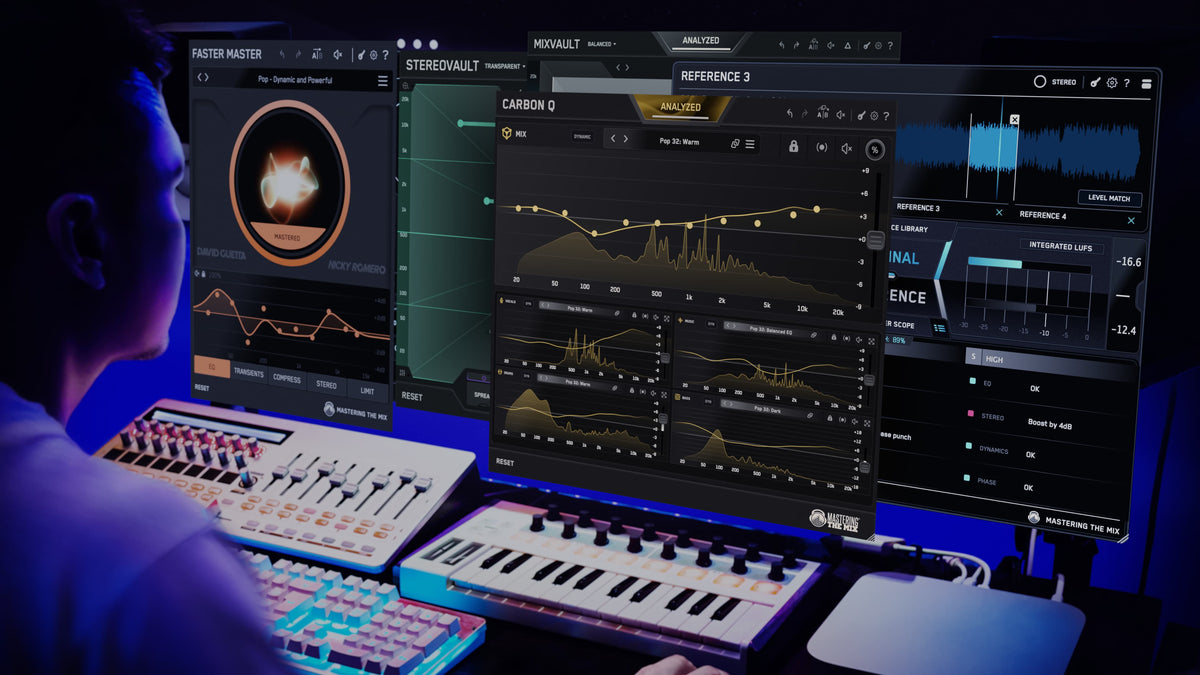
CARBON Q helps you get both right for your vocals, music, drums and bass, all from one window. Every channel is connected, so each one is set with the rest of the mix in mind.

30 Day Money Back Guarantee

Hear The Difference

CARBON Q bypassed across a rock mix, with the MIX instance and every agent muted and their curves dimmed

Rock Mix

0:00 –:––
CARBON Q bypassed across a pop mix in Mid/Side, with the MIX instance and every agent muted and their curves dimmed

Pop Mix

0:00 –:––

Connected EQ

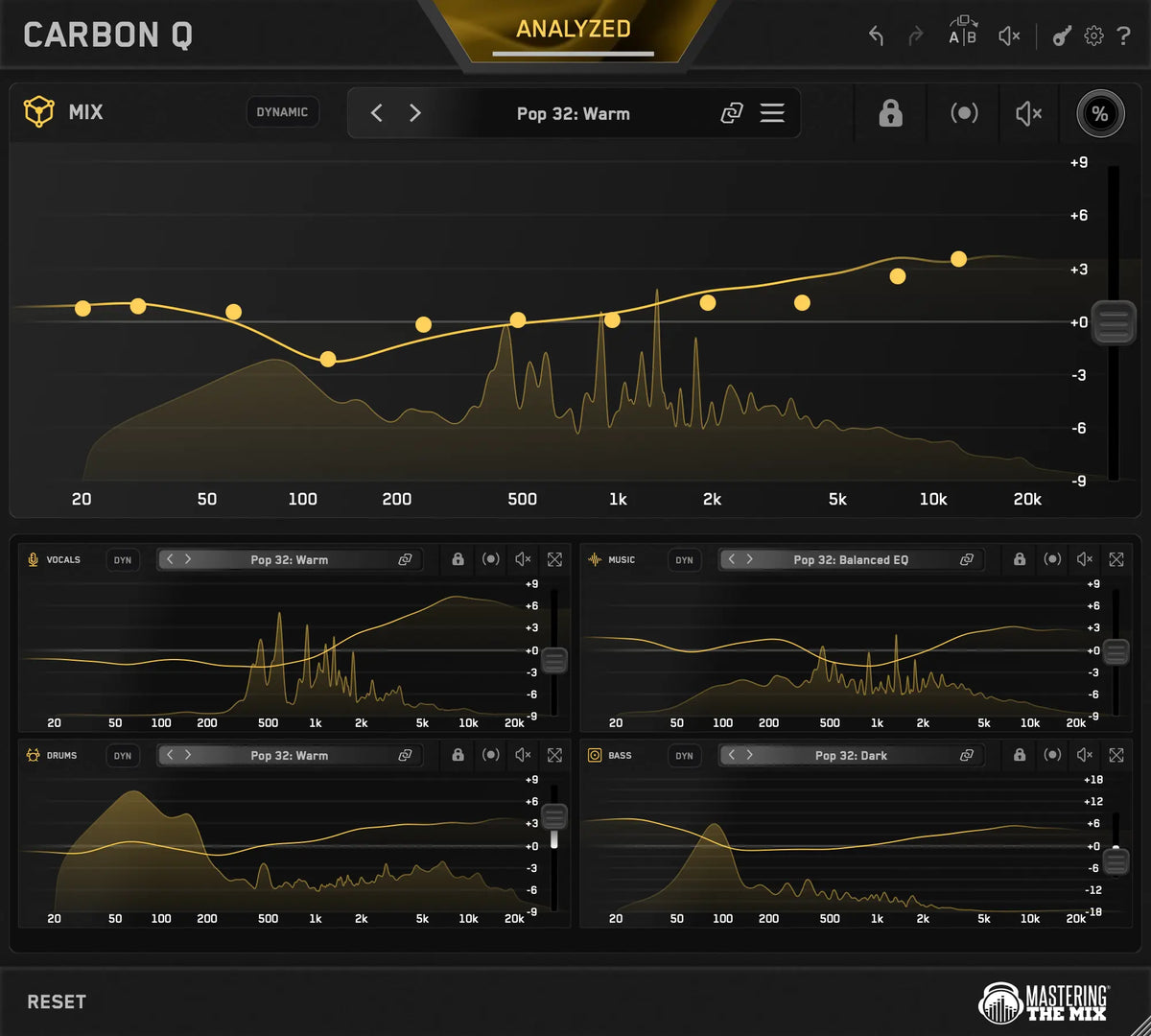
Mix, Vocals, Drums, Bass, Music all connected to get you the perfect EQ and volume balance for your mix.

Advanced Controls

Multi-band dynamic control, mid side, reference track matching, max quality linear phase filters.

30-Day Money Back Guarantee

You don't love CARBON Q, you get your money back.

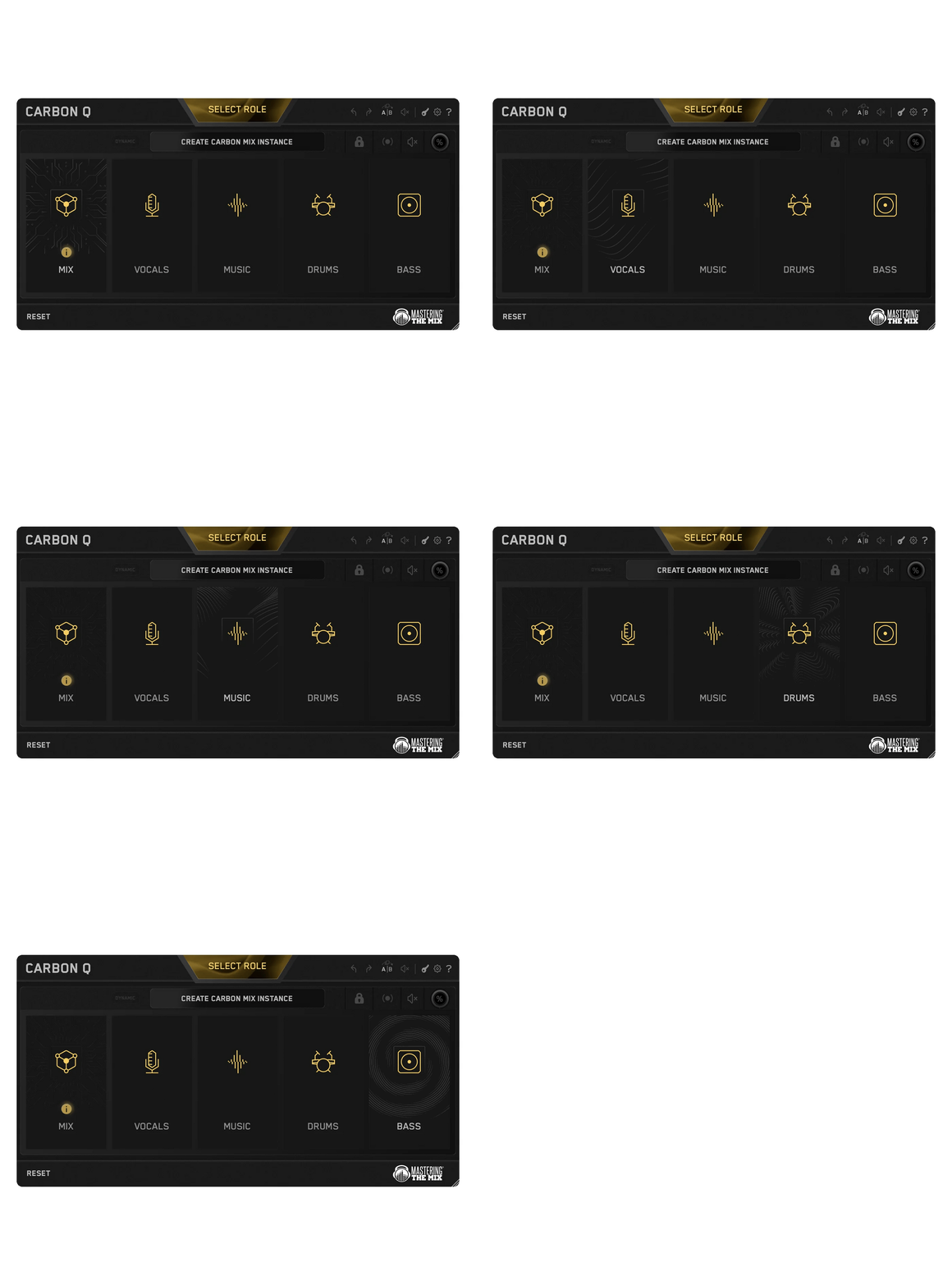
The CARBON Q role picker cycling through MIX, VOCALS, MUSIC, DRUMS and BASS as each instance is placed on its channel
01

Connected EQ

CARBON Q goes on your output, and on your vocals, music, drums and bass. They connect the moment they load. From any window you can control every channel's EQ, level and its preset.
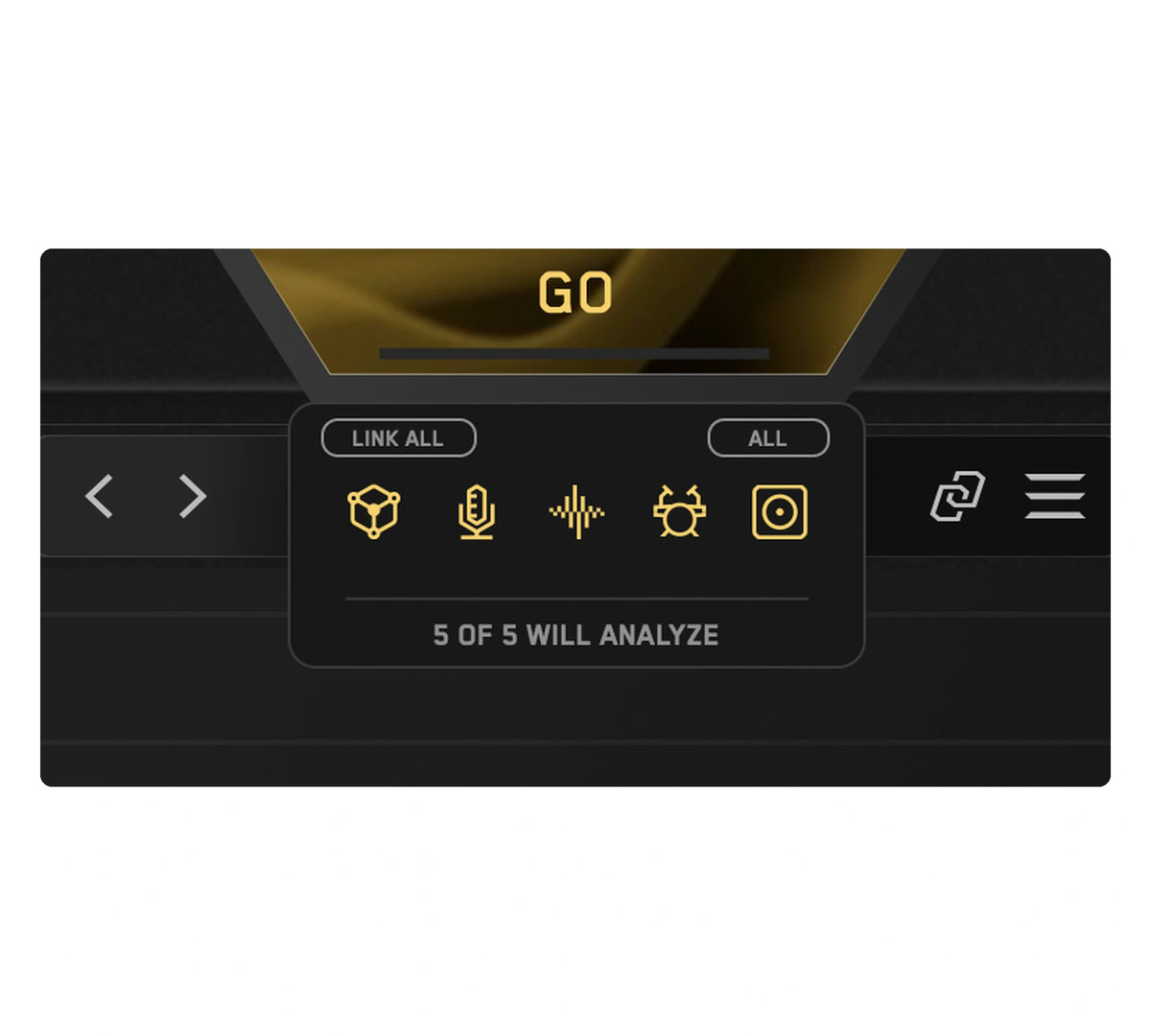
A close-up of the CARBON Q analysis tray, all five instance icons armed in gold under the GO button, ready to analyze the whole session in one pass
02

Analyze Everything

Loop the busiest part of your song and press ANALYZE. Press GO and CARBON Q analyzes your mix.
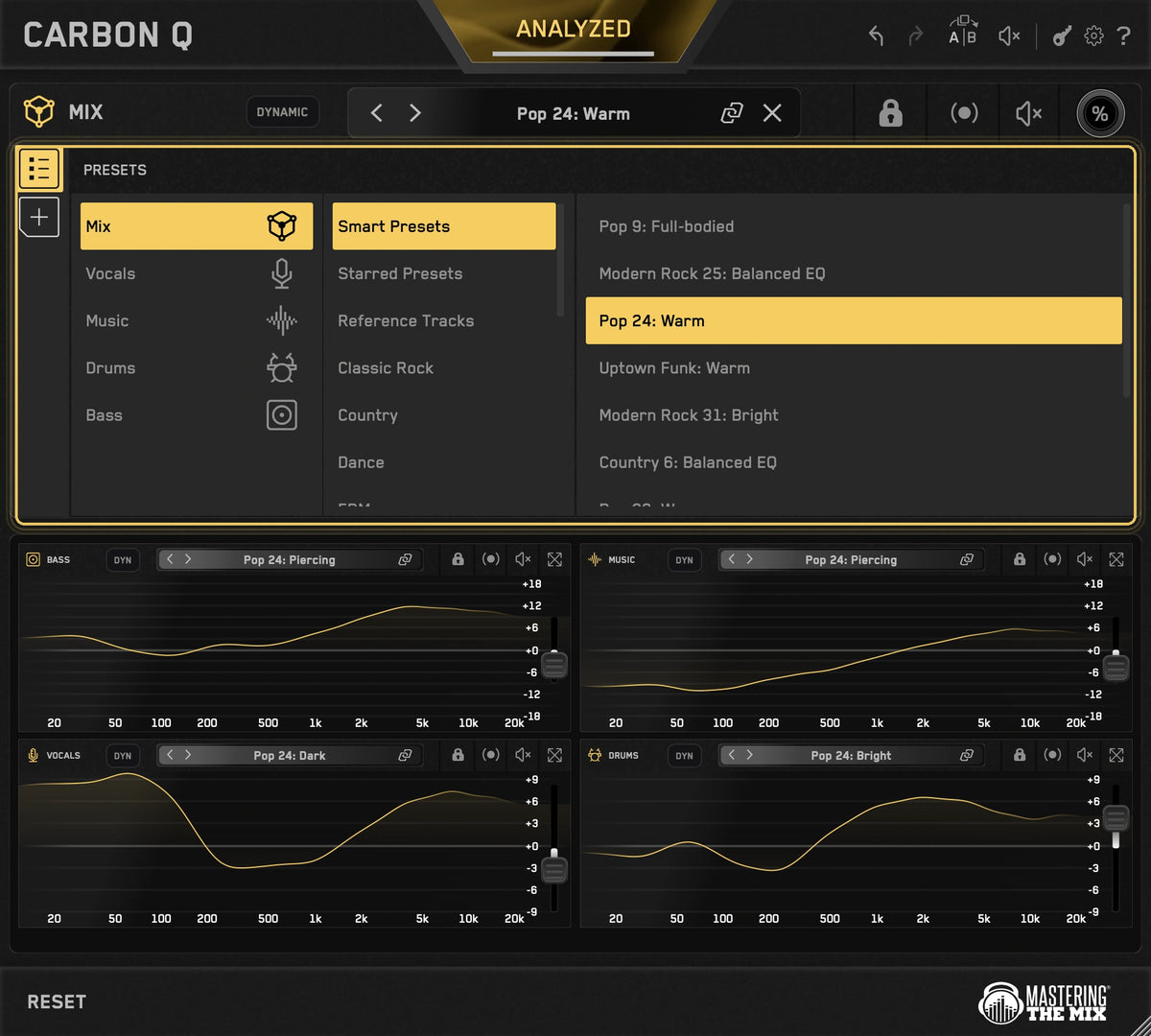
The CARBON Q preset browser outlined in gold, showing the ten Smart Presets closest to the analyzed audio
03

Smart Presets

CARBON Q compares your song against world class reference mixes and puts the ten closest matches at the top of the preset browser. Each one sets the tonal balance and the volume balance of every channel at the same time, taken from a mix that already works.
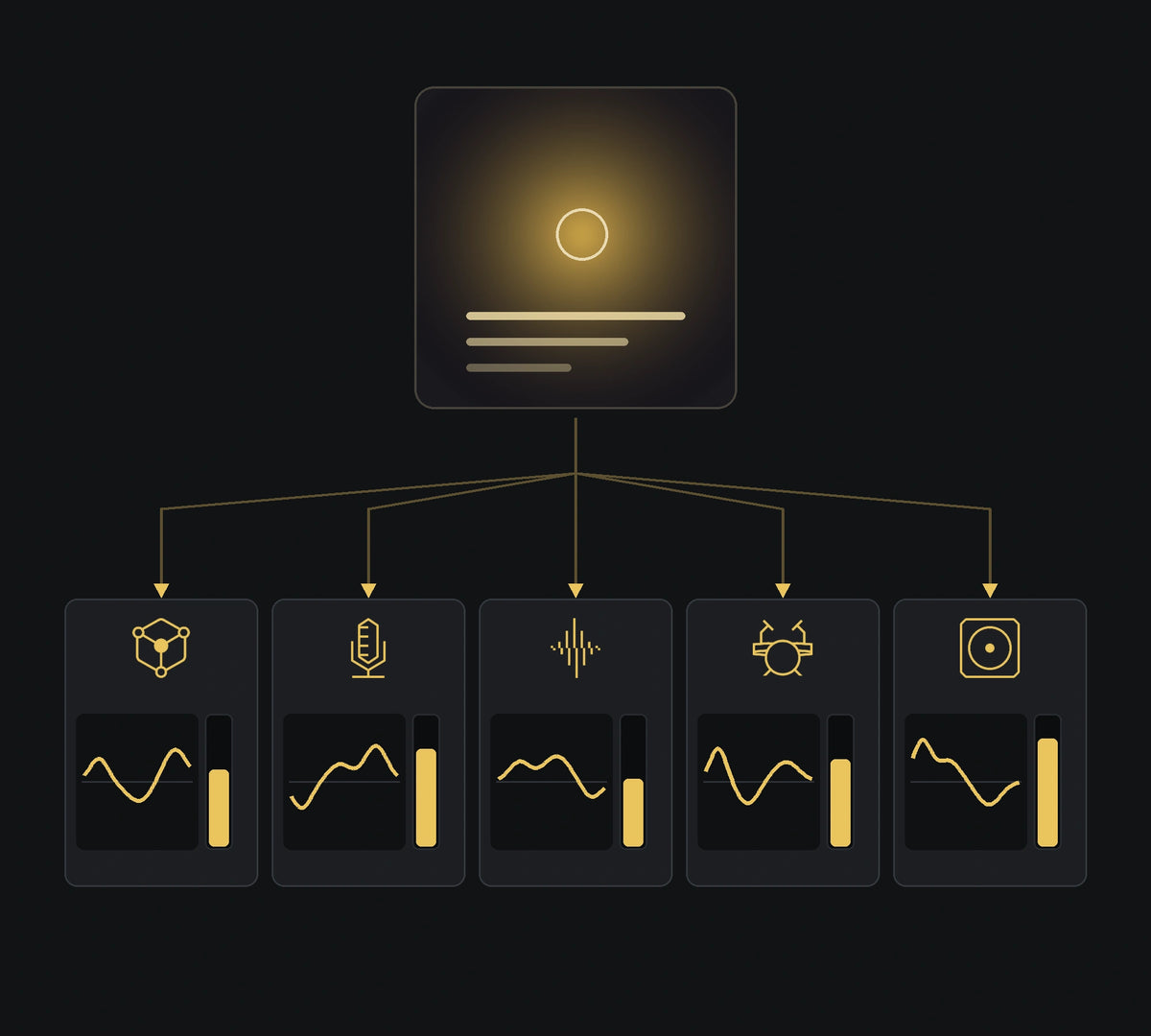
One record becoming a preset: an album sleeve feeding the mix, vocals, music, drums and bass roles, each with its own EQ curve and level
04

Turn Any Song Into A Preset

Drop a record you love into the reference tracks tab. CARBON Q separates it into vocals, music, drums and bass, measures the tonal balance of each part and how loud each one sits against the rest, then turns all of that into a preset.
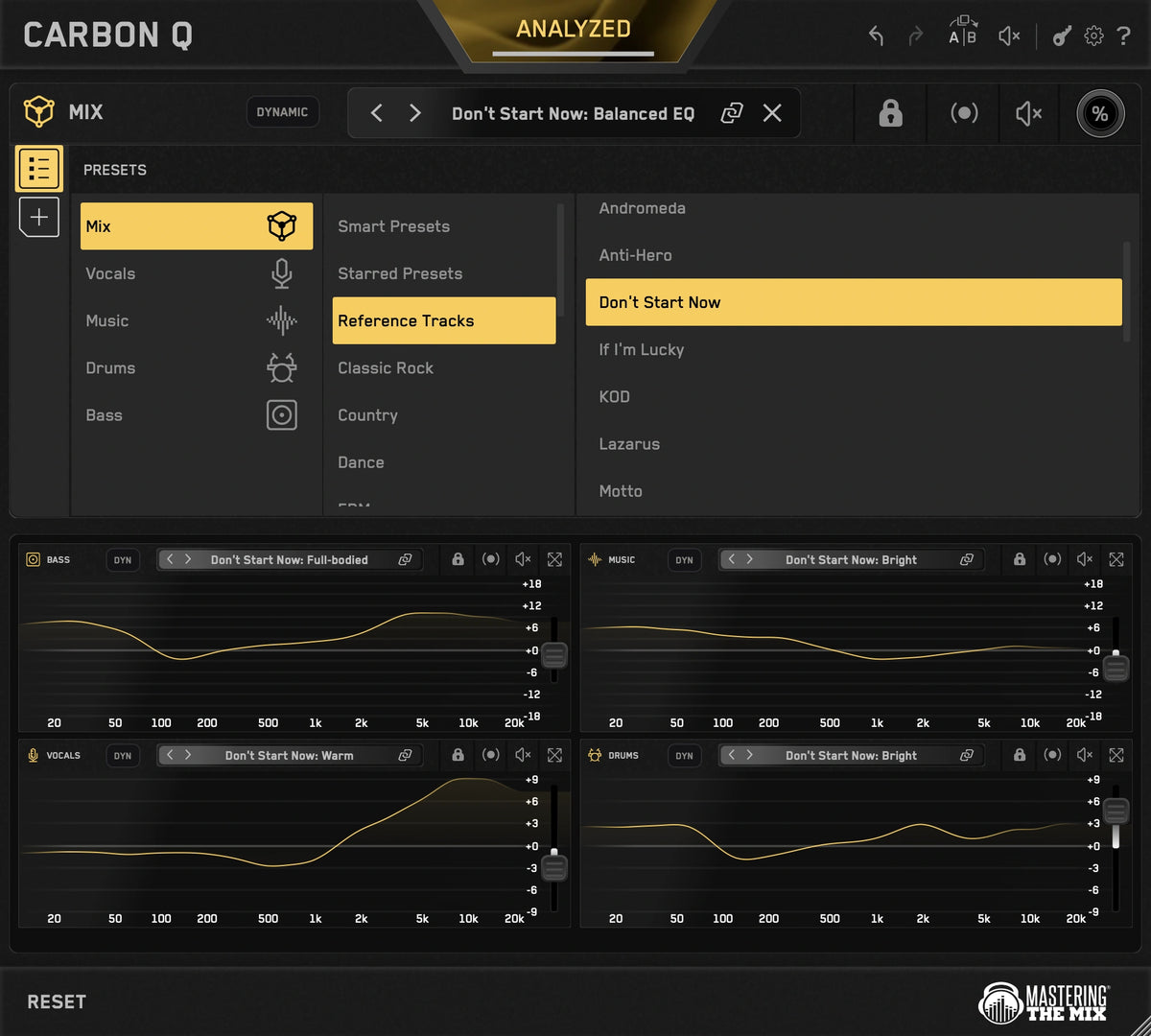
A reference track selected in CARBON Q, with every channel in the session moved to match its tonal balance and levels
05

Full Flexibility

Select a reference and CARBON Q applies the EQ and volume changes to match its sonic blueprint. Or, unlink the agents to take just the vocal balance from one song and the drums from another. 
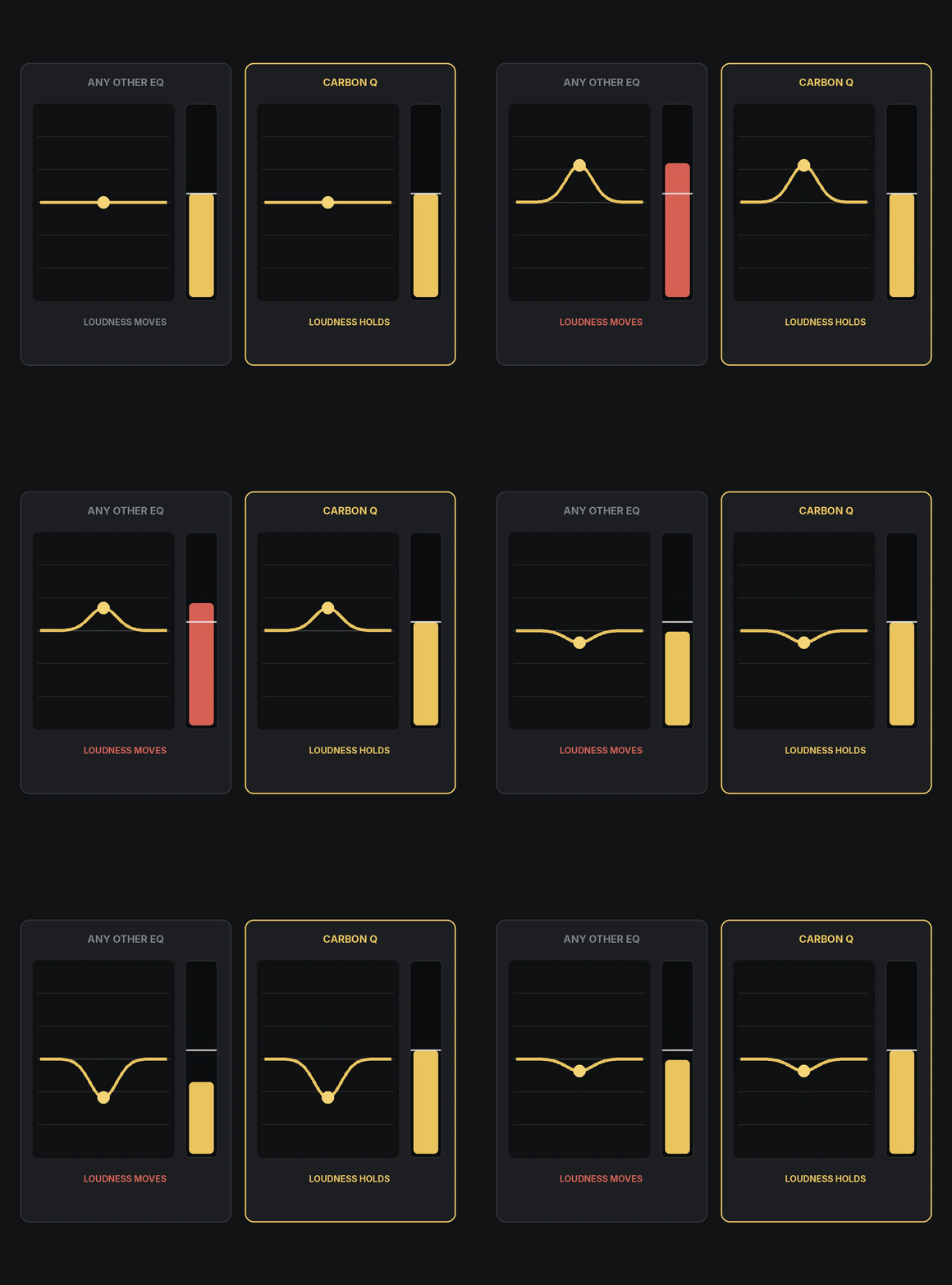
The same EQ move in two plugins: the output meter rises in an ordinary EQ and holds steady in CARBON Q
06

Level Matched EQ

Louder always sounds better for a moment, which is how an EQ move can fool you. CARBON Q holds the output steady in real time while you work.

CARBON Q in Mid Side with the gold mid curve and the blue side curve both on screen at once across the session
07

Mid Side - Easier Than Ever

Mid side mode gives you full control over the space and depth of your mix. Yellow is mid, blue is side, just click the other EQ line to switch instantly.
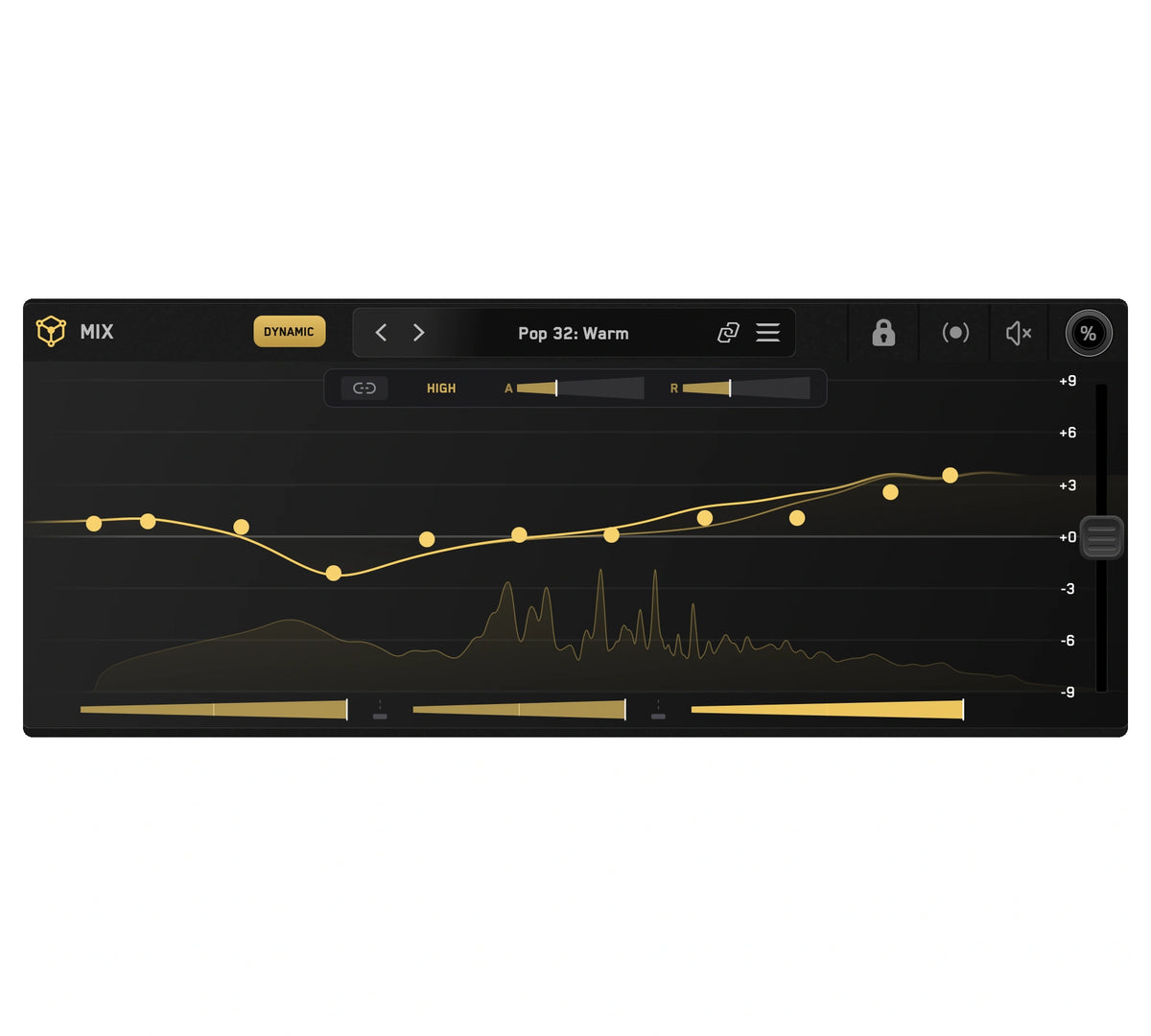
Dynamic Mode running on a CARBON Q MIX instance, with the moving curve under the static one and the three band amounts below
08

Dynamic Mode

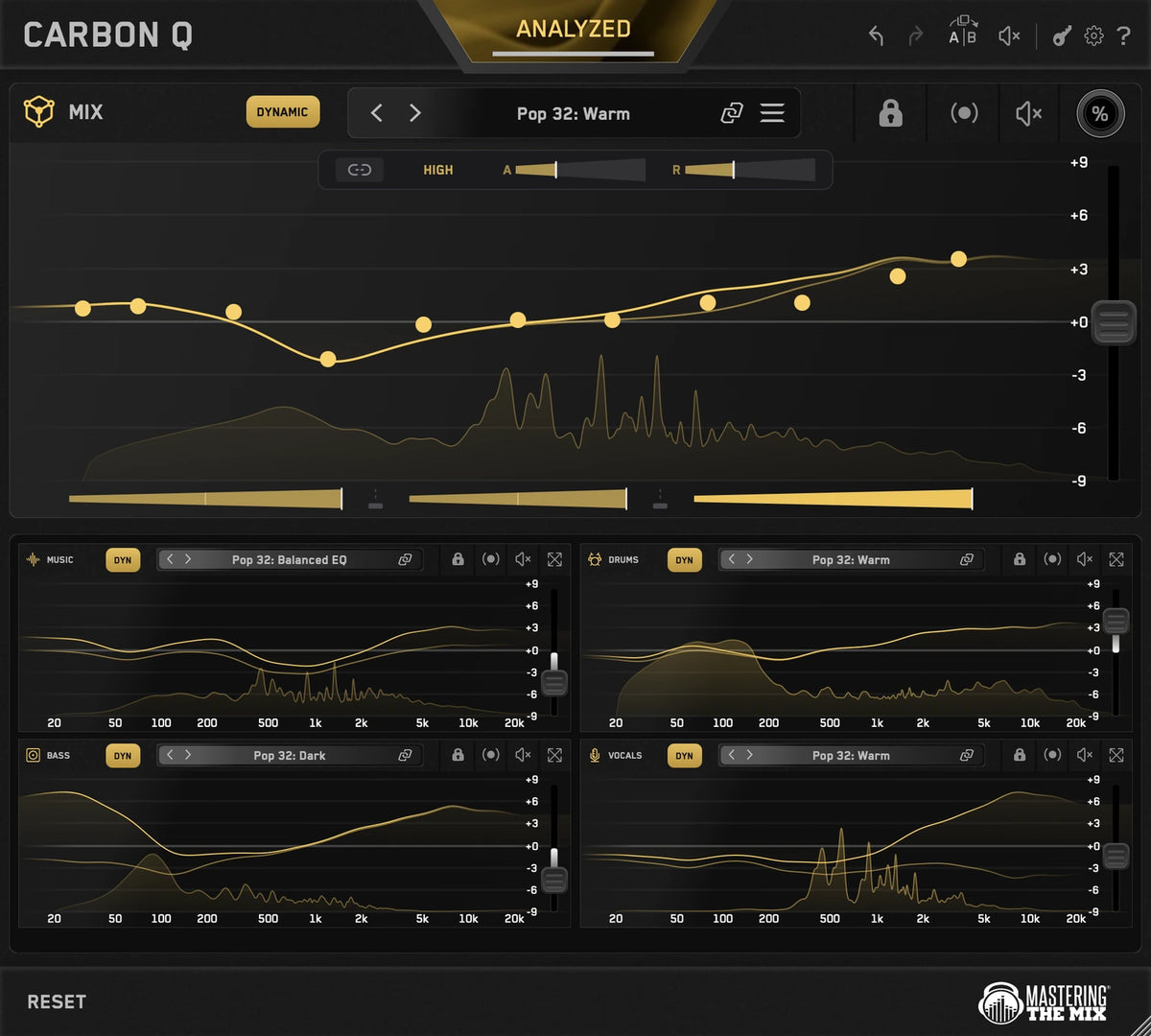
Dynamic Mode holds each channel to its tonal balance target by controlling peaks. Fully adjustable across every instance.
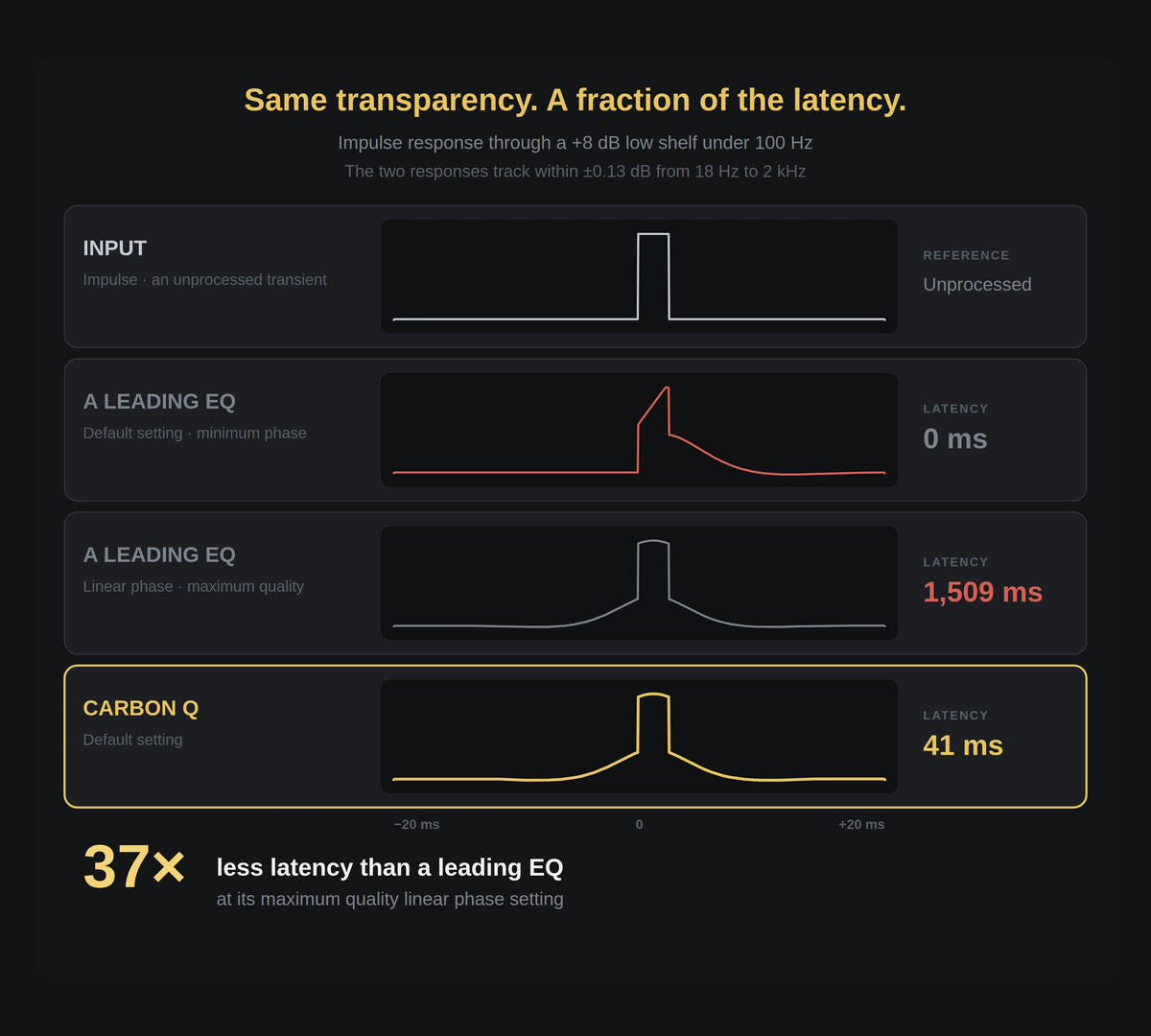
Impulse response comparison: an unprocessed transient, a leading EQ in minimum phase and in linear phase at 1,509 ms, and CARBON Q matching the linear phase shape at 41 ms
09

Fast, And Transparent

CARBON Q runs max quality linear phase filters. Measured against a leading linear phase EQ at its maximum resolution, the frequency response matches within 0.13 dB, at 41 ms of latency instead of 1,509 ms.
01

Connected EQ

CARBON Q goes on your output, and on your vocals, music, drums and bass. They connect the moment they load. From any window you can control every channel's EQ, level and its preset.

02

Analyze Everything

Loop the busiest part of your song and press ANALYZE. Press GO and CARBON Q analyzes your mix.

03

Smart Presets

CARBON Q compares your song against world class reference mixes and puts the ten closest matches at the top of the preset browser. Each one sets the tonal balance and the volume balance of every channel at the same time, taken from a mix that already works.

04

Turn Any Song Into A Preset

Drop a record you love into the reference tracks tab. CARBON Q separates it into vocals, music, drums and bass, measures the tonal balance of each part and how loud each one sits against the rest, then turns all of that into a preset.

05

Full Flexibility

Select a reference and CARBON Q applies the EQ and volume changes to match its sonic blueprint. Or, unlink the agents to take just the vocal balance from one song and the drums from another. 

06

Level Matched EQ

Louder always sounds better for a moment, which is how an EQ move can fool you. CARBON Q holds the output steady in real time while you work.

07

Mid Side - Easier Than Ever

Mid side mode gives you full control over the space and depth of your mix. Yellow is mid, blue is side, just click the other EQ line to switch instantly.

08

Dynamic Mode

Dynamic Mode holds each channel to its tonal balance target by controlling peaks. Fully adjustable across every instance.

09

Fast, And Transparent

CARBON Q runs max quality linear phase filters. Measured against a leading linear phase EQ at its maximum resolution, the frequency response matches within 0.13 dB, at 41 ms of latency instead of 1,509 ms.

The CARBON Q role picker cycling through MIX, VOCALS, MUSIC, DRUMS and BASS as each instance is placed on its channelA close-up of the CARBON Q analysis tray, all five instance icons armed in gold under the GO button, ready to analyze the whole session in one passThe CARBON Q preset browser outlined in gold, showing the ten Smart Presets closest to the analyzed audioOne record becoming a preset: an album sleeve feeding the mix, vocals, music, drums and bass roles, each with its own EQ curve and levelA reference track selected in CARBON Q, with every channel in the session moved to match its tonal balance and levelsThe same EQ move in two plugins: the output meter rises in an ordinary EQ and holds steady in CARBON QCARBON Q in Mid Side with the gold mid curve and the blue side curve both on screen at once across the sessionDynamic Mode running on a CARBON Q MIX instance, with the moving curve under the static one and the three band amounts belowImpulse response comparison: an unprocessed transient, a leading EQ in minimum phase and in linear phase at 1,509 ms, and CARBON Q matching the linear phase shape at 41 ms

Customers praised this connected EQ tool as a "time saver" that delivers balanced mixes quickly. Shoppers noted it provides an excellent starting point for tonal balance, with one saying it "helps me hear and understand what my mix needs." The interface is "straightforward" and "intuitive." Works on stems and master bus with dynamic and mid/side EQ capabilities.

  • Fantastic, exactly what I've needed for that final tonal balance, best tool made by mastering the mix
  • Absolutely brilliant! What a time saver, I'd say a must have for all abilities
  • I loved how quickly my mix was balanced and sounding ready within minutes
  • 5 stars: 32 (94%)
  • 4 stars: 2 (6%)
  • 3 stars: 0 (0%)
  • 2 stars: 0 (0%)
  • 1 star: 0 (0%)
I
Igor Selutin
It's a great software

It's a great software. It does allow you a Birds Eye view over a whole project which makes it easier to tweak different aspects of your mix.

R
Richard Lloyd
A breakthrough!

My mix template is built for top-down mixing with a buss for drums, bass, instruments and vocals. When I saw that Carbon Q coordinates the EQ across across the same 4 areas, that had to be a winner.

And it hasn't disappointed. Carbon Q gives me a clear base to work from in any style of music. No more boominess, boxiness and harshness to contend with when going on to complete the mix. Very happy with this plugin.

R
Robin Clark-ward
Excellent plug in

All good so far haven't delved in too deeply yet but tbh MTM stuff is pretty good

S
Stanley Medema
Best of the

Best of the Best!

D
David Flow
Very effective frequency balance!!

It’s fantastic how it adjusts the tonal balance and volume within the mix, immediately bringing order to any frequency-related changes during the process.

G
Georges VC
Marvelous plugin

Marvelous plugin, manages 4 different areas can be dealt with.

A
Anonymous
A Powerful Tool for Better Mixing

CARBON Q is an impressive plugin that makes it easier to balance the different elements of a mix. I really like the connected EQ workflow, the smart presets, and the ability to use reference tracks to improve tonal balance. Having vocals, drums, bass, music, and the overall mix accessible from one interface saves time and makes the mixing process more organized. The level-matching feature is also very useful for making more accurate decisions. A great tool for producers who want to improve their mixes and learn from professional reference tracks.

M
Matthew Leigh
Works well, getting a cool instant result with

Works well, getting a cool instant result with sound improvement and balance/separation. Love the functionality of the plug-in as well!

A
ANDREW HURLEY
Another wizard in a plugin made by Mastering the Mix.

A wizard in a vst. I absolutely use this on every track now. It's so easy to use and I just burned it into my Ableton Live starting template. Sometime's I wish I could add more agents on my busses, although I think that has to do with how the stem separation works on analyzing. Love the individual agents ability to use different reference tracks to match too and auto gain. Just learned about the mid side processing and eager to try to use that more as well. Another Mastering The Mix treasure.

A
Anonymous
Carbon Q saves a lot of time without replacing the creator

Well thought out for balancing your mix - as a starting point only, mind you ;) Creative decisions seem to be easier, as the fundament is already "right". Carbon Q saves a lot of time without replacing the creator - and you'll learn a lot about your favorite reference tracks, too ;)

J
John G
Excellent!!

Great product, I've used it on a few tracks already and it is a very handy tool

J
JMH
Fantastic , exactly what ive needed for that

Fantastic , exactly what ive needed for that final tonal balance , best tool made by mastering the mix. And I have em all.

P
PAUL MEX
I like it!

I like it!

I’ve only used it once so far, but it got me to a decent mix in next to no time, which is always a bonus.

I can definitely see myself reaching for this whenever it’s time to mix.

One of your competitors recently released a similar plugin, but I found it a bit fiddly and more complicated to use than it needed to be. Yours, on the other hand, is really straightforward, with a nice, clear interface that makes getting good results easy.

Really nice bit of work. Well done!

N
Nico Zavaleta
¡El mejor plug-in para preparar mi mezcla!

Parte de mi proceso de mezcla es limpiar y encontrar las frecuencias estrella de cada elemento antes de comenzar a agregar todo el “jugo”, apenas probé el Carbon Q y justo lo que había analizado con mis propios oídos me lo llegó a confirmar, es como tener a un asistente con una opinión que respalda las decisiones que tomo por oído.
¡Ha agilizado mis últimas mezclas de manera impresionante!

K
Krzysztof Doroszko
Nice tool, very good starting point for EQing

Nice tool, very good starting point for EQing. Lot of presets.

E
Emilio Rosaleny
Muy bueno como punto de partida

Muy bueno como punto de partida. Me gusta más dejar las voces al margen del plugin y tratarlas por separado y usarlo solo para el resto de los instrumentos.

R
Robi Jay
très bon EQ pour EQuilibrés les bus

très bon EQ pour les bus de stems qui :
- équilibre les fréquences entre elles
- permet, avec le mode dynamique, de gérer les fréquences concurrentielles.

D
Don Smith
Good 1st impressions, still getting used to using

Good 1st impressions, still getting used to using this particularly the 4X stem approach but I'm hopeful it could develop into something really special. I use most of the MtM stuff, Tom & team do a great job for all level of producers & musicians.

A
Anonymous
Absolutely brilliant! 🤩 What a time saver

Absolutely fricking brilliant! 🤩
What a time saver also, I’ve tried this on many of my tracks, as long as you choose a good reference track to start with, same key/ genre etc and you’re all good.
Obviously It’ll need tweaking here and there once you are all set up and analysed.
I’d say a must have for all abilities 👍👍

K
Kelly William Marlow
awesome

awesome

R
Roman Petrack
A fantastic tool for bringing a mix together

I'm really impressed with Carbon Q. I'm a musician and producer who is constantly learning and refining my mixing skills, and this plugin has quickly become one of my favorites.

What I particularly love is how it helps me hear and understand what my mix needs rather than just blindly adjusting EQ settings. The reference and analysis features are incredibly useful, and I've noticed a real improvement in the overall balance, clarity, and fullness of my music, especially in my vocals and bass.

I've been using it on individual buses as well as my master, and it's helped me achieve a more cohesive, polished sound without making things overly complicated.

For someone like me who enjoys the creative side of music production but is still developing their technical mixing skills, Carbon Q is both a great mixing tool and a valuable learning experience.

Definitely one of my better plugin purchases!

M
Matthias Heimlicher
Rethinking your mixing and mastering process.

This tool is going to change the engineer's mix and mastering workflow quite a bit. In positive ways. Go get it! It's a no-brainer.

S
Sybren Roefs
The stem-level matching EQ I've been missing

I love that this is a matching EQ on a stem level. It's so much easier to sound like another song than with a matching EQ on the master bus alone. This is truly something I've been missing, and only needing one window open for all the instances is great. I hadn't expected yet another plugin to be this good. Awesome job!

L
Lovis Viola
Great idea and execution

The idea is convincing and the UI is intuitive and straightforward, as if it couldn't have been any other way. One of my own mixes was vastly improved after dialling in a combination of my references for each role. The lock is absolutely essential. Such a fine product, congrats to the team!

S
Steve Bennellick
Balanced mix within minutes

I loved how quickly my mix was balanced and sounding ready within minutes. I also tried it on a mix I'd already finished and it enhanced it even further. Nothing I'd change, it's amazing.

R
Rob Bremner
Dynamic Mid/Side EQ got me very excited

Absolutely loving the whole concept behind Carbon Q. It's a real time saver and makes it very easy to get a decent mix in place while producing. The suggested Smart Preset was in the ballpark, and having M/S and dynamic EQ built in is really clever. The only thing I disliked was watching the days on my trial count down.

B
Bill Dalton
A well thought out addition to any engineer's toolbox

I mostly record and mix acoustic music, and the Vocal option was particularly effective on instruments like fiddle and Dobro. The first mixes for my new acoustic album have already benefited from it, and I'm revisiting old mixes that could have used it. It can take a little time to nail the sound you're after, but it's worth every minute.

F
Ferry
The big picture of a mix in one plugin

Controlling the big picture of a full mix with EQ, dynamics and gain all in one plugin, with smart agents that talk to each other, is really well thought out. It handles the foundations of a mix really well. It takes a little while to learn how it works, but after that everything is pretty straightforward. Picking the right preset or reference track is the key to getting the most out of it.

P
Pete Pagnucco
It actually worked and improved the mix

Very impressed with the results and the ease of use. It actually worked and improved my mix. Even before reading the manual it was easy to get most things in order, then fine tune from there.

N
Nati Roth
Very powerful and intelligent plugin

Easy to understand GUI and a very customisable, powerful EQ. It works really well with analog recordings and VST instruments. A very powerful and intelligent plugin, and I'll definitely use it a lot on my mixes.

Mac System Requirements

OS X 11 or higher. 64-bit AU, VST 3 or AAX host.
Apple Silicon Native.

Download Mac Installer

Windows System Requirements

Windows 10 or higher. 64-bit VST 3 or 64-bit AAX host.

Download Windows Installer

Mac System Requirements

OS X 11 or higher. 64-bit AU, VST 3 or AAX host.
Apple Silicon Native.

Download Mac Installer

Windows System Requirements

Windows 10 or higher. 64-bit VST 3 or 64-bit AAX host.

Download Windows Installer