CARBON Q | Connected EQ For Your Whole Mix

Sale price£41.30 GBP Regular price£59.00 GBP
Save 30%
5.0 (13 reviews)

Getting a song to sound professional comes down to two things: how loud each part is, and how the EQ of each part fits together.

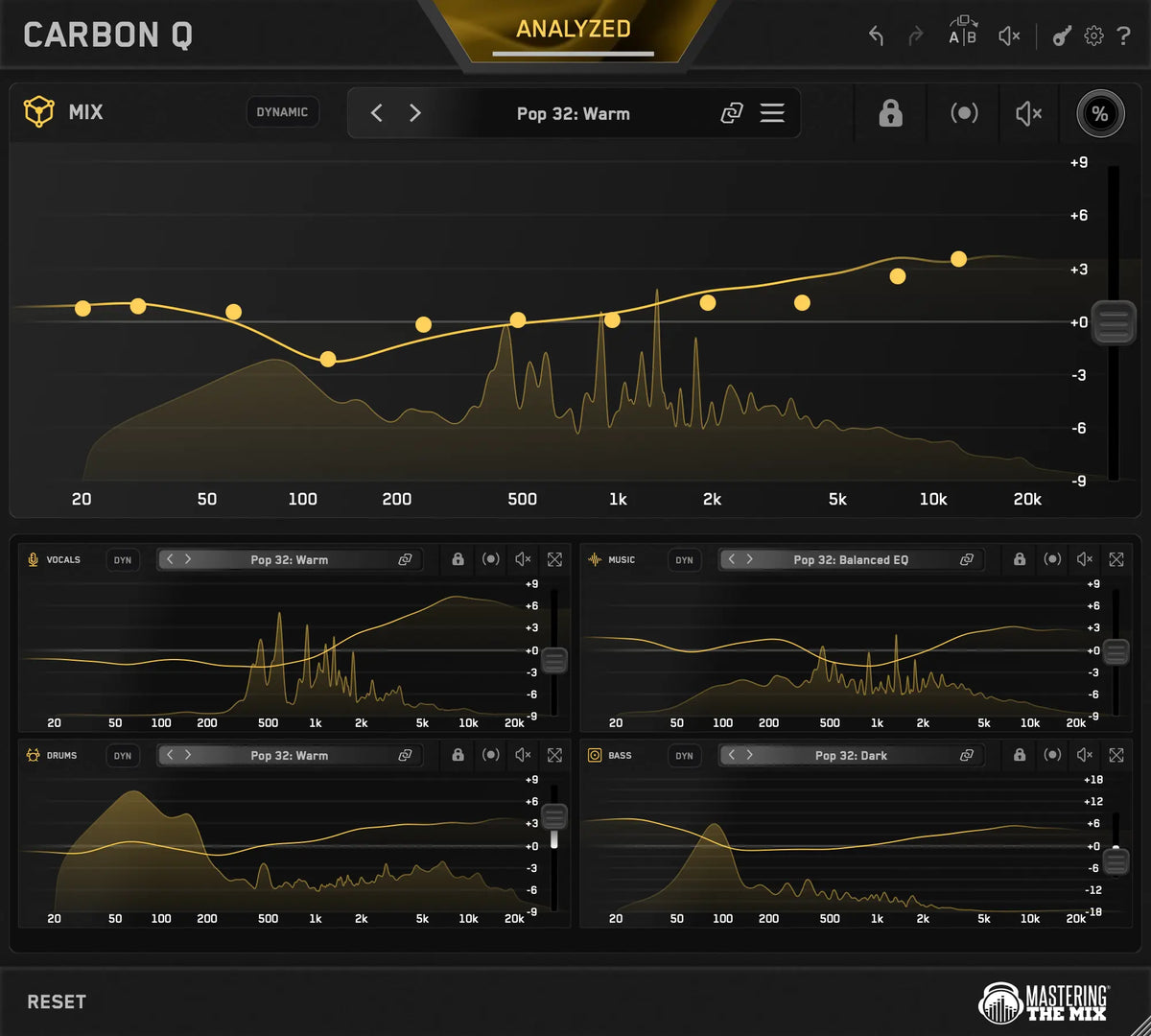
CARBON Q helps you get both right for your vocals, music, drums and bass, all from one window. Every channel is connected, so each one is set with the rest of the mix in mind.

30 Day Money Back Guarantee

Hear The Difference

CARBON Q bypassed across a rock mix, with the MIX instance and every agent muted and their curves dimmed

Rock Mix

0:00 –:––
CARBON Q bypassed across a pop mix in Mid/Side, with the MIX instance and every agent muted and their curves dimmed

Pop Mix

0:00 –:––

Connected EQ

Mix, Vocals, Drums, Bass, Music all connected to get you the perfect EQ and volume balance for your mix.

Advanced Controls

Multi-band dynamic control, mid side, reference track matching, max quality linear phase filters.

30-Day Money Back Guarantee

You don't love CARBON Q, you get your money back.

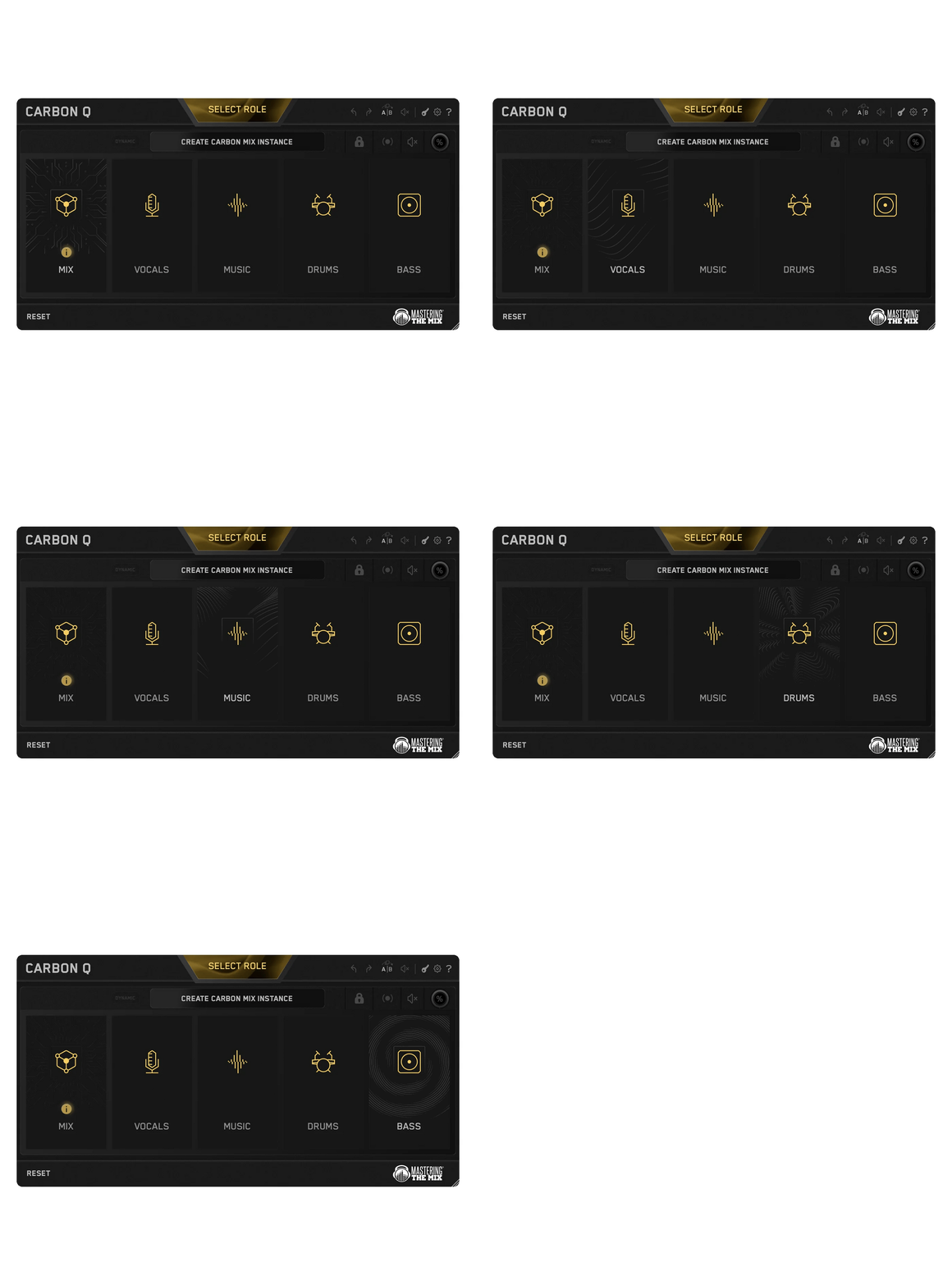
The CARBON Q role picker cycling through MIX, VOCALS, MUSIC, DRUMS and BASS as each instance is placed on its channel
01

Connected EQ

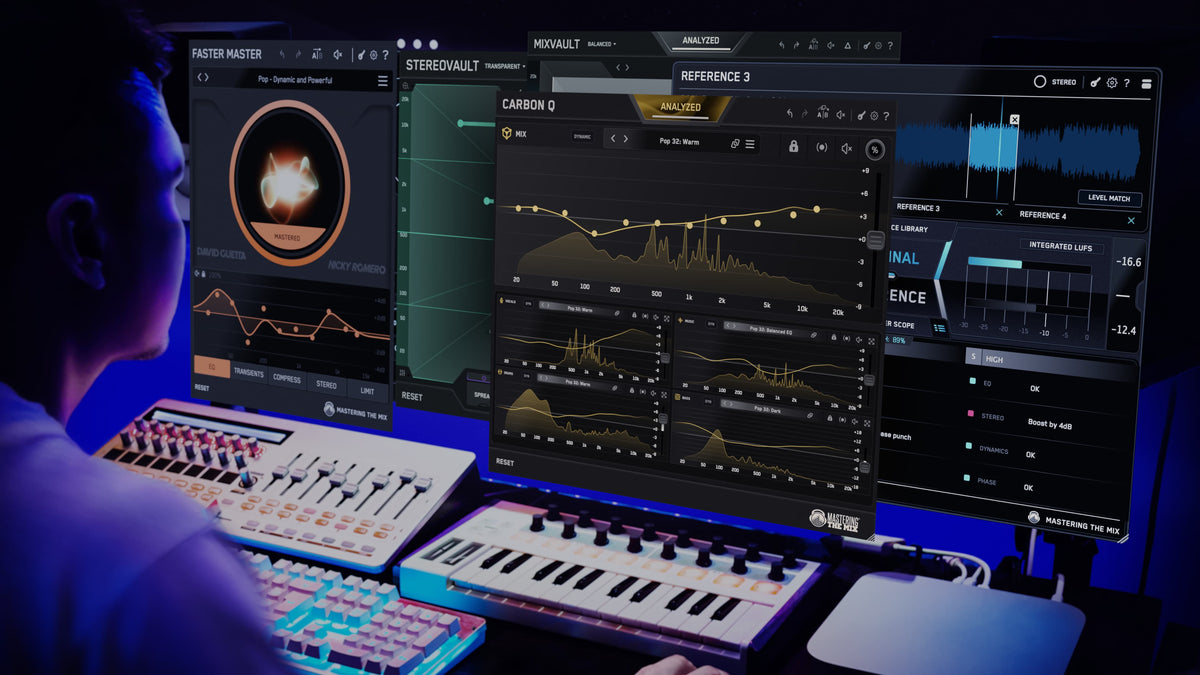
CARBON Q goes on your output, and on your vocals, music, drums and bass. They connect the moment they load. From any window you can control every channel's EQ, level and its preset.
A close-up of the CARBON Q analysis tray, all five instance icons armed in gold under the GO button, ready to analyze the whole session in one pass
02

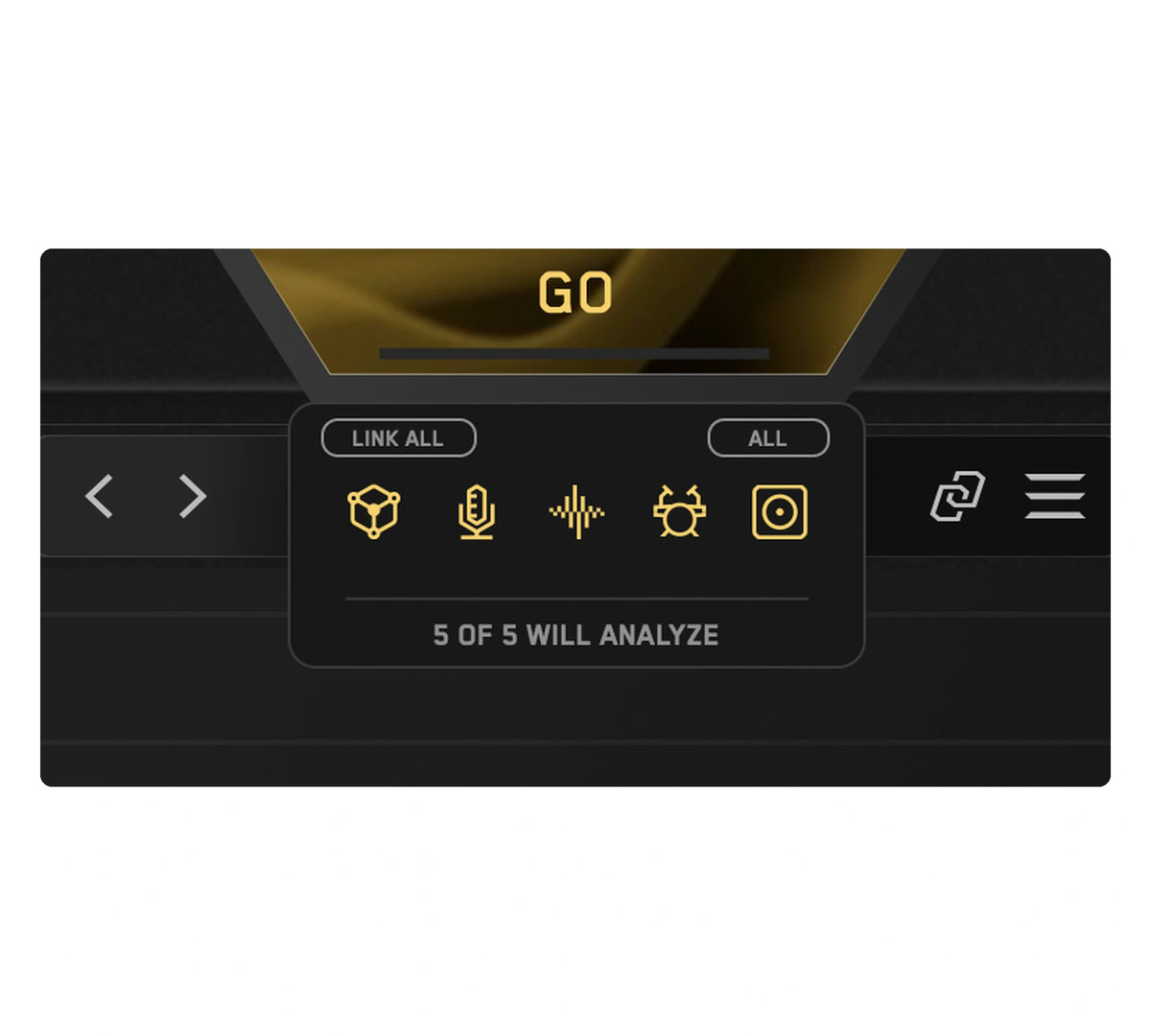
Analyze Everything

Loop the busiest part of your song and press ANALYZE. Press GO and CARBON Q analyzes your mix.
The CARBON Q preset browser outlined in gold, showing the ten Smart Presets closest to the analyzed audio
03

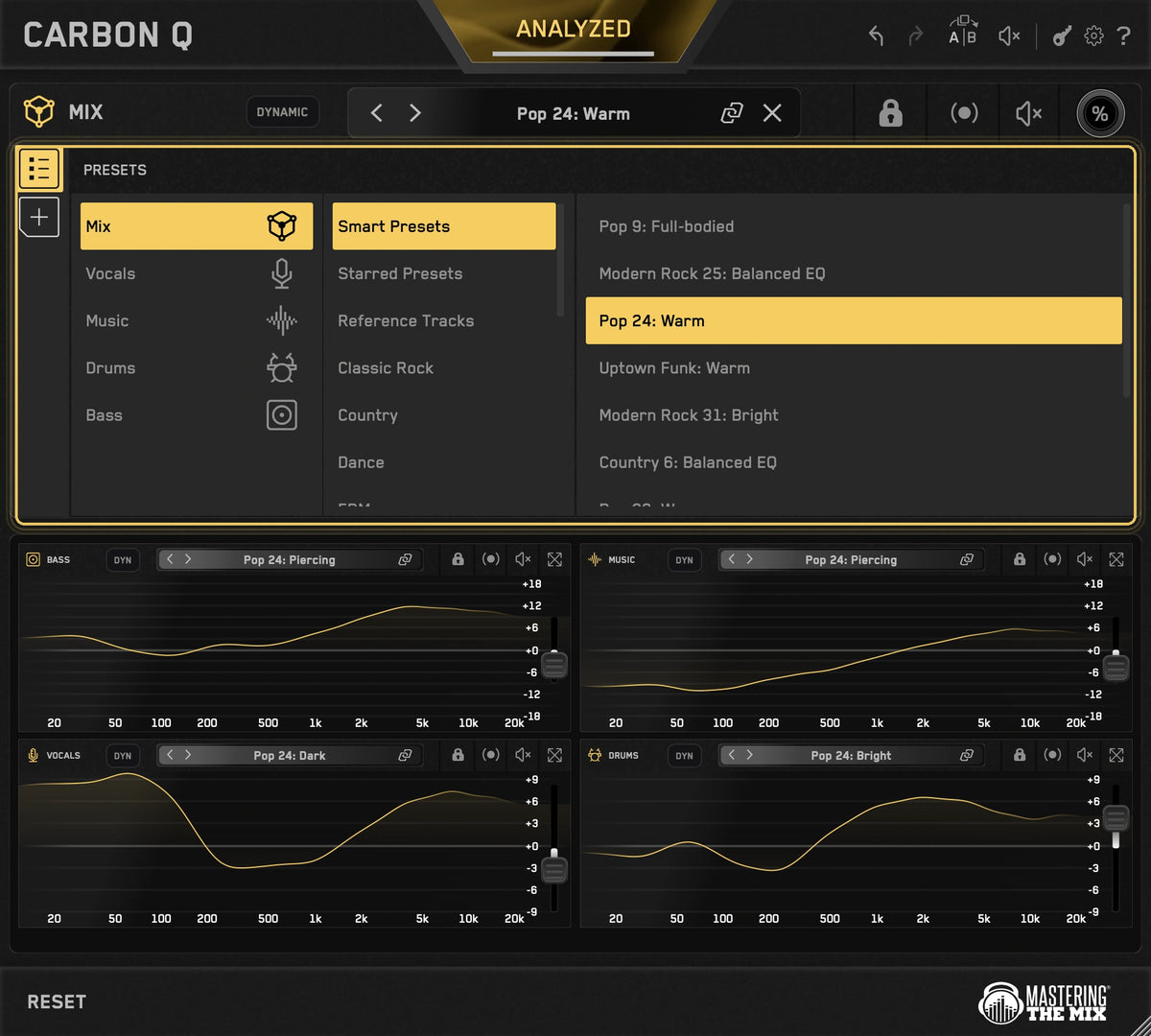
Smart Presets

CARBON Q compares your song against world class reference mixes and puts the ten closest matches at the top of the preset browser. Each one sets the tonal balance and the volume balance of every channel at the same time, taken from a mix that already works.
One record becoming a preset: an album sleeve feeding the mix, vocals, music, drums and bass roles, each with its own EQ curve and level
04

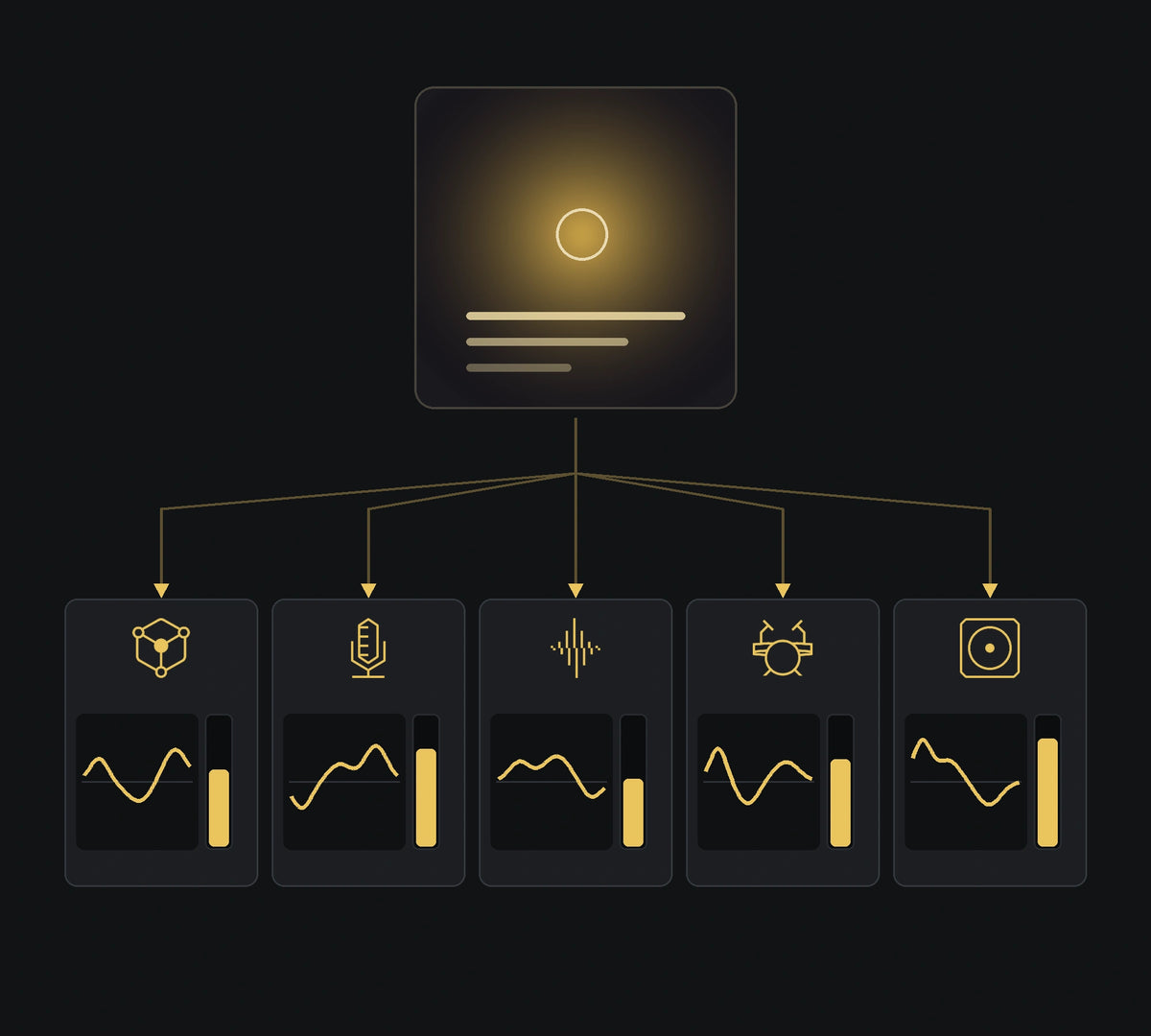
Turn Any Song Into A Preset

Drop a record you love into the reference tracks tab. CARBON Q separates it into vocals, music, drums and bass, measures the tonal balance of each part and how loud each one sits against the rest, then turns all of that into a preset.
A reference track selected in CARBON Q, with every channel in the session moved to match its tonal balance and levels
05

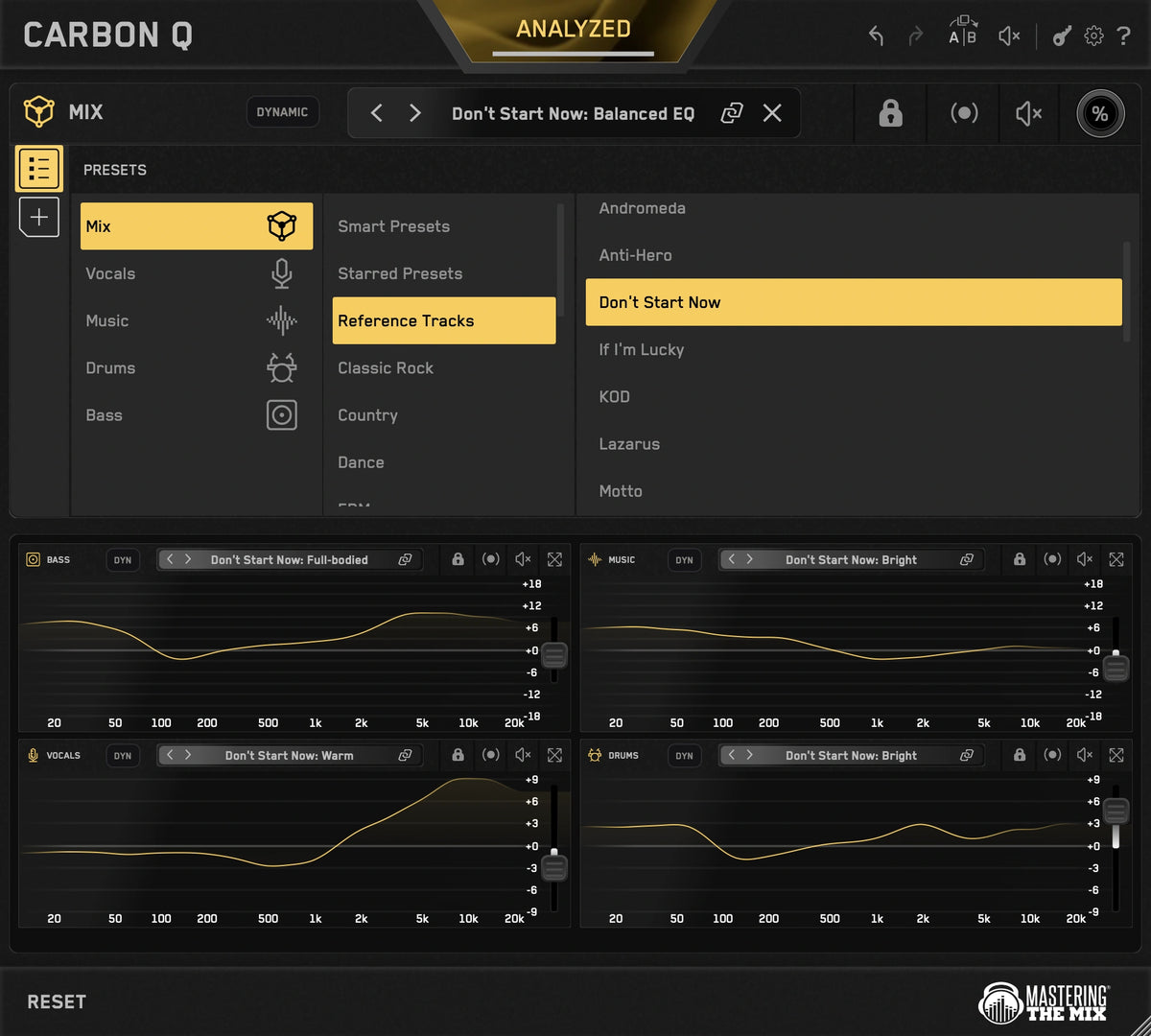
Full Flexibility

Select a reference and CARBON Q applies the EQ and volume changes to match its sonic blueprint. Or, unlink the agents to take just the vocal balance from one song and the drums from another. 
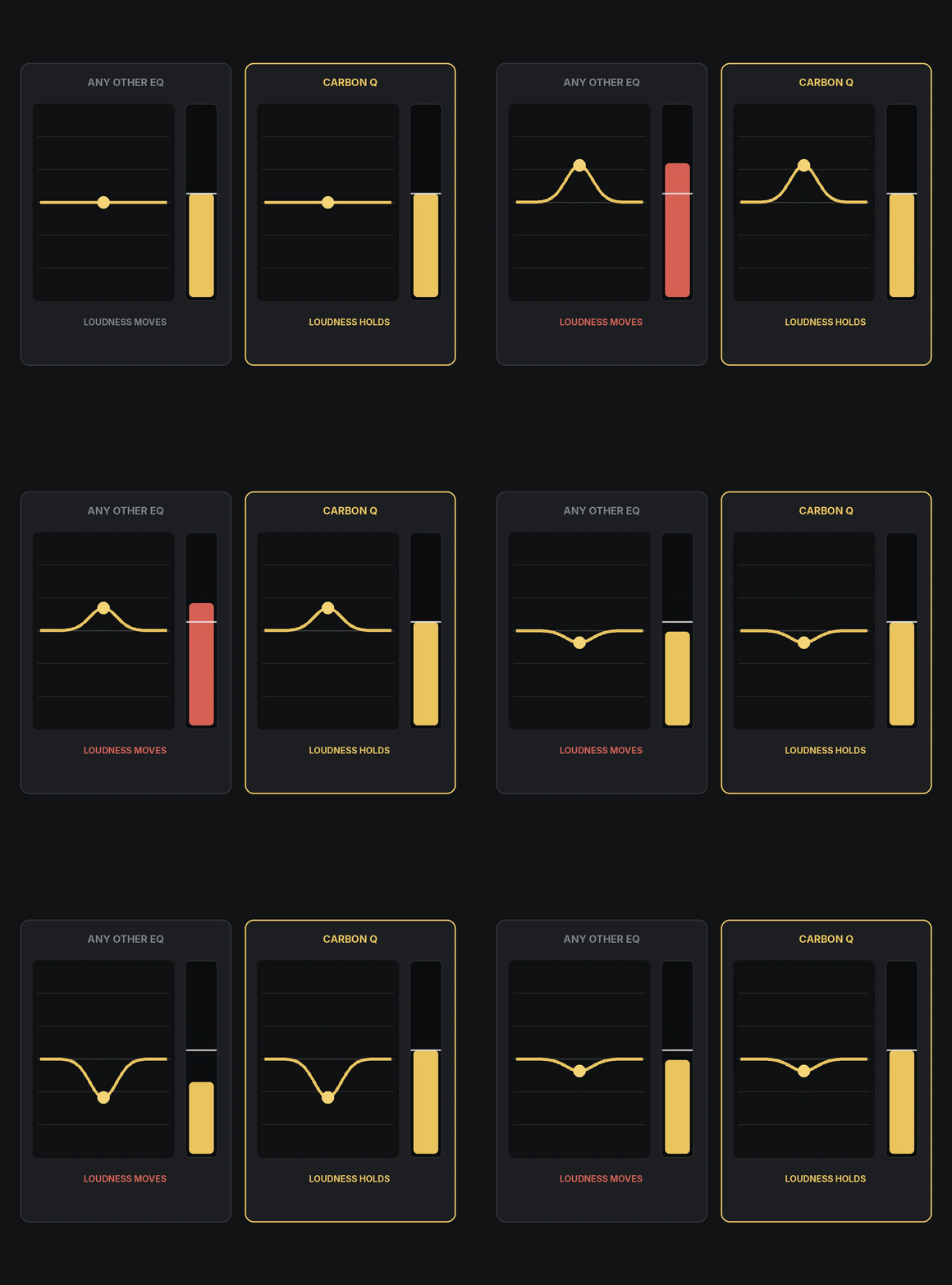
The same EQ move in two plugins: the output meter rises in an ordinary EQ and holds steady in CARBON Q
06

Level Matched EQ

Louder always sounds better for a moment, which is how an EQ move can fool you. CARBON Q holds the output steady in real time while you work.

CARBON Q in Mid Side with the gold mid curve and the blue side curve both on screen at once across the session
07

Mid Side - Easier Than Ever

Mid side mode gives you full control over the space and depth of your mix. Yellow is mid, blue is side, just click the other EQ line to switch instantly.
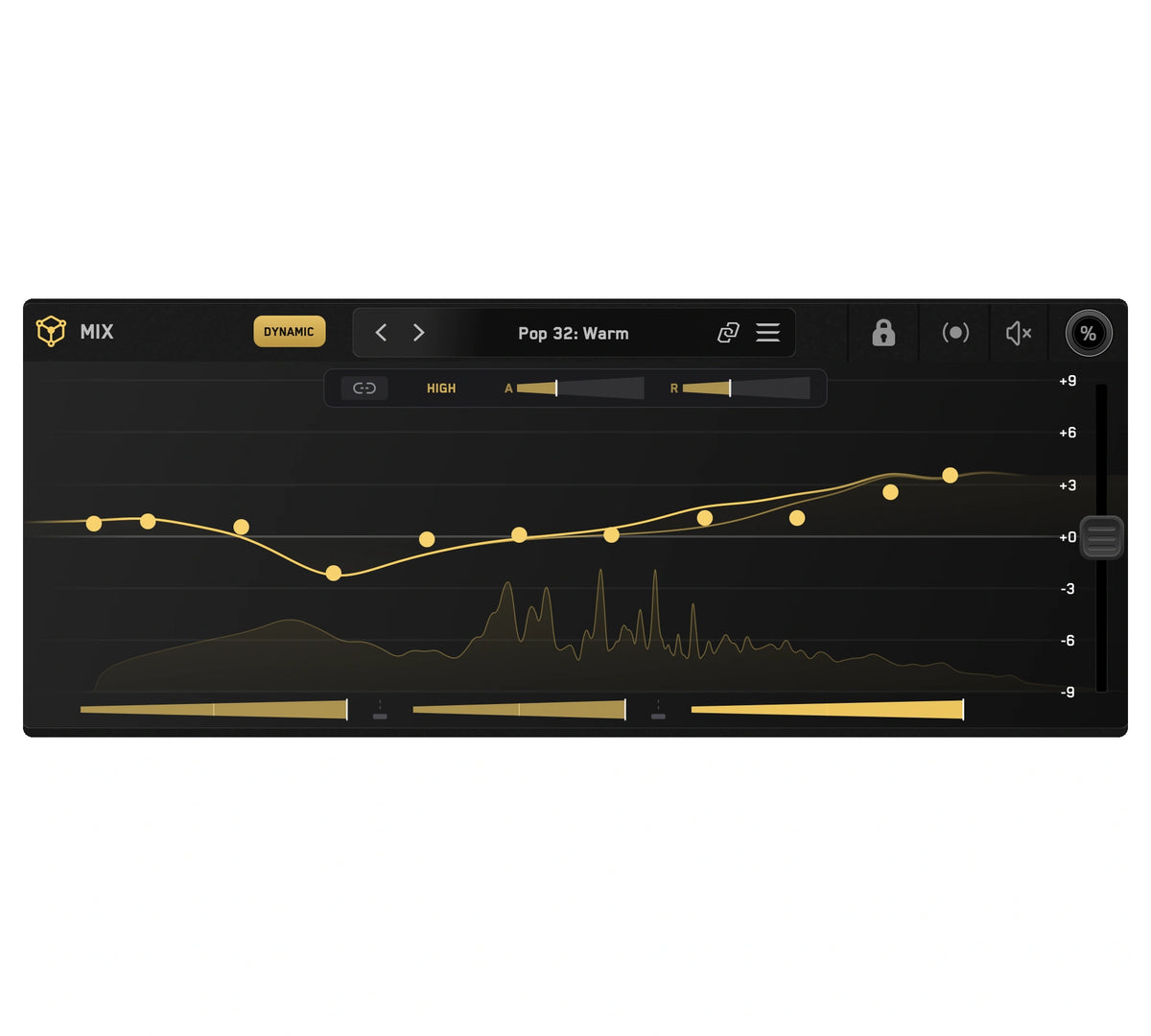
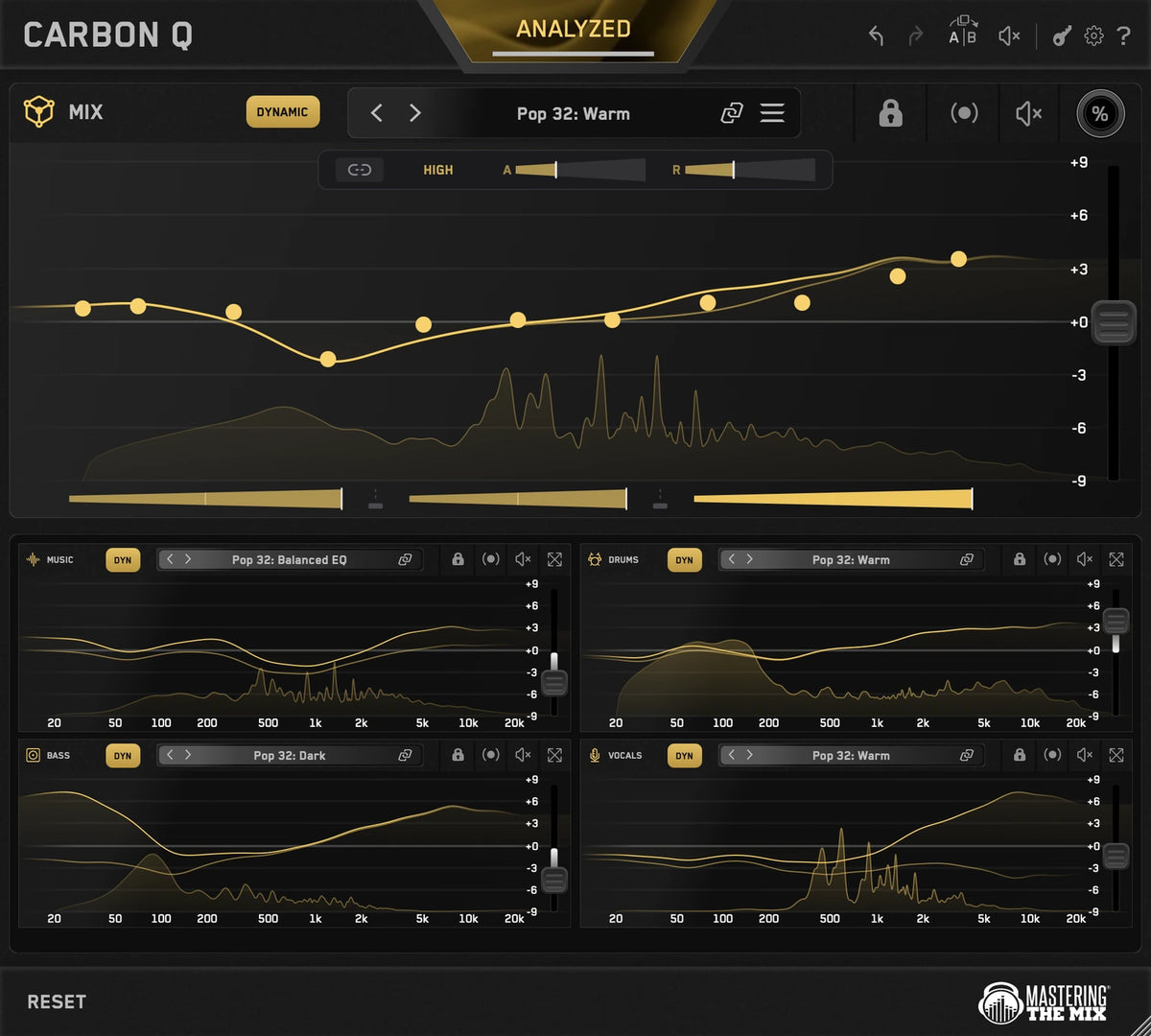
Dynamic Mode running on a CARBON Q MIX instance, with the moving curve under the static one and the three band amounts below
08

Dynamic Mode

Dynamic Mode holds each channel to its tonal balance target by controlling peaks. Fully adjustable across every instance.
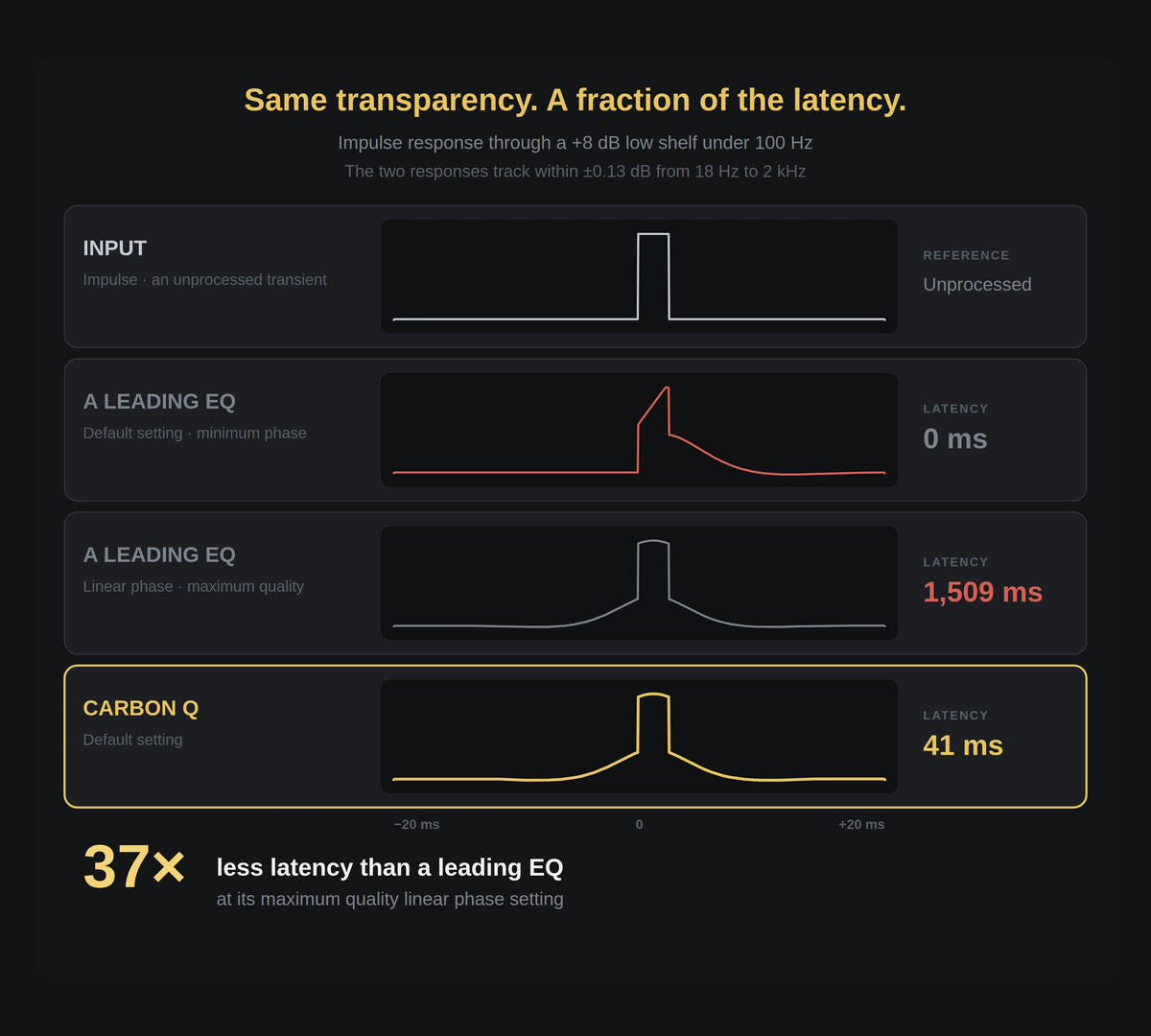
Impulse response comparison: an unprocessed transient, a leading EQ in minimum phase and in linear phase at 1,509 ms, and CARBON Q matching the linear phase shape at 41 ms
09

Fast, And Transparent

CARBON Q runs max quality linear phase filters. Measured against a leading linear phase EQ at its maximum resolution, the frequency response matches within 0.13 dB, at 41 ms of latency instead of 1,509 ms.
01

Connected EQ

CARBON Q goes on your output, and on your vocals, music, drums and bass. They connect the moment they load. From any window you can control every channel's EQ, level and its preset.

02

Analyze Everything

Loop the busiest part of your song and press ANALYZE. Press GO and CARBON Q analyzes your mix.

03

Smart Presets

CARBON Q compares your song against world class reference mixes and puts the ten closest matches at the top of the preset browser. Each one sets the tonal balance and the volume balance of every channel at the same time, taken from a mix that already works.

04

Turn Any Song Into A Preset

Drop a record you love into the reference tracks tab. CARBON Q separates it into vocals, music, drums and bass, measures the tonal balance of each part and how loud each one sits against the rest, then turns all of that into a preset.

05

Full Flexibility

Select a reference and CARBON Q applies the EQ and volume changes to match its sonic blueprint. Or, unlink the agents to take just the vocal balance from one song and the drums from another. 

06

Level Matched EQ

Louder always sounds better for a moment, which is how an EQ move can fool you. CARBON Q holds the output steady in real time while you work.

07

Mid Side - Easier Than Ever

Mid side mode gives you full control over the space and depth of your mix. Yellow is mid, blue is side, just click the other EQ line to switch instantly.

08

Dynamic Mode

Dynamic Mode holds each channel to its tonal balance target by controlling peaks. Fully adjustable across every instance.

09

Fast, And Transparent

CARBON Q runs max quality linear phase filters. Measured against a leading linear phase EQ at its maximum resolution, the frequency response matches within 0.13 dB, at 41 ms of latency instead of 1,509 ms.

The CARBON Q role picker cycling through MIX, VOCALS, MUSIC, DRUMS and BASS as each instance is placed on its channelA close-up of the CARBON Q analysis tray, all five instance icons armed in gold under the GO button, ready to analyze the whole session in one passThe CARBON Q preset browser outlined in gold, showing the ten Smart Presets closest to the analyzed audioOne record becoming a preset: an album sleeve feeding the mix, vocals, music, drums and bass roles, each with its own EQ curve and levelA reference track selected in CARBON Q, with every channel in the session moved to match its tonal balance and levelsThe same EQ move in two plugins: the output meter rises in an ordinary EQ and holds steady in CARBON QCARBON Q in Mid Side with the gold mid curve and the blue side curve both on screen at once across the sessionDynamic Mode running on a CARBON Q MIX instance, with the moving curve under the static one and the three band amounts belowImpulse response comparison: an unprocessed transient, a leading EQ in minimum phase and in linear phase at 1,509 ms, and CARBON Q matching the linear phase shape at 41 ms
  • 5 stars: 13 (100%)
  • 4 stars: 0 (0%)
  • 3 stars: 0 (0%)
  • 2 stars: 0 (0%)
  • 1 star: 0 (0%)
M
Matthias Heimlicher
Rethinking your mixing and mastering process.

This tool is going to change the engineer's mix and mastering workflow quite a bit. In positive ways. Go get it! It's a no-brainer.

S
Sybren Roefs
The stem-level matching EQ I've been missing

I love that this is a matching EQ on a stem level. It's so much easier to sound like another song than with a matching EQ on the master bus alone. This is truly something I've been missing, and only needing one window open for all the instances is great. I hadn't expected yet another plugin to be this good. Awesome job!

L
Lovis Viola
Great idea and execution

The idea is convincing and the UI is intuitive and straightforward, as if it couldn't have been any other way. One of my own mixes was vastly improved after dialling in a combination of my references for each role. The lock is absolutely essential. Such a fine product, congrats to the team!

S
Steve Bennellick
Balanced mix within minutes

I loved how quickly my mix was balanced and sounding ready within minutes. I also tried it on a mix I'd already finished and it enhanced it even further. Nothing I'd change, it's amazing.

R
Rob Bremner
Dynamic Mid/Side EQ got me very excited

Absolutely loving the whole concept behind Carbon Q. It's a real time saver and makes it very easy to get a decent mix in place while producing. The suggested Smart Preset was in the ballpark, and having M/S and dynamic EQ built in is really clever. The only thing I disliked was watching the days on my trial count down.

B
Bill Dalton
A well thought out addition to any engineer's toolbox

I mostly record and mix acoustic music, and the Vocal option was particularly effective on instruments like fiddle and Dobro. The first mixes for my new acoustic album have already benefited from it, and I'm revisiting old mixes that could have used it. It can take a little time to nail the sound you're after, but it's worth every minute.

F
Ferry
The big picture of a mix in one plugin

Controlling the big picture of a full mix with EQ, dynamics and gain all in one plugin, with smart agents that talk to each other, is really well thought out. It handles the foundations of a mix really well. It takes a little while to learn how it works, but after that everything is pretty straightforward. Picking the right preset or reference track is the key to getting the most out of it.

P
Pete Pagnucco
It actually worked and improved the mix

Very impressed with the results and the ease of use. It actually worked and improved my mix. Even before reading the manual it was easy to get most things in order, then fine tune from there.

N
Nati Roth
Very powerful and intelligent plugin

Easy to understand GUI and a very customisable, powerful EQ. It works really well with analog recordings and VST instruments. A very powerful and intelligent plugin, and I'll definitely use it a lot on my mixes.

S
Sander Bos
Results with little effort, in seconds

I ran some recordings I made in the 80s through Carbon Q, and songs I mixed so long ago now sound fresh with minor corrections. The same type of EQ is used on every stem, so there are no phase problems. The workflow follows other MTM products: load your material, pick a preset or reference track, tweak, and get results with little effort in seconds.

G
Guy BP
A really good product

It gave me a totally different starting point to what I would have done, which I found really interesting. It's great and easy to drop in your own reference tracks and have Carbon Q break them down into their parts. The workflow is pretty good too, similar to using a summing unit with everything going into busses and groups.

D
Davide Fant
Incredible concept

An incredible concept, and having all the instances in one window is fantastic. I'd love to see a Lead profile and some profiles for instrumental music added down the line.

J
Joël
A great improvement

It took some getting used to how much the sound is transformed after analyzing, but after a few listens and adjustments it really sounds like a great improvement.

Mac System Requirements

OS X 13.3 or higher. 64-bit AU, VST 3 or AAX host.
Apple Silicon Native.

Download Mac Installer

Windows System Requirements

Windows 10 or higher. 64-bit VST 3 or 64-bit AAX host.

Download Windows Installer

Mac System Requirements

OS X 13.3 or higher. 64-bit AU, VST 3 or AAX host.
Apple Silicon Native.

Download Mac Installer

Windows System Requirements

Windows 10 or higher. 64-bit VST 3 or 64-bit AAX host.

Download Windows Installer