
FUSER | Fix Frequency Masking
FUSER by Mastering The Mix is the perfect plugin for fixing frequency masking. It finds where two tracks clash and turns down only those frequencies dynamically, only while they overlap. It analyses both tracks, shows you the clashes in the mid and the sides, and sets dynamic EQ cuts in one click, so your kick, bass and vocals stop burying each other.
It also lines up the phase of layered sounds, and it runs with zero latency.


30 Day Money Back Guarantee
Pro Reviews

David Yungin Kim
3 x Grammy Winner | Chris Brown, Kendrick Lamar, Ariana Grande
With FUSER I am able to get that next level knock and clarity that i’ve been looking for my whole career. It’s really an amazing tool and it belongs in everyones plugin folder.

Matt Rifino
5x Emmy Award Winner. Harry Styles, Taylor Swift, Maroon 5, John Mayer.
FUSER is a very cool plugin! This one will end up permanently in my template.

Music Tech
9/10 Choice Award
Whether you're looking to create space in a mix or enhance the punch of your drums, Fuser provides the finesse and accuracy that sets it apart from its competitors.

Camelphat
Beatport chart-toppers
I use FUSER a lot. It takes all the guesswork out of frequency clashing, brings clarity to my mixes. It’s a must for achieving that professional mixdown.
Koen Heldens
Kanye West, The Kid Laroi, Lil Wayne.
FUSER is a time-saving tool that takes care of what used to be a manual process of searching for and applying dynamic EQ, automatically identifying and addressing it for me.

Rik Simpson
Grammy Award Winning Producer. Coldplay, Jay Z, Noel Gallagher
FUSERS smart mode sets you up but it’s when you start to dig into the detailed parameters that you really realise what it’s capable of. Well done Mastering The Mix

CID
Grammy Award Winning DJ & Producer
I was blown away with the results, the bass fit perfectly in the mix. Really great plugin to get quick effective results!
John Nathaniel
OneRepublic, Shawn Mendes, Gwen Stefani
Fuser is my new best friend for ducking tracks and creating space! I love how simple it is to use and the interface is straight to the point, you get used to it in seconds!
Jordan Schultz
Charlie Puth, Sean Paul, Jonas Blue, Ed Sheeran,
FUSER, is such a brilliant helper!! It’s a MUST have for any busy studio or beginner. It’s not a gimmick, FUSER is a problem solver and a tool that you actually need!

The Him
Chainsmokers, Martin Garrix, Tiësto, Miley Cyrus, Kygo, Spinnin'
FUSER is an absolutely amazing and intuitive plugin. It creates space when and where you need it!
Cutmore
Beyonce, Justin Bieber, Maroon 5, Christina Aguilera
I was stunned just how much clearer my bass and kick sounded with FUSER. I love just how easy the plug-in is to use and the end result makes all the difference.

Dirty South
DJ Mag Top 100 DJ
FUSER takes care of frequency issues very fast and I love the phase correction section. It helps a lot to get the phase spot on when layering similar sounds such as kicks. It’s an absolute winner!

Jay Reynolds
Grammy Winner, Dua Lipa, Stormzy, Raye
FUSER cleans up mixes in a way that no other plugin can. It’s smart, it’s fast, and it works.
Greg Wurth
Grammy nominated, Steve Vai.
FUSER is a powerful audio tool that offers unique features to help tackle frequency issues in a mix with minimal effort. This is being added to my problem solving plugin kit.

HYPERBITS
Beyonce, Nick Jonas, Tove Lo
"FUSER is AWESOME! It's like the best of trackspacer AND soothe in 1 plugin, with extra features on top! Every producer needs FUSER."
Overview Video
FUSER Quickstart
Identify the two channels that are clashing, then load FUSER as the final plugin on the channel you want to duck (the submissive channel).
Set the plugin wrapper’s sidechain input to the dominant channel.
For example, if your kick and bass are clashing, place FUSER on the bass and sidechain the kick.
Visual Clarity For Your Music
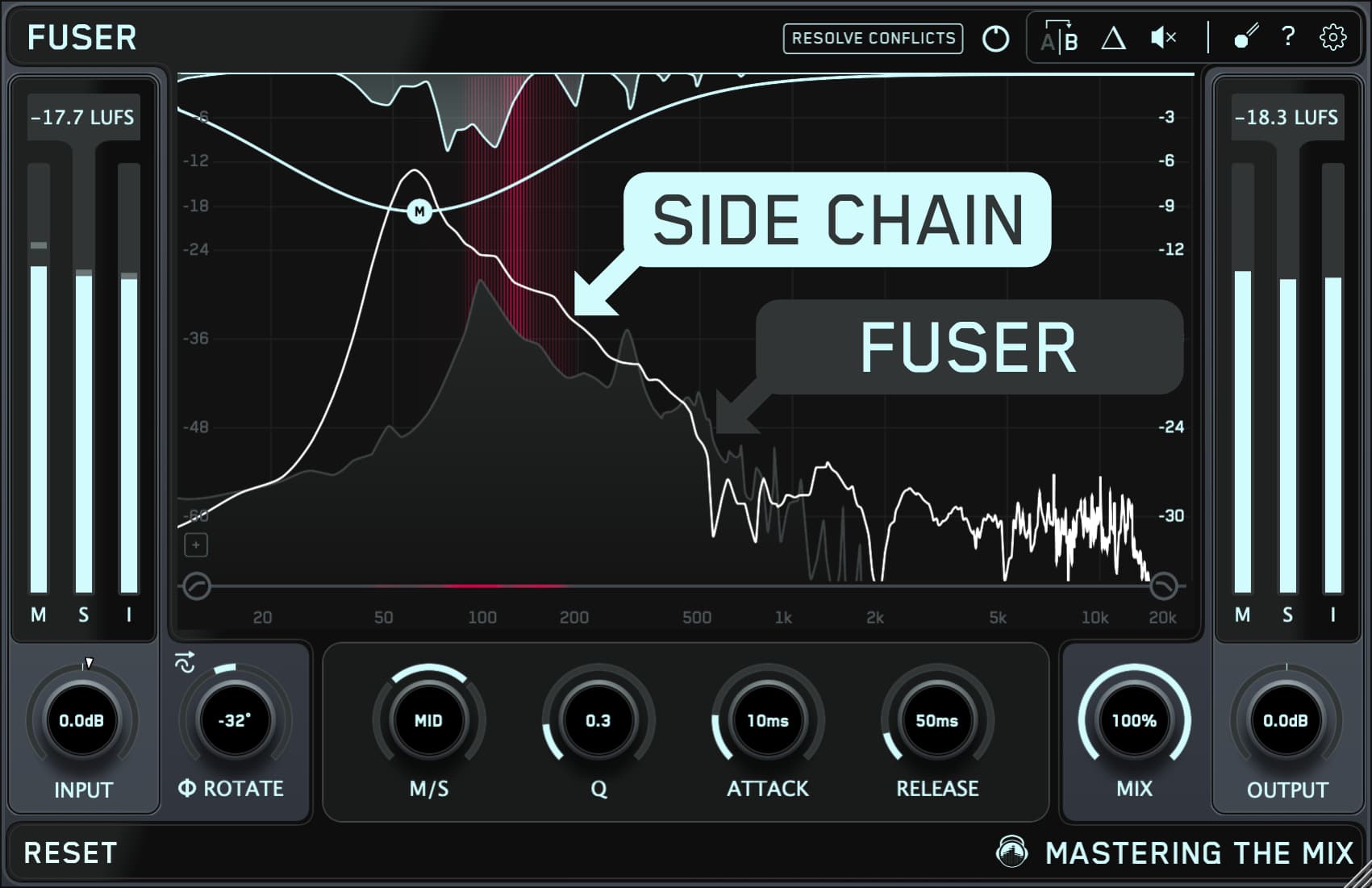
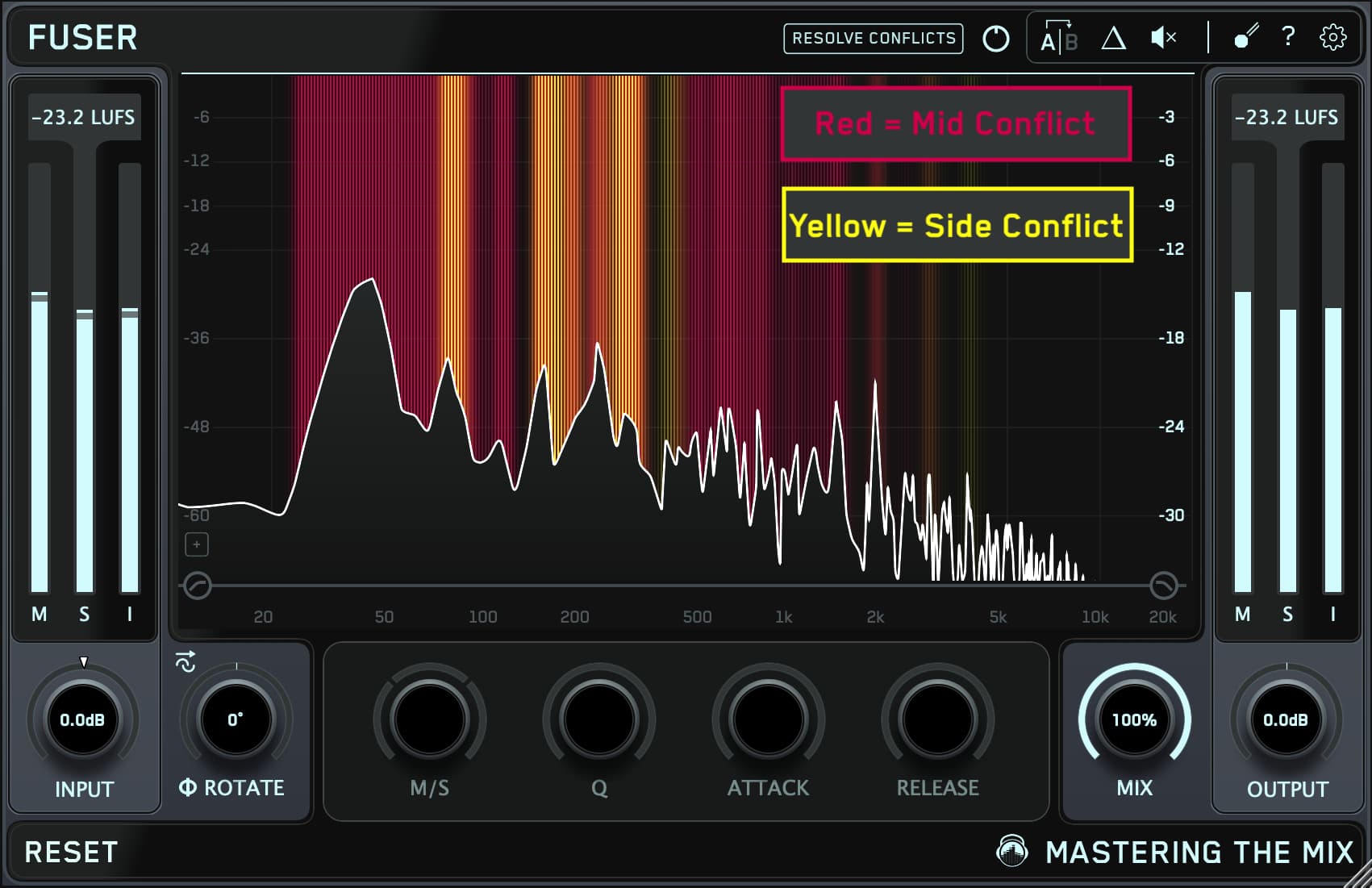
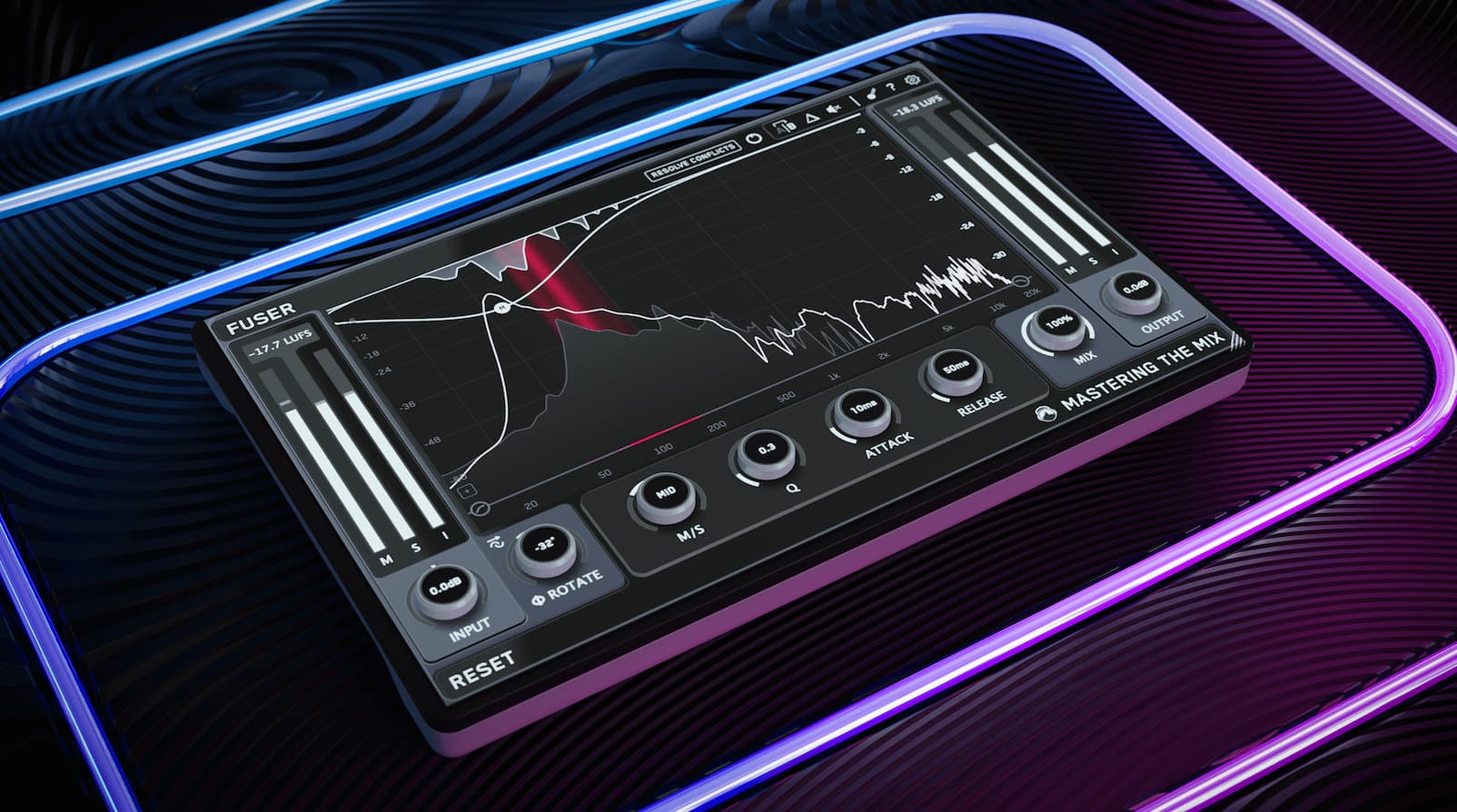
The red glow indicates mid channel conflict, the yellow glow indicates side channel conflict.
Resolve Conflicts
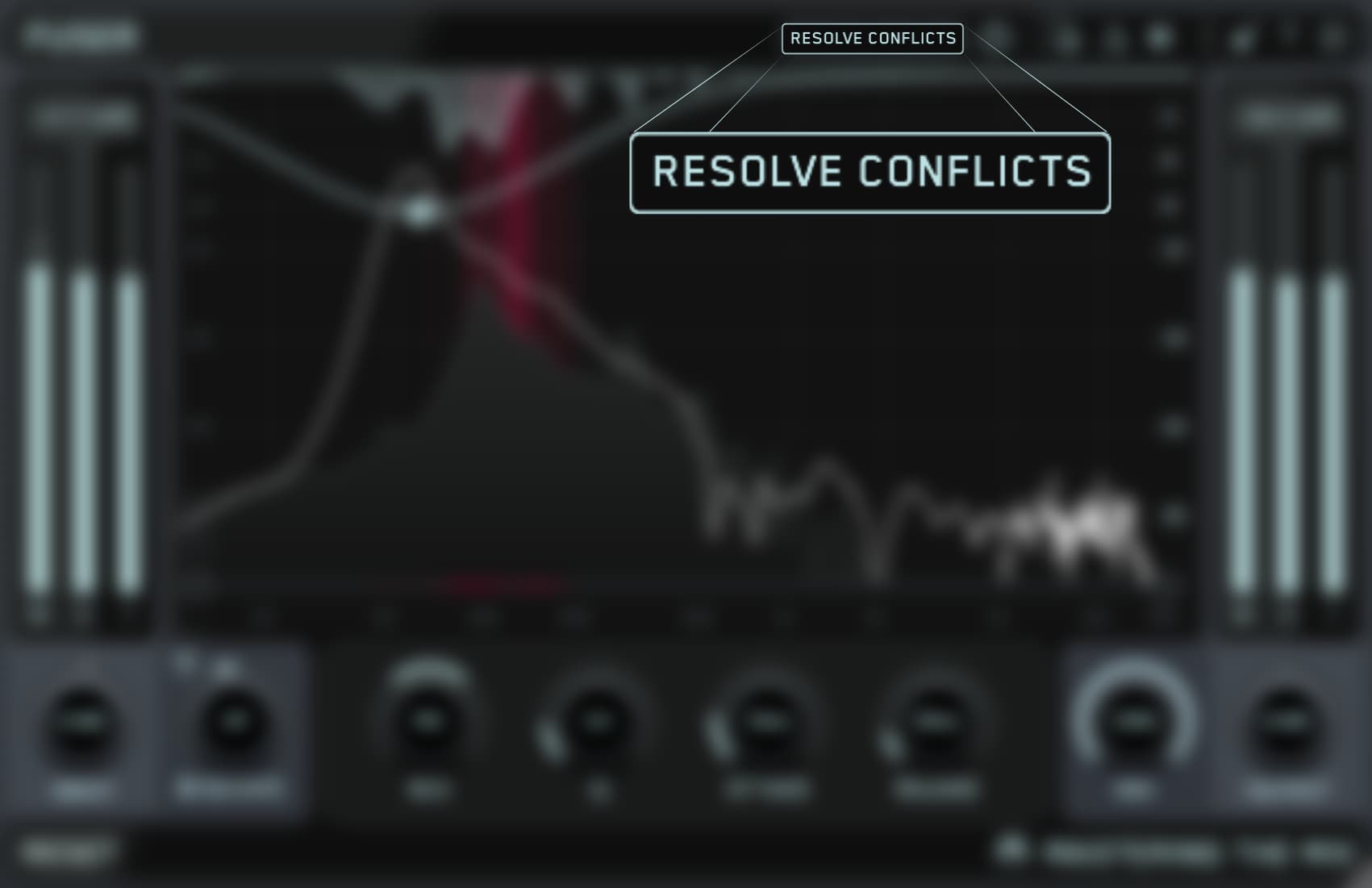
Click the 'Resolve Conflicts' button to automatically initiate processing that transparently resolves channel conflict and frequency masking without overdoing it.
Take Control
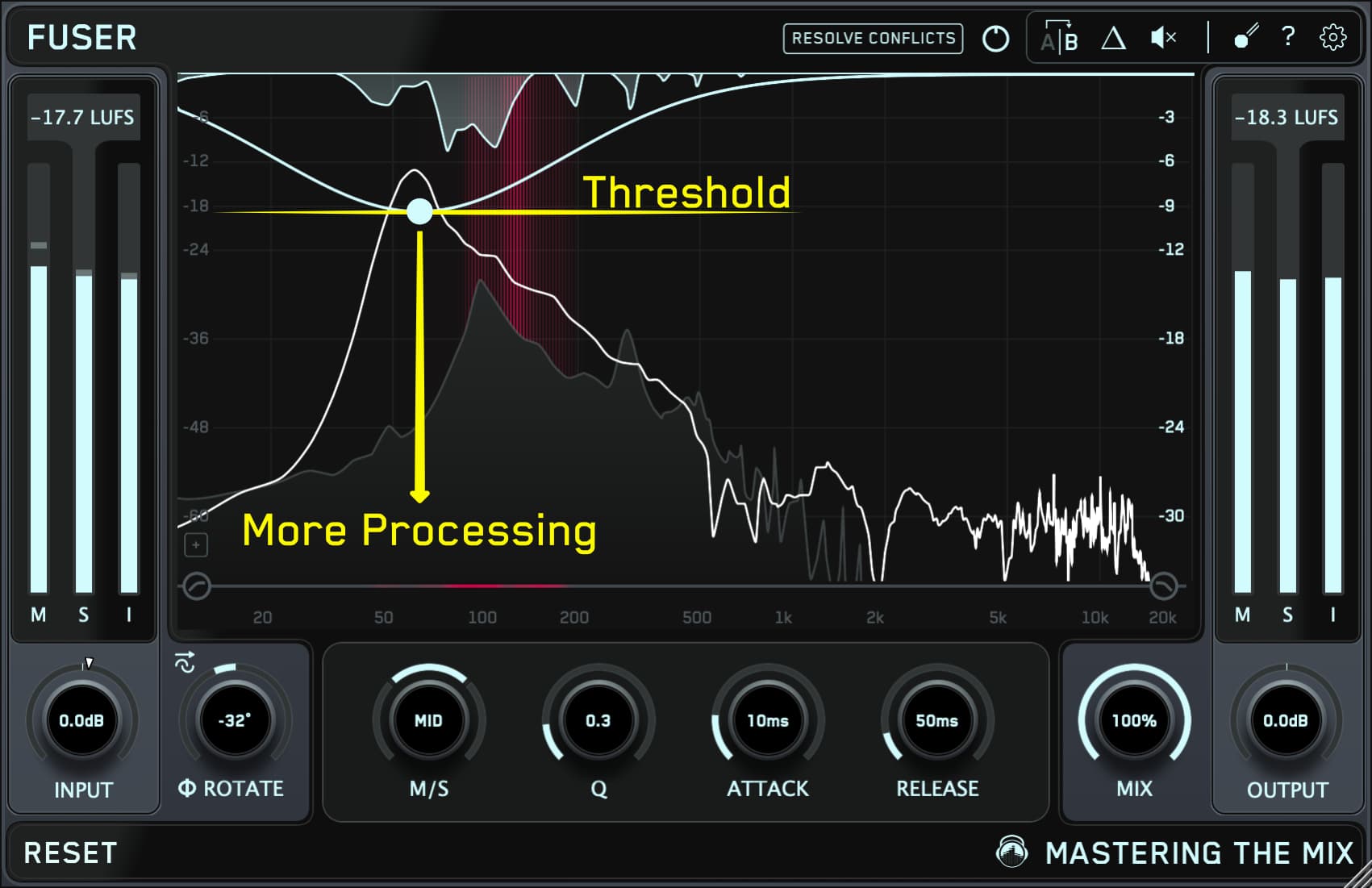
To manually create a node, double-click the frequency display. Drag the node down to increase the processing amount. Adjust mid/side, Q, attack, and release individually. Click the small triangle button (Δ) in the top right to listen to the Delta signal. It will assist you in setting the perfect attack and release settings.
Layering Like A Pro
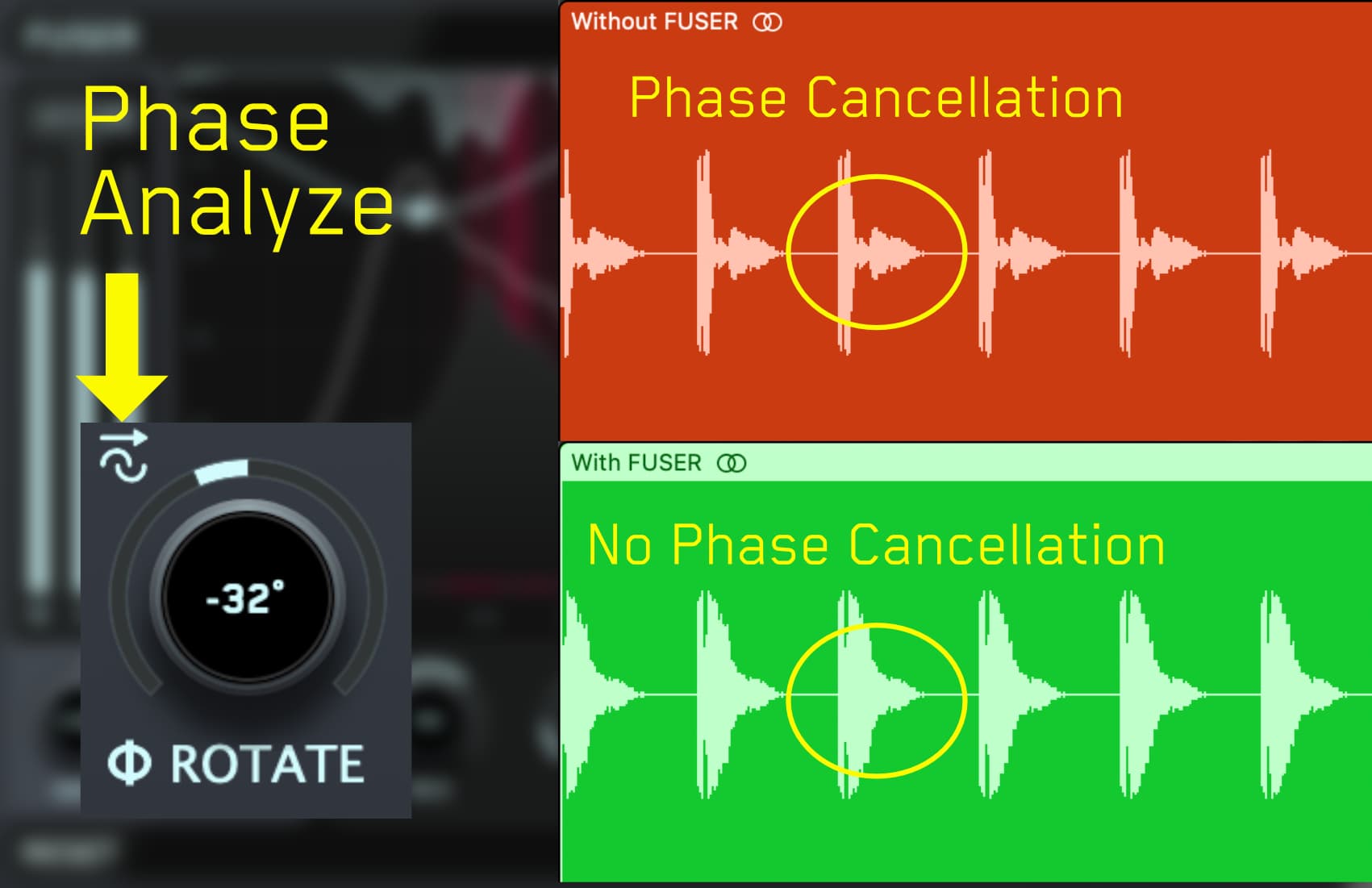
Need to reduce phase cancellation and make your layered sounds shine? FUSER has you covered. The innovative Phase Analyze feature automatically finds the optimal phase rotation ensuring minimal phase cancellation when layering similar sounds such as kicks and basses. Once you hear the breathtaking results, you’ll never layer sounds without FUSER again.
FUSER Quickstart
Identify the two channels that are clashing, then load FUSER as the final plugin on the channel you want to duck (the submissive channel).
Set the plugin wrapper’s sidechain input to the dominant channel.
For example, if your kick and bass are clashing, place FUSER on the bass and sidechain the kick.
Visual Clarity For Your Music
The red glow indicates mid channel conflict, the yellow glow indicates side channel conflict.
Resolve Conflicts
Click the 'Resolve Conflicts' button to automatically initiate processing that transparently resolves channel conflict and frequency masking without overdoing it.
Take Control
To manually create a node, double-click the frequency display. Drag the node down to increase the processing amount. Adjust mid/side, Q, attack, and release individually. Click the small triangle button (Δ) in the top right to listen to the Delta signal. It will assist you in setting the perfect attack and release settings.
Layering Like A Pro
Need to reduce phase cancellation and make your layered sounds shine? FUSER has you covered. The innovative Phase Analyze feature automatically finds the optimal phase rotation ensuring minimal phase cancellation when layering similar sounds such as kicks and basses. Once you hear the breathtaking results, you’ll never layer sounds without FUSER again.
How to fix frequency masking
Frequency masking happens when two sounds fill the same frequency range at the same time, so the louder one hides the other. Each track sounds fine on its own, then turns muddy when they play together. The usual clashes are kick and bass around 50 to 120 Hz, bass and guitars around 150 to 300 Hz, snare and vocal around 1 to 3 kHz, and vocals against pads or guitars around 1 to 4 kHz.
Static EQ and high-pass filters
Clear out frequencies a track doesn't need. The cut stays on even when nothing is clashing.
Panning
Moves parts apart in the stereo field. It can't separate centre parts like kick, bass and lead vocal.
Sidechain compression
Turns the whole track down whenever the other one plays, including the frequencies that weren't clashing.
Dynamic EQ unmasking
Turns down only the clashing frequencies, and only while the two tracks overlap. FUSER finds the clashes for you.
FUSER compared with other unmasking plugins
| Plugin | How it handles masking | What you control | Good to know |
|---|---|---|---|
| FUSERMastering The Mix | Analyses both tracks, shows mid and side clashes separately, then places sidechain-triggered dynamic EQ cuts in one click with Resolve Conflicts. Phase Analyze sets the best phase rotation for layered sounds. | Every node's frequency, depth, Q, attack, release and mid/side setting. Delta listening. Volume balance suggestions. | Zero latency. Built for one job, fast to set up and fully editable. |
| Neutron 5 UnmaskiZotope | Detects where two tracks overlap and reduces the masking frequencies whenever the sidechain plays. | Amount, Sensitivity, Attack, Release and frequency filters. | Sold inside the Neutron 5 suite alongside nine other modules, including Phase. |
| pure:unmasksonible | AI-driven spectral processing between two tracks, set up as a sidechain. | Four controls: Unmasking, Resolution, Speed and Range. | Very few controls, so less to learn and less to fine-tune. |
| Curves ResolveWaves | Analyses two tracks and carves the conflicting frequencies, either in real time or from a learned, steady curve. | Carving amount, dynamic or steady blend, sidechain filter and tilt, Wide or Unmask ducking. | Includes a zero-latency Live version. |
| TrackspacerWavesfactory | Cuts the sidechain track's frequencies out of the other track in real time. | Amount, attack, release, filters, pan and mid/side mode. | Long-running and simple: one main knob with deeper options behind it. |
| Pro-Q 4FabFilter | A full EQ rather than a dedicated unmasking plugin. Any band can be made dynamic and triggered from a sidechain. | You find each clash and set every band by hand. | The most manual route, with full EQ precision. |
Details for other plugins come from each product's published information. Last updated 9 November 2026.
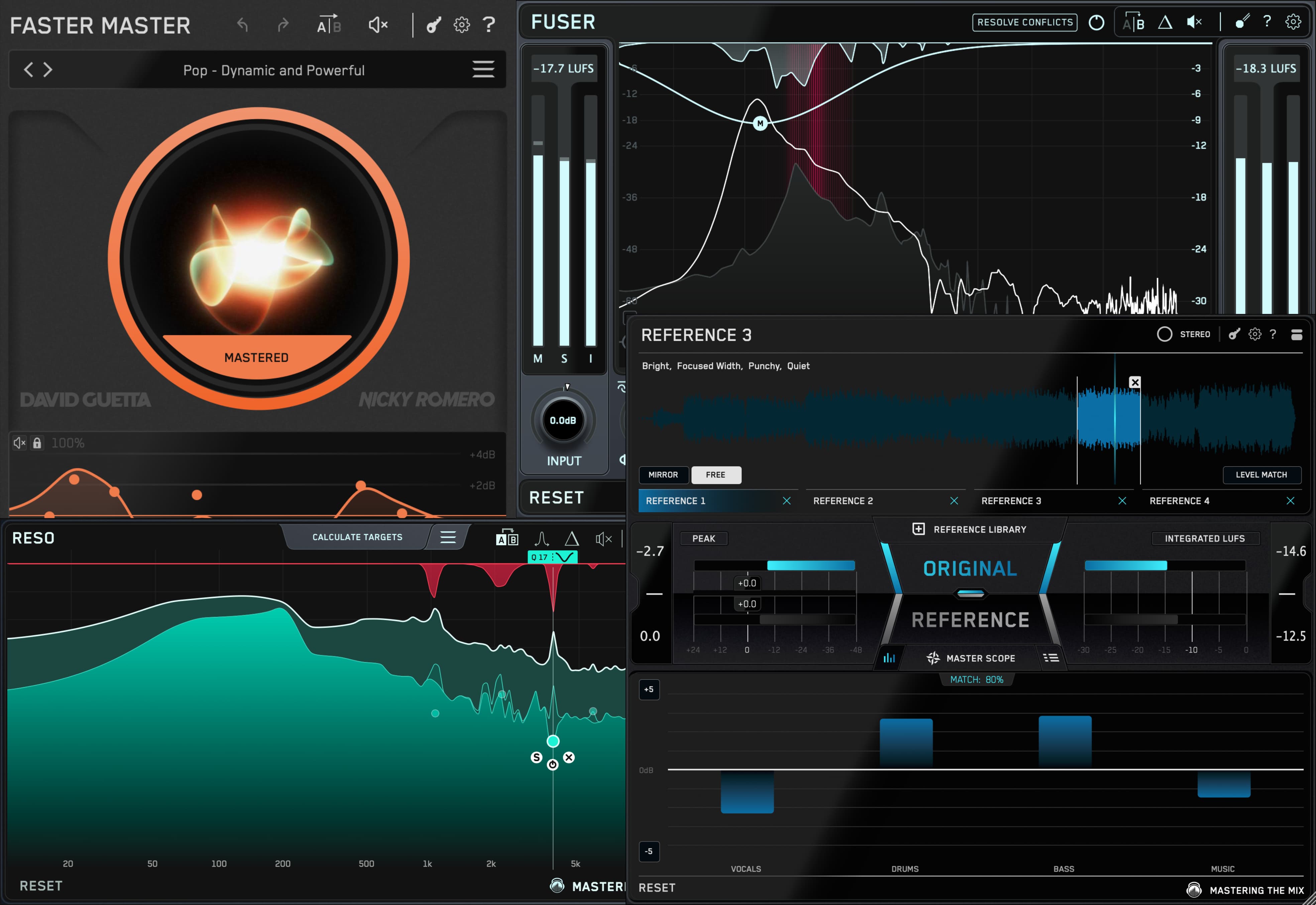


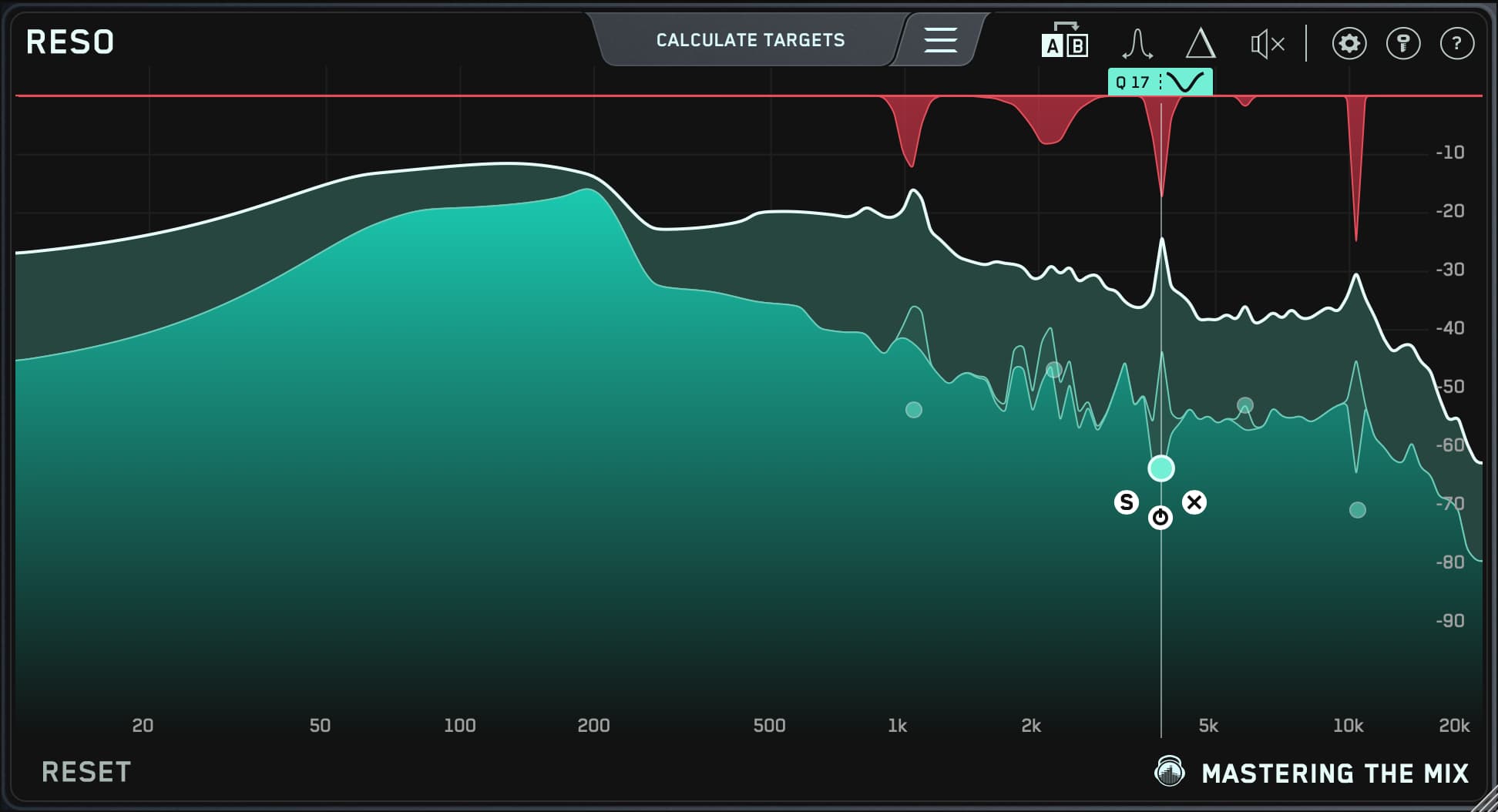
FUSER is included in:
✅ REFERENCE 3: REFERENCE 3 helps you make more confident mix and mastering decisions by showing you exactly how your track compares to professional releases, and what to adjust to get closer.
✅ FASTER MASTER: FASTER MASTER delivers instant, release-ready results with smart presets, optimized EQ, compression, and limiting.
✅ FUSER: FUSER detects masking issues and uses dynamic EQ and phase tools to separate instruments, giving every element space to shine.
✅ RESO: RESO pinpoints the problem frequencies and applies just the right amount of dynamic control to keep mixes smooth and clear.
Walkthrough Video
Mac
OS X 10.15 or higher. 64-bit AU, VST 3 or AAX host.
Apple Silicon Native.
Windows
Windows 10 or higher. 64-bit VST 3 or 64-bit AAX host.