

Turn your mix down and the bass and cymbals seem to fade before the vocal does. Turn it up and the whole song sounds bigger and more exciting. That isn't your speakers. It's your ears, and the Fletcher-Munson curve is the map of it.
The Fletcher-Munson curves are equal-loudness curves. They show how loud a tone at each frequency has to be to sound as loud as a 1 kHz tone. Our ears are most sensitive around 2 to 5 kHz and much less sensitive to deep bass and the very top end, especially at low volume. Turn the music up and the curves flatten, so the same mix sounds fuller and brighter.
For mixing and mastering that means three things: monitor at a consistent, moderate level, check your mix quiet and loud, and always compare at matched loudness. That last one is what REFERENCE 3 by Mastering The Mix does when you compare your mix with your favorite records.
1What the Fletcher-Munson curve shows
In 1933, Harvey Fletcher and Wilden Munson at Bell Labs published a study in the Journal of the Acoustical Society of America called "Loudness, its definition, measurement and calculation". Listeners heard tones at different frequencies through headphones and adjusted each one until it sounded as loud as a 1 kHz reference tone. Join up the matching points and you get a curve. Repeat it at different volumes and you get a family of curves.
Each curve is measured in phons. A tone sits on the 60 phon curve if it sounds as loud as a 1 kHz tone at 60 dB SPL. The dips in the curves show where the ear is most sensitive, which is around 2 to 5 kHz, largely because of the resonance of the ear canal. The curves rise steeply in the low end and the extreme highs, because those frequencies need far more energy to sound equally loud.
Robinson and Dadson re-measured the curves in 1956, and today's international standard, ISO 226, was revised with new data in 2003. So "equal-loudness contours" is the more accurate name. "Fletcher-Munson" is the one that stuck in studios.
2What it means for your mix
- Bass disappears when you mix quietly. At low volume the curves are steepest in the low end, so a kick and bass that feel balanced at a whisper are usually too loud when the track is played properly.
- The upper mids always jump out. Your ear is most sensitive around 2 to 5 kHz at every level. That's where vocals cut through, and also where harshness and ear fatigue come from.
- Louder always sounds better. Turn something up and the bass and treble come forward, so it sounds fuller and more exciting even though nothing about the mix has changed.
| Monitoring level | What you hear | Use it for |
|---|---|---|
| Quiet (conversation level) | Bass and top end fade first, the mids take over | Checking the vocal and lead parts still poke through |
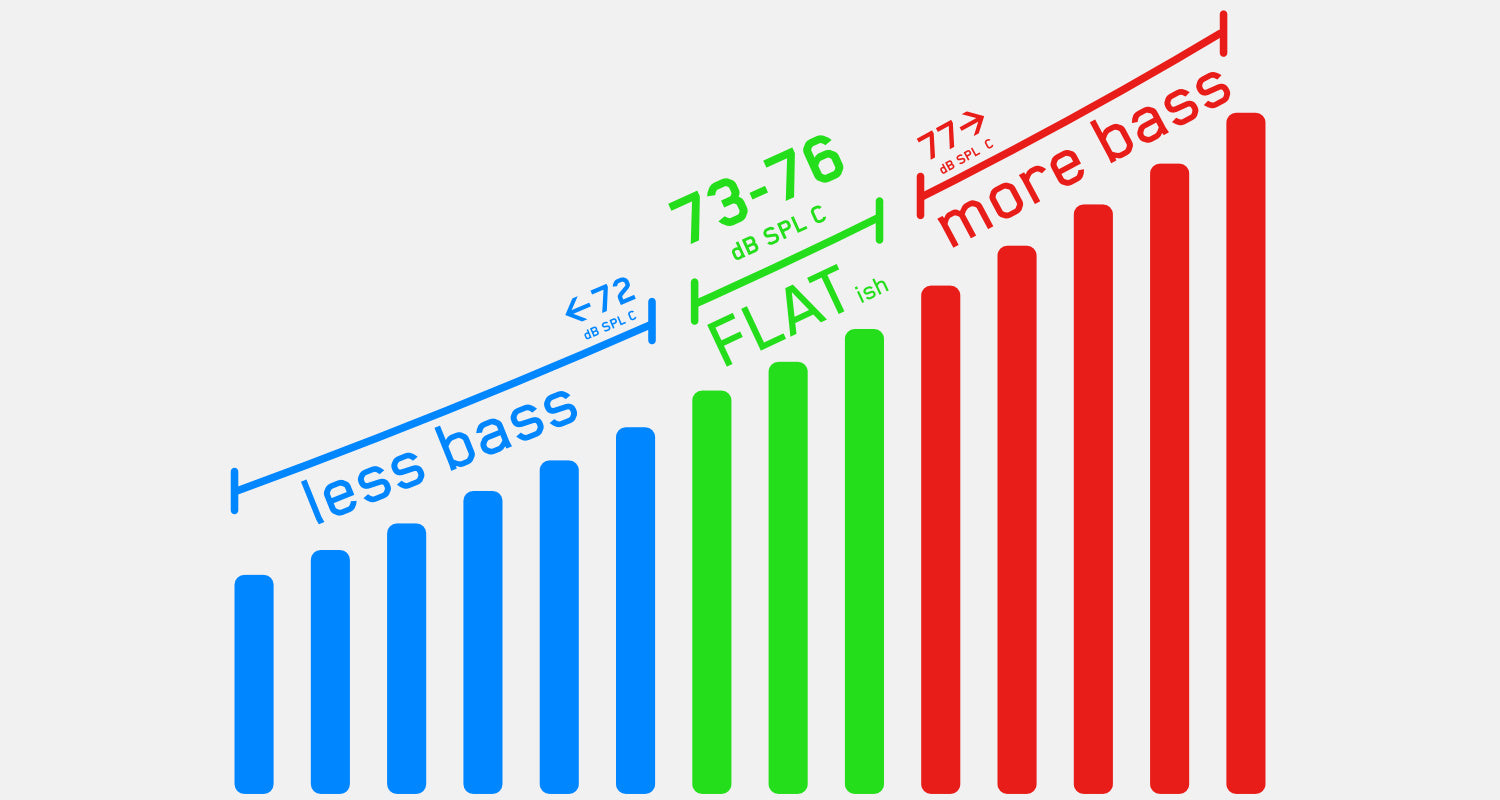
| Moderate (your calibrated level, around 73 to 76 dB SPL C in most home studios) | A more even balance from low to high, without tiring your ears | Most of your mixing and EQ decisions |
| Loud (club or cinema level) | Bass and highs feel bigger, and your ears tire fast | Short checks of energy and low end, never long sessions |
The moderate level in the middle row comes from my guide to the perfect monitoring levels for your home studio, which walks through calibrating your speakers with pink noise and an SPL meter.
3Why louder always wins (and how to stop it fooling you)
Because of the equal-loudness curves, the louder of two sounds almost always seems better. That catches you out constantly. A plugin that adds a little gain sounds like an improvement. A reference track mastered louder than your mix makes yours sound weak. An EQ boost sounds great until you notice it just made the track louder.
The fix is level matching: compare at the same perceived loudness, so the only difference left is tone, width and dynamics. Every comparison in REFERENCE 3 is level matched, and so is every move in MIXVAULT and CARBON Q, so a boost has to sound better on its own merits, not because it's louder.

4How to mix with equal loudness in mind
- Calibrate your monitoring level. Pick a level that suits your room, mark it on your volume knob, and come back to it every session. Your ears learn what a good balance sounds like at that level.
- Do most of your work there. Set your EQ and the balance between kick, bass and vocal at your calibrated level, not while blasting the speakers.
- Check quiet, then loud. Turn right down to make sure the important parts still come through, then briefly up to check the low end and energy. Then go back to your normal level.
- Level match every comparison. Before you judge a plugin, a preset or a reference track, match the loudness. If you can't, be suspicious of whichever one is louder.
- Rest your ears. The longer and louder you listen, the less you can trust what you hear. Take short breaks and keep loud checks short.
The same rules apply on headphones. The original 1933 measurements were made on headphones, and it's even easier to creep the volume up when there are no speakers filling the room. There's more on that in my tips for mixing and mastering with headphones.
5What it means when you master
You never know how loud someone will play your song. It might be a phone speaker at low volume on the bus or a club system at full tilt. The curves tell you a master that only sounds good loud will sound thin when it's quiet, and a master with piles of bass added to sound full when quiet will be boomy when it's loud.
Balance the master at your calibrated level
A tonal balance that works at a moderate level is the one most likely to translate up and down the volume range.
Compare against references at matched loudness
Load two or three professional tracks in your genre into REFERENCE 3 and switch between them and your master at the same loudness. Masterscope shows the EQ and stereo width changes that would bring you closer.
Meter the loudness, don't guess it
LEVELS shows your loudness in LUFS, along with true peak, dynamics and stereo, so you know how loud your master really is rather than how loud it feels on the day.
Check the finished file
EXPOSE 2 checks your exported master and flags tonal balance and loudness problems before you release it.
6What producers say about REFERENCE
"Reference 3 is a must-have for comparing your tracks with pro masters and getting your loudness and balance spot on."
"REFERENCE gives me a reliable objective perspective, helping me make better mix decisions."
Try it on your own mix
You can't change how your ears work, but you can stop them fooling you. Mix at a steady, moderate level, check quiet and loud, and make every comparison at matched loudness.
Don't take my word for it. Download the free REFERENCE 3 trial, load a song you love next to your mix, and hear how different the comparison sounds once the volumes match. Every plugin also comes with a 30-day money back guarantee.
?Fletcher-Munson FAQ
What is the Fletcher-Munson curve?
It's a set of equal-loudness curves, first published by Harvey Fletcher and Wilden Munson in 1933, showing how loud each frequency has to be to sound as loud as a 1 kHz tone. They show the ear is most sensitive around 2 to 5 kHz and less sensitive to bass and extreme treble, especially at low volume.
Are Fletcher-Munson curves and equal-loudness contours the same thing?
They describe the same effect. Fletcher-Munson is the original 1933 measurement. The curves were re-measured by Robinson and Dadson in 1956 and are now standardized as ISO 226, revised in 2003. Equal-loudness contours is the general, more accurate term.
What volume should I mix at?
A consistent, moderate level that suits your room. In most home studios that's around 73 to 76 dB SPL (C-weighted) with pink noise, lower than the 83 to 85 dB often quoted for large rooms. Check quiet and loud, but make most decisions at your calibrated level.
Why does my mix sound thin when I turn it down?
Because your ears are less sensitive to bass and treble at low volume. That's normal. Don't add bass to fix it at a whisper, or the mix will be boomy when it's played loud. Balance it at your normal level and use quiet listening to check the vocal and lead parts.
Does the Fletcher-Munson effect apply to headphones?
Yes. It's how your hearing works, so it applies to any playback. The original measurements were made on headphones, and it's easy to listen too loud on them, so keep your headphone level steady too.
Should I EQ my mix to compensate for the curve?
No. Listeners hear through the same ears at their own volume, so mix and master at a sensible level and let the curve take care of itself. The "loudness" button on old hi-fis did the compensating at the listener's end, not in the mix.