


You're bass is sounding great. The player nailed it, or you programmed it like a boss. The tone in solo sounds correct. Then you drop it into the mix and the bass keeps doing one of three things. It pokes out on certain notes. It sits on top of the kick instead of underneath. Or it feels weirdly disconnected from the rhythm section, even though the timing is fine.
Kick And Bass. Without And With FUSER.
Same kick and bass loop. Toggle Without FUSER and With FUSER while it plays, and listen for the kick and bass locking into one unified low-end once phase optimization and conflict resolution are doing their work.
None of those are timing problems. The performance is in time. The problem is what happens to a bass guitar when it lands inside a mix. The phase relationship with the kick robs the low-end of weight, some notes stick out above the rest, the kick fights for the same low frequencies, and the dynamic spread between hard-played and soft-played notes leaves the bass in a different position from second to second.
This post is about the mixing side of getting a bass guitar in the pocket. FUSER does most of the heavy lifting: automatic phase optimization between the bass and the kick, then surgical conflict resolution where they actually clash. BASSROOM sets the broad tonal target. RESO tames the resonant boom notes. The result is a bass that sits where you want it for the whole song, not just the chorus you finished mixing first.

1The Four Things That Make A Bass Sit In The Pocket
The pocket isn't one thing. For a bass guitar, four separate things have to come together for the bass to feel locked in.
Timing. The player has to be tight against the kick and the drum groove. This is performance, not mixing. If the bass is rushing or dragging across the take, no plugin chain will fix it. Re-track the part or comp the best passes.
Tone. The bass has to occupy the right tonal range for the genre. Too much sub and it competes with the kick fundamental. Too much low-mid honk around 250–400 Hz and it muddies the mix. Too much pick attack above 2 kHz and it fights vocals and guitars for presence. BASSROOM handles this.
Phase coherence with the kick. This is the one most producers miss. When the kick and bass are slightly out of phase in the low-end, parts of their signals cancel when summed. The mix loses weight you didn't know it had. FUSER's automatic phase optimization fixes this in seconds.
Dynamic consistency. The bass has to feel similarly present from note to note. Boom notes that jump out, plucked notes that disappear under the kick, the natural dynamic spread of fingerstyle playing... these break the pocket as quickly as bad timing does. FUSER handles the kick clash, RESO handles the resonant peaks, and a light compressor handles the rest.
Mixing fixes the second three. If the timing is off, the take is the problem. If the tone, phase, or dynamic consistency is off, the next four sections are how you fix them.
2Lock The Tone With BASSROOM
Most bass guitar tone problems are tonal balance problems. The bass has too much weight in one band, not enough in another, and the result is a tone that doesn't sit alongside the kick or the vocal even though the playing is fine.
Before you reach for any plugin, know what you're looking at. The bass spectrum splits into bands that each do a different job: the fundamental sits at 40–80 Hz, body and weight at 80–200 Hz, warmth and the body resonance at 200–500 Hz, presence and finger character at 500–1500 Hz, pick attack and articulation at 1500–3500 Hz, and string noise above that. The pocket sits in the 80–300 Hz range. That's where the bulk of the bass's energy needs to live.
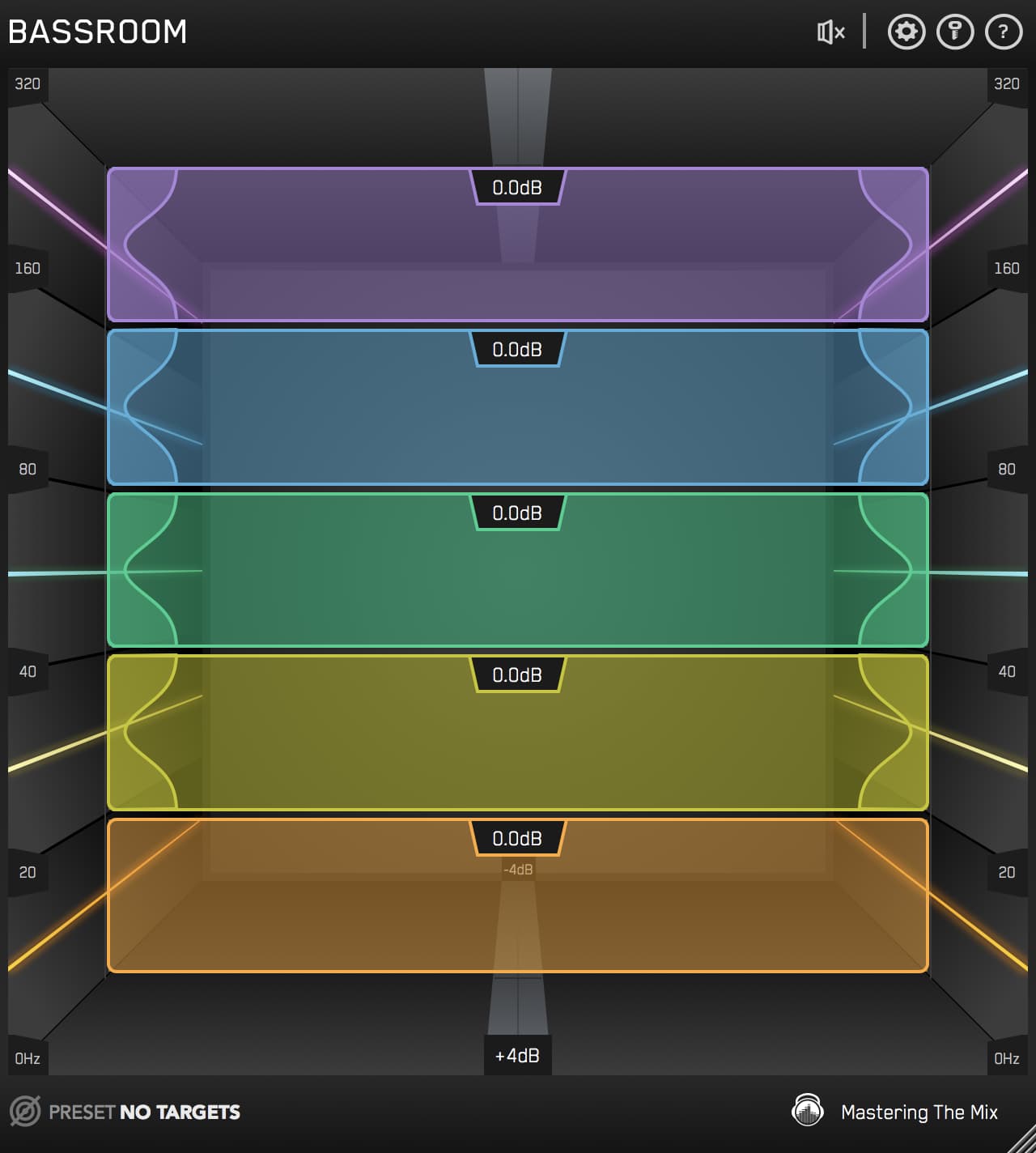
BASSROOM is built specifically for this. Drop it on the bass channel, import one a bass stem that you want to match, and the level line shows you where your bass differs from the imported audio file.

For most rock and pop bass guitar, the genre target sits with weight around 80–100 Hz, body around 200 Hz, and a controlled rolloff above 400 Hz. If your bass has the level line jumping up at 250 Hz, the bass is honky. If it dips at 100 Hz, the bass is thin. Adjust until your bass sits within roughly 2 dB of the genre's target across the bass range. The post on creating a punchy low end covers the broader kick-and-bass relationship if you want the wider context.

Kanye West, The Kid Laroi, Lil Wayne
"FUSER is a time-saving tool that takes care of what used to be a manual process of searching for and applying dynamic EQ, automatically identifying and addressing it for me."
Try FUSER free →3FUSER's Automatic Phase Optimization
This is the move most producers don't even know to make, and it has the biggest single impact on whether the bass and kick lock together as one unified low-end or fight each other.

When the kick and bass are slightly out of phase, parts of their low-frequency content cancel when the speakers sum the signals. The kick still hits. The bass still plays. But the combined low-end is weaker than either element on its own. Mono compatibility gets worse. The pocket feels disconnected, even though the timing is fine and the tone is fine. The phase relationship is the invisible third axis.
This can be basically imperceivable, or pretty bad depending on the phase relationship, I always optimize just in case, and it only takes 2 seconds.
FUSER has an Automatic Phase Optimization feature that solves this in under a minute. It analyses the phase relationship between the bass and the kick and applies the rotation that minimises cancellation between them.

- Load FUSER on the bass channel, after BASSROOM. The bass is the submissive channel here.
- Sidechain the kick into FUSER. The kick is the dominant channel.
- Click Automatic Phase Optimization. FUSER scans the relationship between the two signals and finds the phase rotation that gives you the strongest summed low-end.
- A/B against bypass. When phase optimization is doing real work, you'll hear the kick and bass feel more like a single low-end event than two competing ones. Mono compatibility tightens up. The mix gets perceptibly louder in the lows without you raising any faders.
This works best when the bass and kick share frequency content in the low-end, which is true on most productions. Even on takes that already sound fine, the optimization usually tightens the relationship enough to be obvious in the bypass.
4FUSER's Conflict Resolution Without The Pump
Once phase is sorted, the second job is the dynamic clash. Even with the kick and bass perfectly in phase, the kick fundamental and the bass fundamental still occupy the same range around 60–100 Hz. When the kick hits, the bass needs to step out of the way for a moment so the kick reads cleanly. When the kick isn't hitting, the bass should be back where it belongs.
The classic way to do this is sidechain compression on the bass triggered by the kick. The problem is that classic sidechain compression ducks the whole bass channel on broadband level. The kick reads cleaner, but the bass breathes in and out around every kick hit. The pocket dies.
FUSER's Resolve Conflicts handles this differently. It places frequency-specific, mid/side-specific dynamic nodes that only duck the part of the bass that's actually clashing with the kick.

- With FUSER already on the bass and the kick sidechained, look at the frequency display. Conflicts glow in the display: red for mid clashes, yellow for side clashes. Kick and bass clashes typically sit centre, so they'll glow red.
- Click Resolve Conflicts for an auto-suggested node, or double-click the display in the 60–100 Hz range to place one manually. Set it to Mid position with a tight Q.
- Click the small Delta triangle on the node. This solos what FUSER is subtracting. You should hear a tight tap on the kick rhythm at the node frequency, not a wash of the whole bass.
- Tune attack and release. The duck should line up with the kick transient and recover before the next kick hits. If the Delta sounds smeared, the timing is off. If it sounds like the bass ducking, you're pumping.
- Set the depth. 2 to 3 dB of ducking at 80 Hz on the bass is plenty for most kick-and-bass relationships. The post on the FUSER Delta trick goes deeper on this technique.
The combined effect of phase optimization plus mid-position conflict resolution is what most producers are reaching for when they instinctively grab a sidechain compressor and push the ratio. They want the kick to read and the bass to support. FUSER does exactly that, surgically, without flattening the bass between kick hits.
5Tame Boom Notes With RESO
Even with the tone right and the kick relationship locked, every bass guitar has resonant notes. The boom note. The low E that's louder than every other note. The A that always pokes out. These are physical resonances of the instrument's body, the room, and the strings. They're built into the recording.
A static EQ cut won't fix this. If you cut 100 Hz to tame the boom note, every other note loses its 100 Hz too, and most of them need it. The bass goes thin overall while you're trying to fix one specific note.
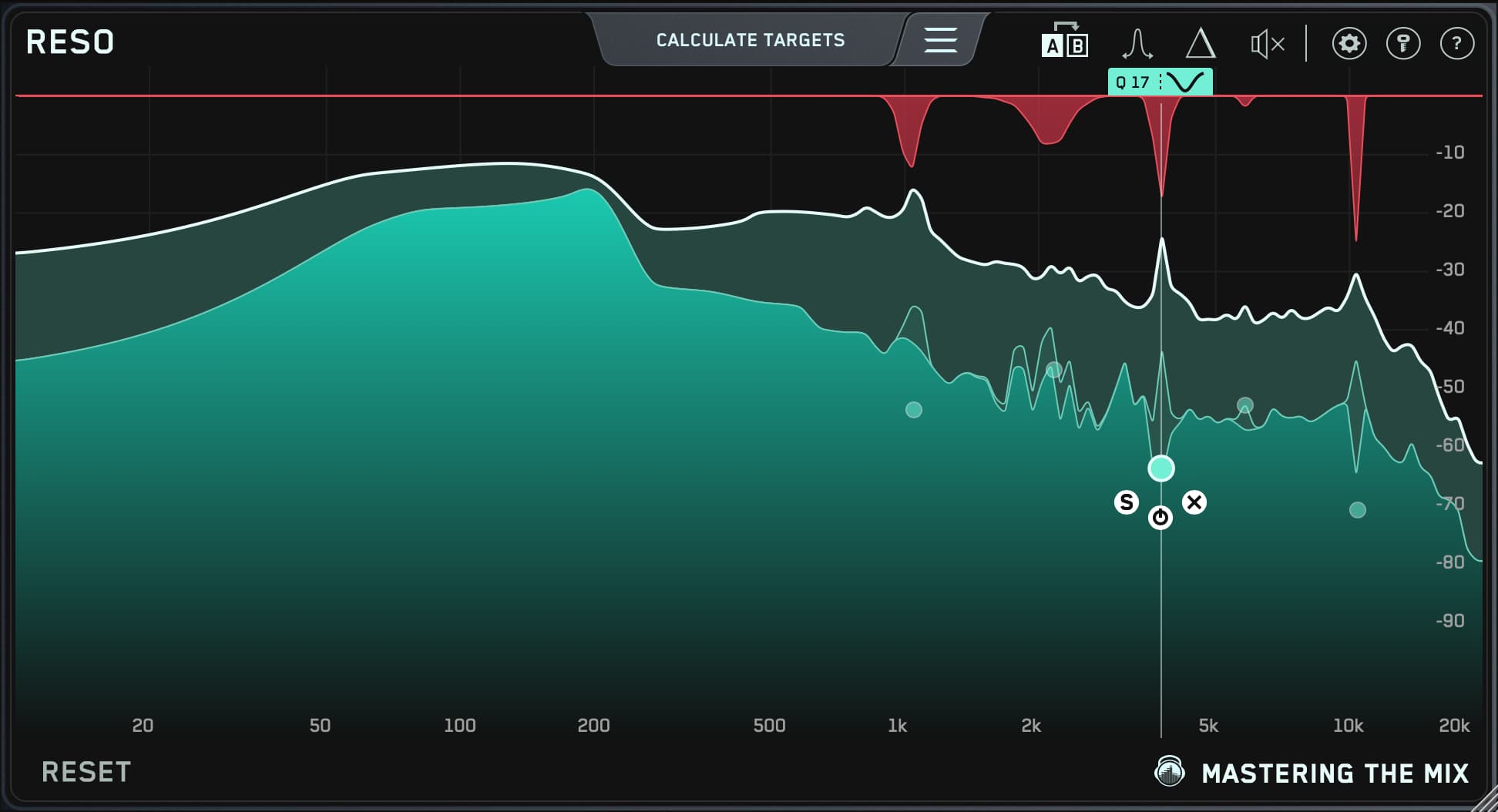
RESO solves this dynamically. It listens for resonant peaks at frequencies you point it at and only ducks them when they cross threshold. The boom note triggers the duck. The other notes don't.

- Load RESO on the bass channel, after FUSER.
- Loop a section where the boom note hits. Hold Control and sweep a band slowly from 50 Hz to 300 Hz. The boom note will jump out at one specific frequency, often around 80, 110, or 140 Hz.
- Drop a node at that frequency. RESO auto-sets the Q based on frequency, so you don't need to dial in bandwidth manually.
- Set the threshold so the node only ducks when the boom note hits, not on every note. Set the depth to pull the resonance back 3 to 5 dB.
- A/B against bypass. The boom note should sit alongside the others. The rest of the bass tone should be unchanged.
Most bass guitars have one or two boom notes. A handful have three. If you're adding more than three RESO nodes, the issue is upstream in the recording or the instrument. The post on finding and fixing unpleasant resonances goes deeper on the technique.
If the bass still has uneven dynamic spread after FUSER and RESO have done their work, a light compressor (2:1 to 3:1 ratio, attack 30–50 ms, release 100–200 ms, 2–4 dB of gain reduction on the loudest notes) catches the remaining outliers without flattening the playing. If the player's dynamics are already tight, often pick playing or studio session bass, you may not need compression at all. The dynamic spread of the playing is part of the pocket. Don't compress it out.
The Pocket Is Phase Plus Tone Plus Dynamic Control
A bass guitar that sits in the pocket is one where four things are right. The timing, which the player gets. The tonal balance, which BASSROOM gets to in the genre's target range. The phase coherence with the kick, which FUSER's Automatic Phase Optimization gives you in one click. And the dynamic consistency, which FUSER's conflict resolution and RESO handle without flattening the playing.
FUSER is the focal plugin for the kick-and-bass relationship because it solves the two things that broadband sidechain compressors and static EQs can't: the phase rotation that makes the low-end sum into one event, and the surgical, mid-positioned ducking that gives the kick room without breaking the bass. BASSROOM gets the tone right before any of that. RESO catches the resonant notes that survive the chain. Run them in that order and the pocket starts showing up on its own.
Frequently Asked Questions
What four things make a bass guitar sit in the pocket?
Timing, which the player must nail, plus three things mixing fixes: tone in the right tonal range, phase coherence with the kick, and dynamic consistency from note to note. If the timing is off the take is the problem, but the other three can be solved in the chain.
How does FUSER's automatic phase optimization help kick and bass?
When the kick and bass are slightly out of phase, parts of their low end cancel when summed, so the combined low-end is weaker than either alone. Load FUSER on the bass, sidechain the kick, and click Automatic Phase Optimization to apply the rotation that minimises cancellation.
How do you stop boom notes on a bass guitar?
A static EQ cut thins every note. Instead load RESO, sweep to find the boom frequency, often around 80, 110, or 140 Hz, and drop a node there. Set the threshold so only the loud note triggers the duck and pull it back 3 to 5 dB, leaving the other notes untouched.
When should bass compression stay light or off?
After FUSER and RESO have done their work, a light compressor with a 2:1 to 3:1 ratio and 2 to 4 dB of gain reduction catches remaining outliers. If the player's dynamics are already tight, often pick playing, you may need no compression, since that spread is part of the pocket.