
MIXROOM | Fix Harsh, Dull, Weak or Muddy Mixes

Sale price$79.00 USD 5.0 (203 reviews)

Struggling to get your mids and highs sitting just right? MIXROOM analyzes your audio and shows you exactly which frequencies to tweak, helping you shape vocals, synths, and full mixes with clarity, richness, and balance.

0:00 0:00

30 Day Money Back Guarantee

Pro Reviews

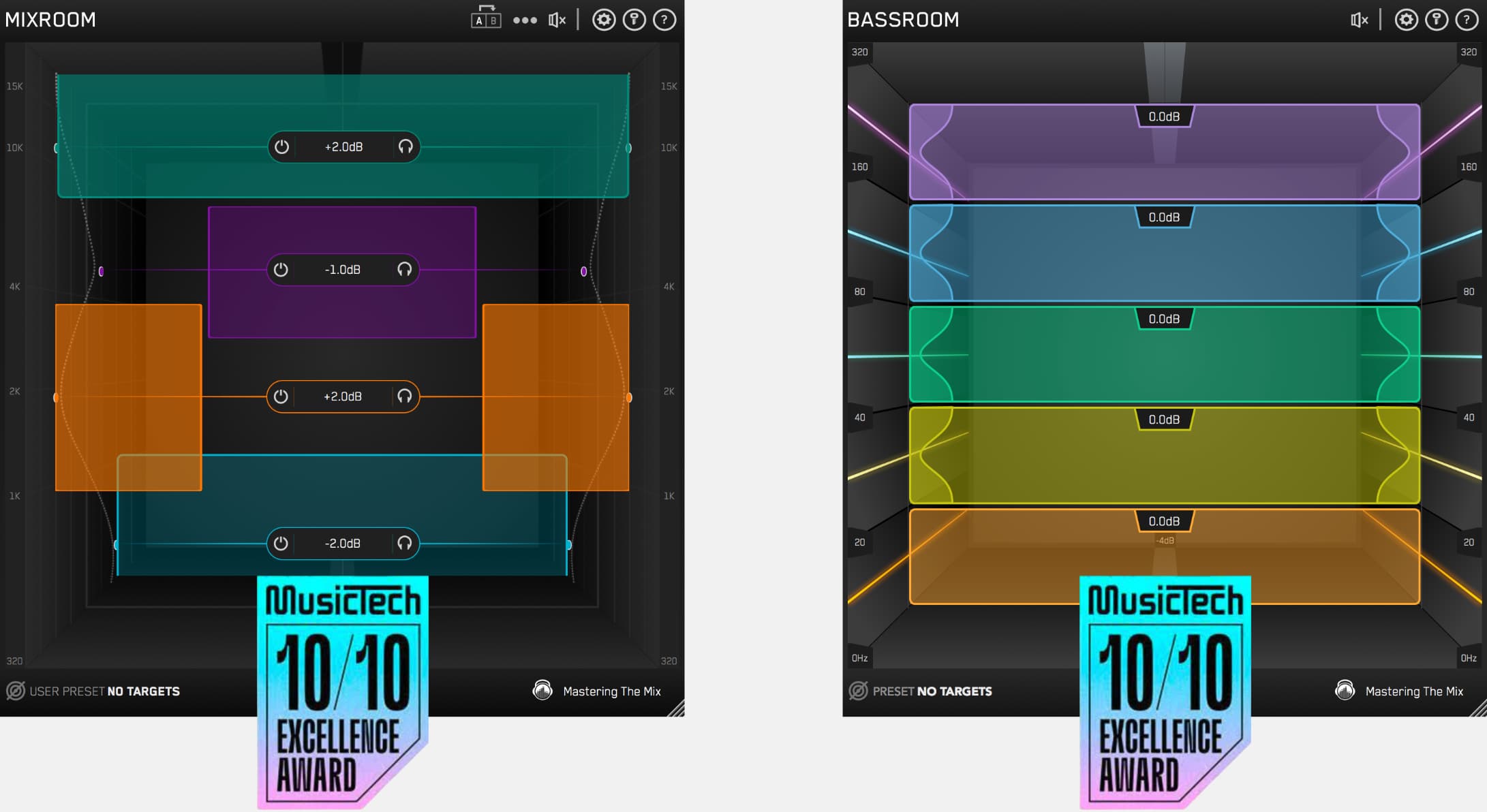
Music Tech

10/10 Excellence Award

Smooth and transparent sound. Fast and easy workflow. Unique and intuitive GUI. Another winning plug-in from Mastering the Mix, and a transparent way to help smooth out your mid and high frequencies

Dirty South Review

Dirty South

Headline DJ

Just tried MIXROOM out on a new song and it immediately helped me fix the main riff and give it more life while sitting perfectly in the mix. You make unbelievably useful stuff!!!!

Everything Recording review for MIXROOM mixing plugin by Mastering The Mix

Everything Recording

5/5 Award

Mixroom delivers a unique and innovative approach to an EQ Interface. It gets tracks and mixes dialed in quick and easy and can teach you how to properly EQ while doing so masterfully. Whether you are new to the mixing game or old hat, MIXROOM is a must-have in your arsenal.

MIXROOM | Intelligent and Versatile EQ Plugin

Overview Video

Problem Solved

No more muddy, dull, thin or harsh sounding mixes. Get a great sound with presets that are completely bespoke to your music.

Fast & Easy

Speed of workflow! Click ‘Add Smart Bands’ to instantly dial in a great sounding EQ curve.

30-Day Money Back Gaurantee

You don't love MIXROOM, you don't pay!

Step 1 mixing with MIXROOM
01

Quickstart Guide

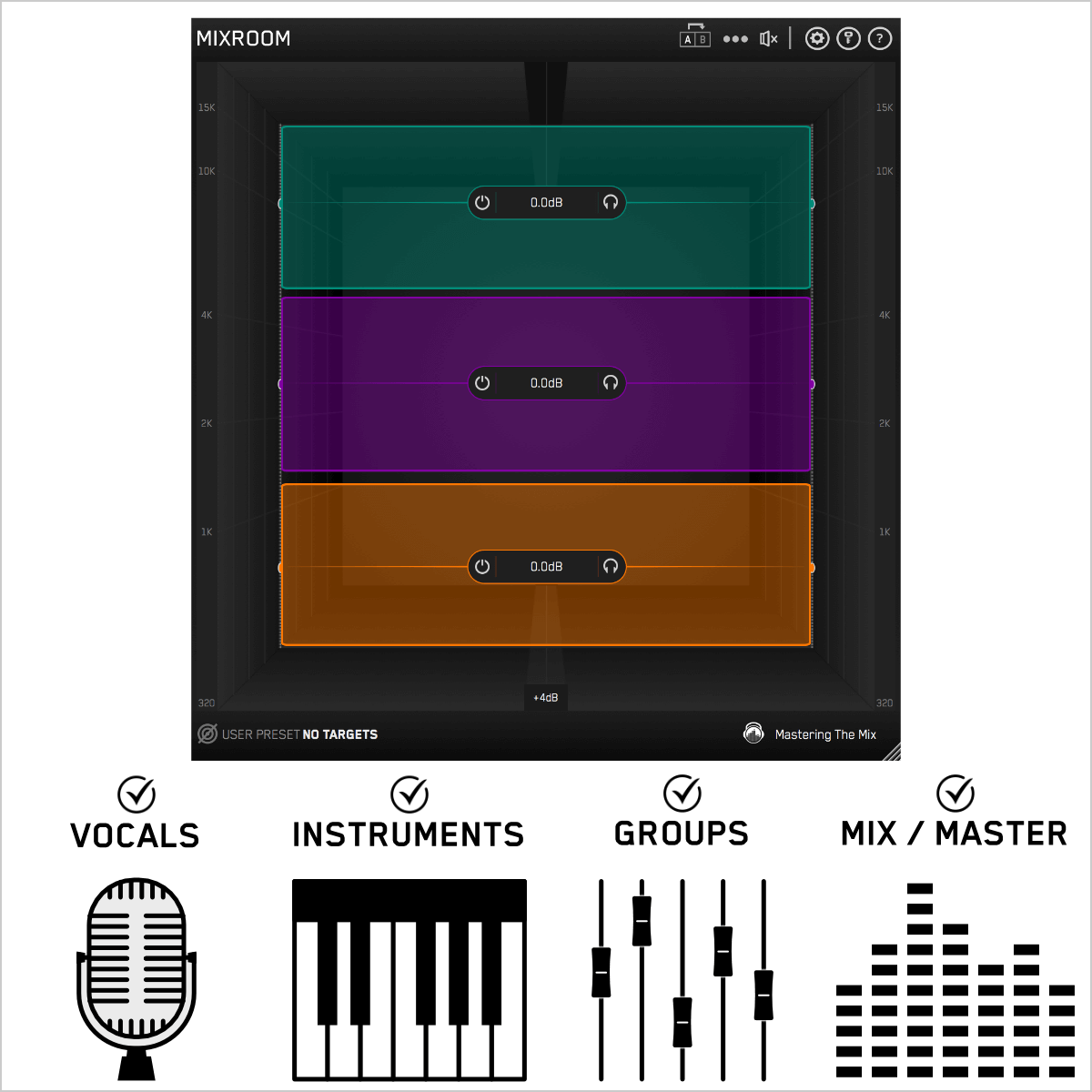
You can use MIXROOM to EQ anything in your session. It works great on vocals, instruments, grouped buses, or on your master channel.
02

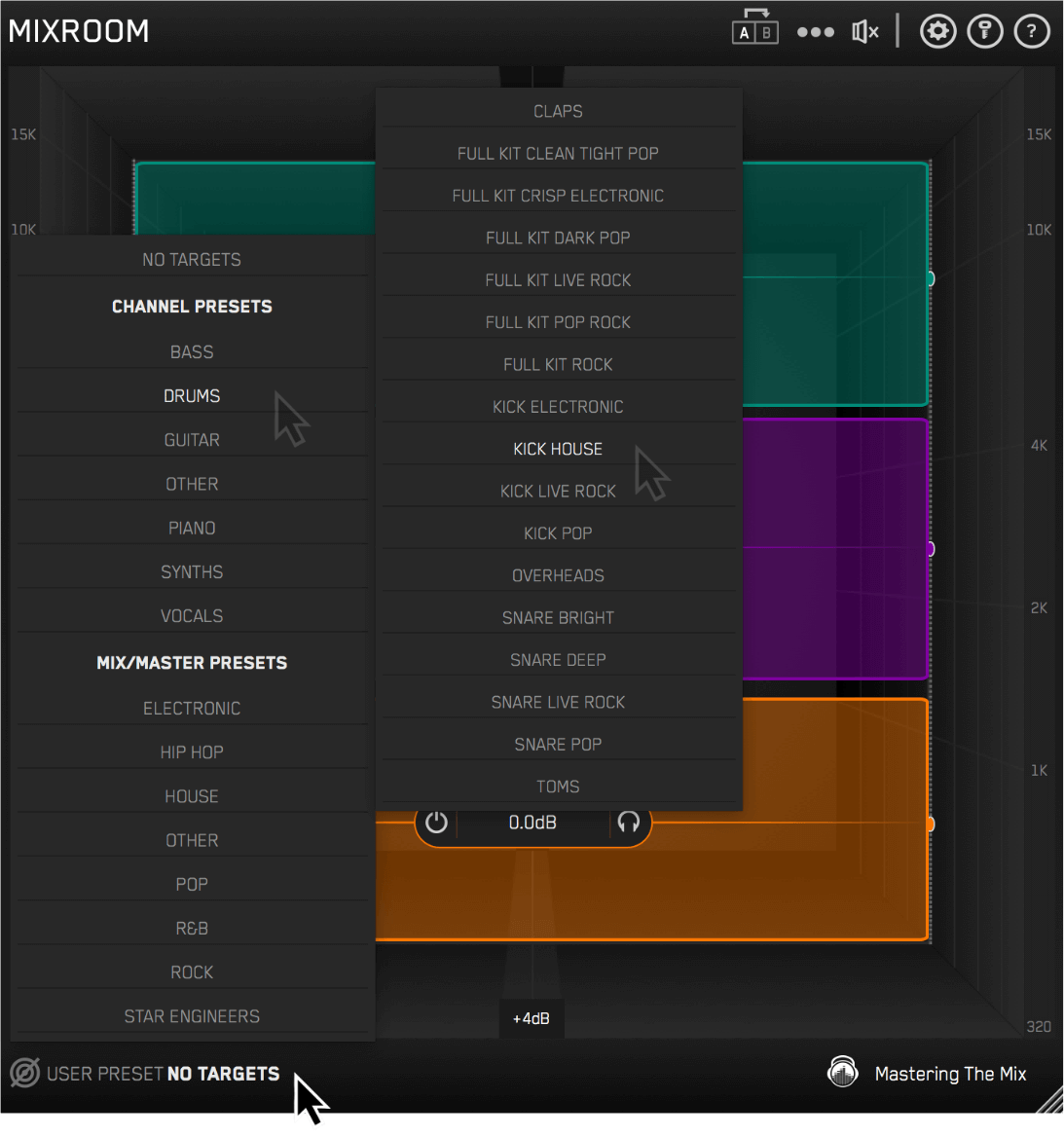
Chose A Preset

To get the most value from MIXROOM, start by selecting a preset that best suits the material you’re working on.
Step 2b mixing with MIXROOM
03

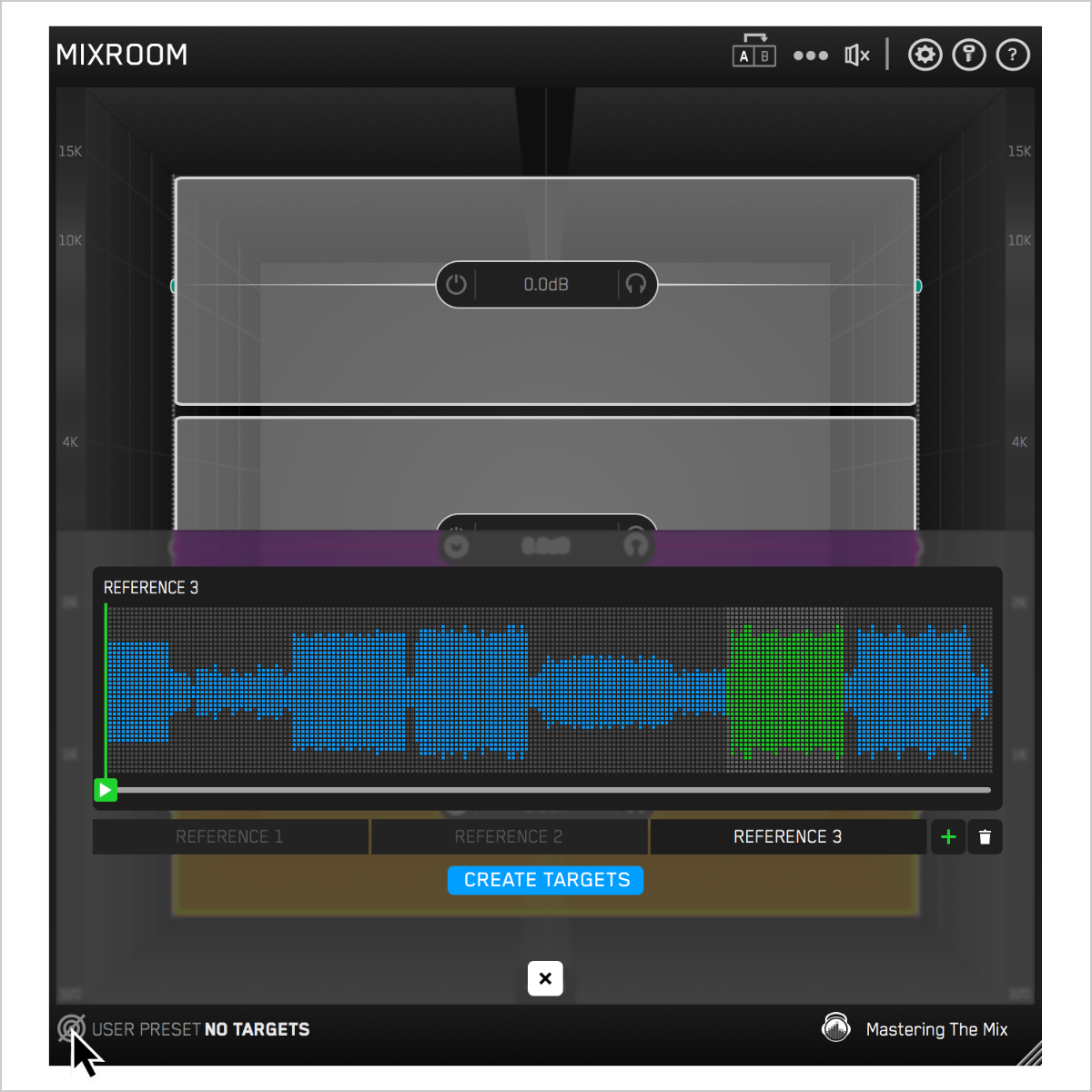
Or Import A Reference Track

You can create your own target values to help you get closer to the sound of your favorite tracks. Do this by clicking the target icon in the bottom left corner of MIXROOM and importing reference tracks. 
04

Shape Your Sound

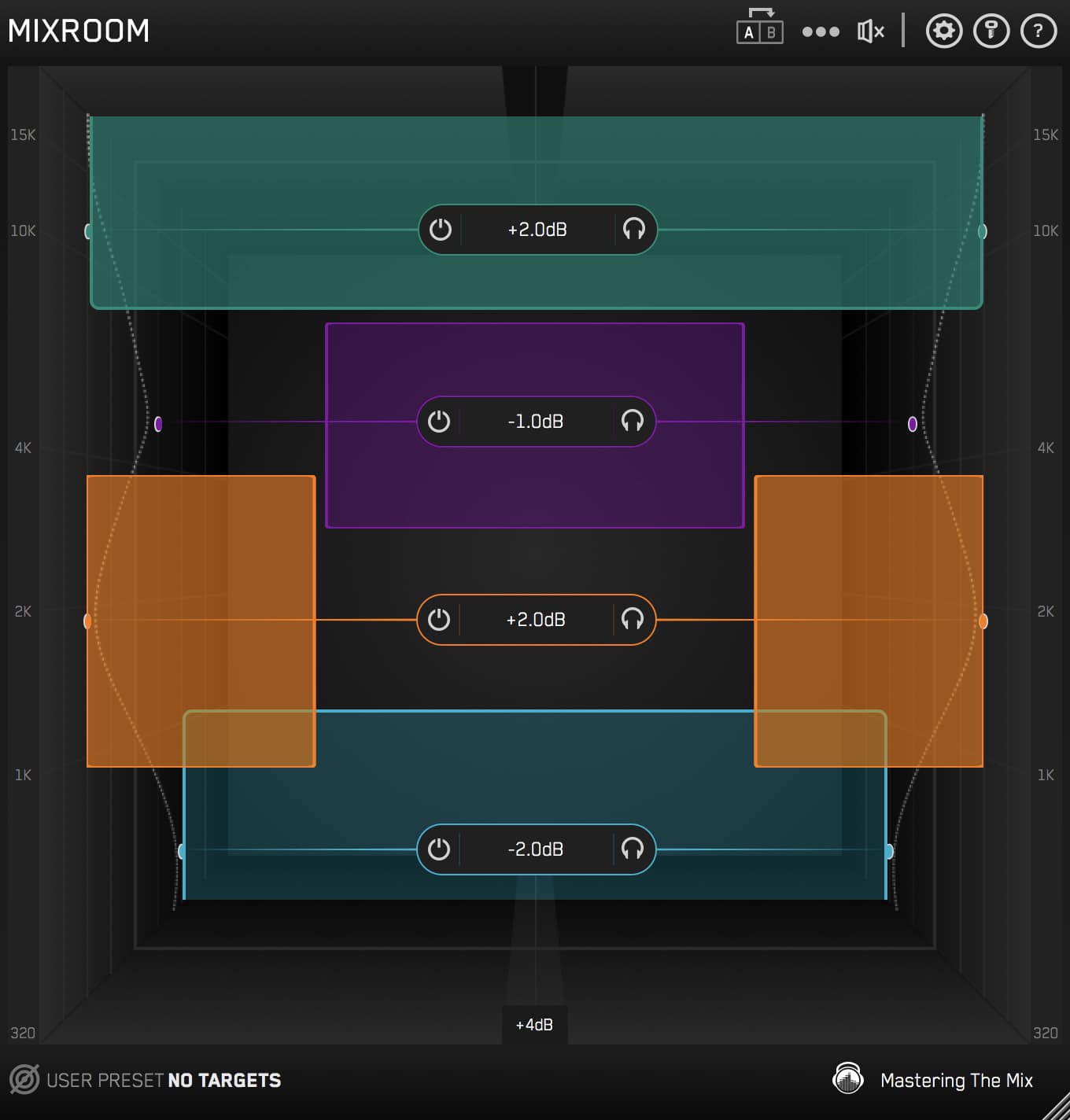
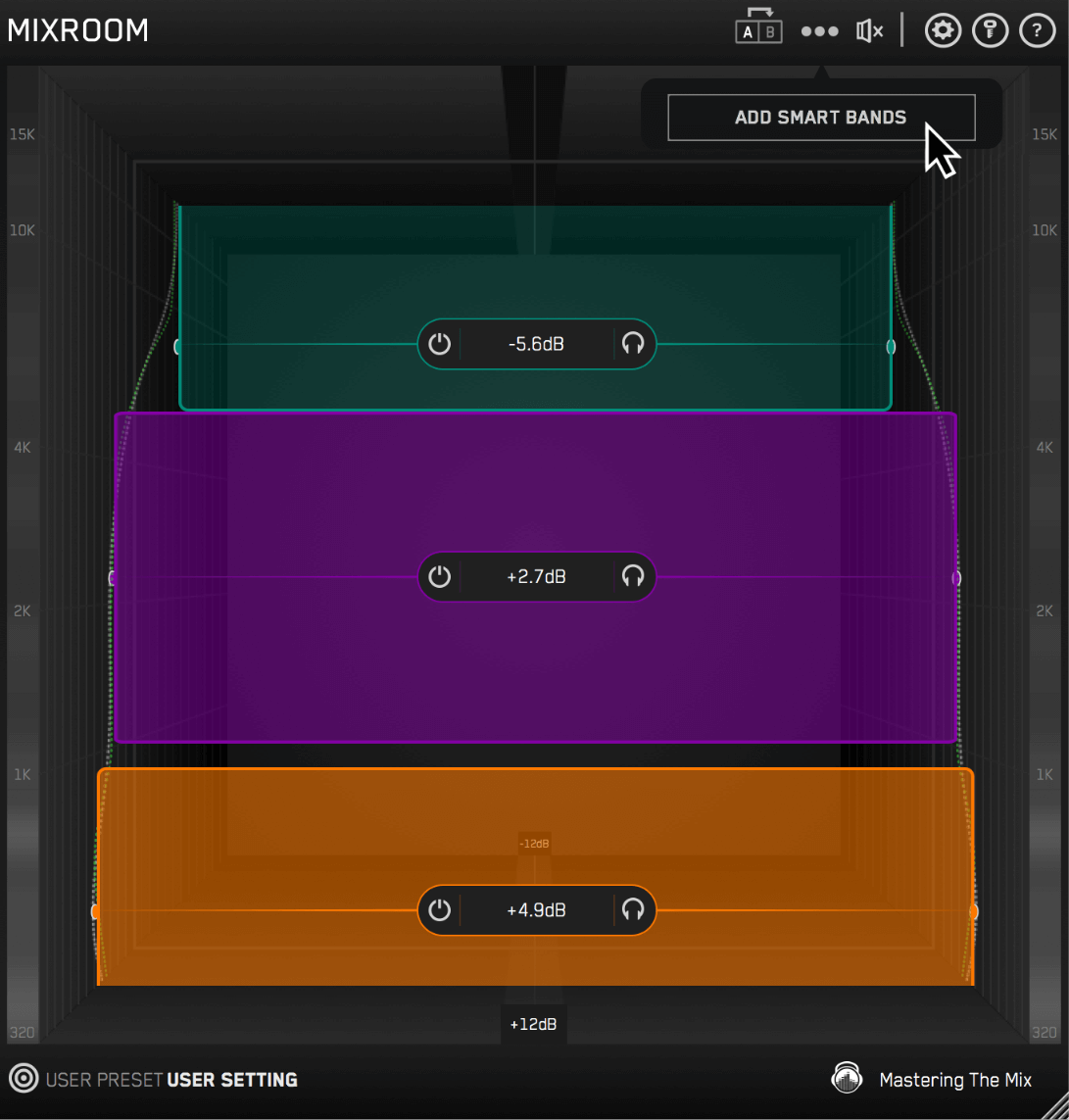
Now monitor a full bodied section of your audio. The Target EQ Curve takes out the guesswork and helps you dial in pro-sounding results in seconds. The ‘Add Smart Bands’ button will instantly load EQ bands that match the Target EQ Curve to give you a great starting point.

MIXROOM’s unique and specifically designed EQ filters give you maximum clarity & transparency when shaping your audio.
05

Level Match

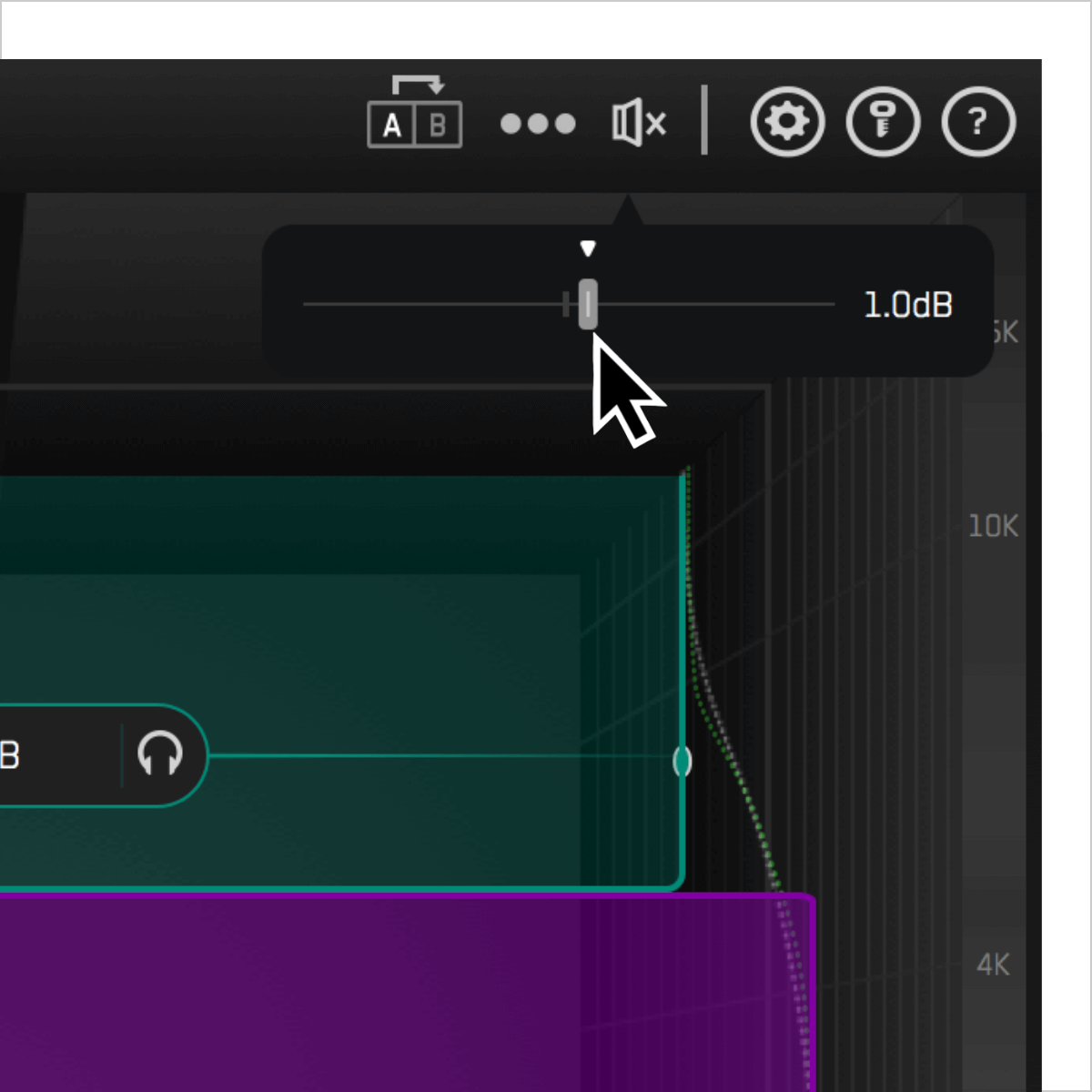
The EQ adjustments may have changed the perceived loudness of your audio making it difficult to hear whether the changes you’ve made are improving your sound.

Match the gain slider to the level match pointer to match the perceived loudness of your audio before it passed through MIXROOM.

This allows you subjectively hear how the changes have affected your sound.

Hear the difference mixing with MIXROOM
06

Hear The Difference

Whether your audio is muddy, dull, thin, harsh, or even almost perfect, MIXROOM helps you elevate your mix to get the perfect balance of richness and clarity.
01

Quickstart Guide

You can use MIXROOM to EQ anything in your session. It works great on vocals, instruments, grouped buses, or on your master channel.

02

Chose A Preset

To get the most value from MIXROOM, start by selecting a preset that best suits the material you’re working on.

03

Or Import A Reference Track

You can create your own target values to help you get closer to the sound of your favorite tracks. Do this by clicking the target icon in the bottom left corner of MIXROOM and importing reference tracks. 

04

Shape Your Sound

Now monitor a full bodied section of your audio. The Target EQ Curve takes out the guesswork and helps you dial in pro-sounding results in seconds. The ‘Add Smart Bands’ button will instantly load EQ bands that match the Target EQ Curve to give you a great starting point.

MIXROOM’s unique and specifically designed EQ filters give you maximum clarity & transparency when shaping your audio.

05

Level Match

The EQ adjustments may have changed the perceived loudness of your audio making it difficult to hear whether the changes you’ve made are improving your sound.

Match the gain slider to the level match pointer to match the perceived loudness of your audio before it passed through MIXROOM.

This allows you subjectively hear how the changes have affected your sound.

06

Hear The Difference

Whether your audio is muddy, dull, thin, harsh, or even almost perfect, MIXROOM helps you elevate your mix to get the perfect balance of richness and clarity.

Step 1 mixing with MIXROOMStep 2b mixing with MIXROOMHear the difference mixing with MIXROOM

This intelligent EQ plugin delivers professional clarity and balance. Customers said it transforms mixes with intuitive workflow and genre-based targets. "Really does a nice job balancing everything out," helping eliminate guesswork. Works excellently on individual tracks, buses, and mastering chains with transparent sound quality.

  • Gamechanger tool for mixing overview and tonal precision
  • Game changer! The ease of use with this plugin is unbelievable and the results are fantastic!
  • Fantastic plugin. It really helps to bring clarity and openness to your mix
  • 5 stars: 194 (96%)
  • 4 stars: 9 (4%)
  • 3 stars: 0 (0%)
  • 2 stars: 0 (0%)
  • 1 star: 0 (0%)
R
Robert Dabney
Different Perspective For Sure

I really enjoy using this EQ for it’s unique layout and it’s features. I am an intermediate at best at mixing my own music so in the short time I have had my hands on this along with BASSROOM I have drastically improved my sound. I am actually blown away at how many headaches this plugin will free me of. I also wanted to say thank you for the YouTube channel that includes all the walkthrough videos. Cool of you to create those to make it easy to learn especially with a whole new GUI and unique functions.

A
Aquiles Preto
Very good plugin

Very good plugin.
Thanks Masteringthemix.

A
Anonymous
Excellent practical

Excellent practical plugin

I
Ivan Tresoldi
Amazing Plugin, it delivers a lot of value!

Used on individual tracks, on buses or in the mastering chain, it delivers great value with an intuitive flow. Highly Recommended!

R
Reinhold Erzmoneit

great!!

K
Kike Puentes
Excelencia!!

Mixroom es un plugin que verdaderamente ofrece calridad, consistencia y un sonido más cercano a un audio de mezcla profesional, recomendado 100%!!!

M
Mark Lightcap
Another great product!

No surprise -- you always get more for your money from Mastering the Mix!

R
Rujinschi Remus
Gamechanger tool for mixing overview and tonal precision.

As a music producer, I’ve worked with many EQ plugins, but MIXROOM distinguishes itself through its intelligent workflow and intuitive design. It analyzes your audio and recommends EQ adjustments based on genre and track type, helping eliminate guesswork during critical mixing decisions. One of its most powerful features is the ability to import reference tracks and match their tonal balance. This has noticeably improved both my workflow and the overall clarity of my mixes. The interface is sleek, and tools like mid-side processing and band soloing offer precise control over frequency shaping. MIXROOM advances your mixing process by providing guided EQ targets and a clear overview of your sound. Its real-time frequency analysis identifies problem areas and suggests actionable improvements. When handling multiple takes or mix iterations, its ability to evaluate tonal balance across versions offers clear perspective enabling consistent choices and more deliberate refinements throughout the production process.

V
Vincenzo Attanasio
Moodeck - Mixroom review

I use it in mastering along with other fantastic plugins from Mastering the Mix. One of the best plugins that helps you cut and add frequencies with its own internal calculation or by providing a reference track so the plugin can apply the same EQ to your song. The result is incredible.

K
Kevin Orsie
Good for EQ

I used this plug-in along with bass room on my last song to master with and this one is a nice way to clear up the sound and the end result was great

n
noel Crowder
Very smooth

Really does a nice job balancing everything out

S
Sven Ullmann Authenticity
This plugin helps so much!!

MIXROOM helps me so much for my own process. First to understand which frequency should be improved, second to really feel the difference. Without it i could not have improved my work as a professional musician.

F
Franck
Mixroom 😎

Amazing tool
It's a mandatory go to plugin in my mix chain now in addition to bassroom ,fuser and résoudre.
I'm so stuned by the power and the results that Mastering the mix plugins can bring on m'y audio tracks 😶 you guys are Masters 🙏
I'm so impressed that I've bought all the Mastering the mix plugins 👌
And more over I have to thank you so much for having customized my offers on promotion al offers to fit for plugs I already own 🙏

M
Mirko Labate

Awesome plugin!

T
Tiago Morais
WOW!!!

What can you say? WOW.

R
Rob Rich
Most used plugins

Use this a lot, often with many instances running simultaneously in a plugin chain. Once of the most transparent matching EQs. I can usually tell if a mix needs alteration before mastering, by matching the mix with Mixroom to check it first. Unlike some matching EQs it seems to work in a subtractive way that doesn't sound artificial, though it won't make massive changes all in one go, you can chain instances of this plugin together, and I've had half a dozen instances running simultaneously with no issues. It's a high quality and transparent EQ

M
Morgan M Green

MIXROOM | Intelligent and Versatile EQ Plugin

J
Juan José Romero
An excellent mixing assistant.

It's become an indispensable plugin for my mixes.

It excellently balances the mid and high frequencies, complementing the bassroom in a great way.

D
Daniel Neil
Another great plugin

Love the simplicity and targeting of this plugin! The presets work great for me and you can still tweak to your hearts content.
This and Bass Room are a real plus! Keep them coming!

S
Steve Trevaskis
Great Results!

Easy to use, great for cleaning up mixes or even individual tracks
Very Intuative with suggested settings

B
Blaine Murray
Good plug in

Easy to use & does the job well 👍

F
Fausto Trusso Sfrazzetto
Fantastico

Questo plugin mi ha risolto il master in pochi minuti!

M
Mattias Lilja

Kanon grej😎

L
Lee H
Game changer!

This is a game changer for sure! The ease of use with this plugin is unbelievable and the results are fantastic! You won't need to mess around for hours with an EQ again.

J
Jeff Maxwell
Surprisingly easy to use. Very impressed.

I've always looked at the "Aja" record as just about perfect in the aspects of audio engineering. It won a Grammy I believe(1978 Best Engineered Recording), so that says a bunch. I am forever chasing the sound and vibe of this album, and using one of the tracks off it as a "reference " really helped with this pursuit. I am not gonna say I have been successful as of yet, but it is sounding much closer than I ever have.

R
Ray Campbell
Game Changer

Fantastic plugin. It really helps to bring clarity and openness to your mix.

S
Sammie Anderson
Plugin review

This plugin is absolutely amazing, especially for beginners. It's very intuitive practically does the work for you but it's very adjustable to taste and I can appreciate that

T
Thomas Thiede
Pushed me on the next level

It´s a great tool for mixing and learning how to mix and master yout track. It gives you an impression how your song will sound in many different styles and it´s up to you to pick one or to start from there and create your own.

J
John Gualy
Pretty helpful

Helps get to the industry standard :)

C
Carey Murray
Awesome plugin!

MIXROOM is now my favorite go to plugin for mixing and mastering.

M
Martin Hughes
Early days but opens the mix nicely.

I have only used a few times so far but when used it really does open the mix up and gives everything it's own space to breathe.

MIXROOM | Intelligent and Versatile EQ Plugin

Mid - Side Precision

Each band has full mid/side capabilities allowing you to shape the balance of your stereo spread. Using mid-side processing is particularly useful for when you want to adjust the gain of a particular frequency in a specific stereo position. Hover your mouse over an EQ band’s control panel and click the M for mid, S for side, and the stereo icon for stereo. Click and drag the stereo icon left and right to set a perfect blend of mid/side.

Presets

Get the perfect results, whether you're shooting for a super-loud master or optimizing for streaming platforms.

Super-Fast Workflow

Load your reference track or select a preset, and MIXROOM will give you exact EQ curve needed to match the tonal balance.

The ‘Add Smart Bands’ button will instantly load EQ bands that match the Target EQ Curve to give you a great starting point.

Transparent Filters For Incredible Sound

Pristinely clean adjustments. MIXROOM uses optimised filters for the mid-range and high-end to give you ultra-clean mastering-grade EQ adjustments (without a hit to your CPU).

MIXROOM | Intelligent and Versatile EQ Plugin

Watch The Walkthrough Video

Mac System Requirements

OS X 10.15 or higher. 64-bit AU, VST 3 or AAX host.
Apple Silicon Native.

Download Mac Installer

Windows System Requirements

Windows 10 or higher. 64-bit VST 3 or 64-bit AAX host.

Download Windows Installer

Mac System Requirements

OS X 10.15 or higher. 64-bit AU, VST 3 or AAX host.
Apple Silicon Native.

Download Mac Installer

Windows System Requirements

Windows 10 or higher. 64-bit VST 3 or 64-bit AAX host.

Download Windows Installer