

Getting the low-end balance right in your mix or master is a challenge almost every producer faces. Without a solid low-end, your track won’t have the impact it deserves. Go too heavy on the bass, and your mix sounds muddy and bloated. Go too light, and it feels weak and lifeless. And because most rooms and headphones misrepresent bass, a low-end that sounds right to you can fall apart the moment it plays on a different system.
Why is it so hard to perfect the low-end? For starters:
❌ Affordable studio monitors struggle to reproduce low frequencies accurately.
❌ Acoustic treatment can help, but it’s expensive and time-consuming to set up.
❌ Even with great gear, our ears aren’t naturally tuned to hear bass frequencies with precision.
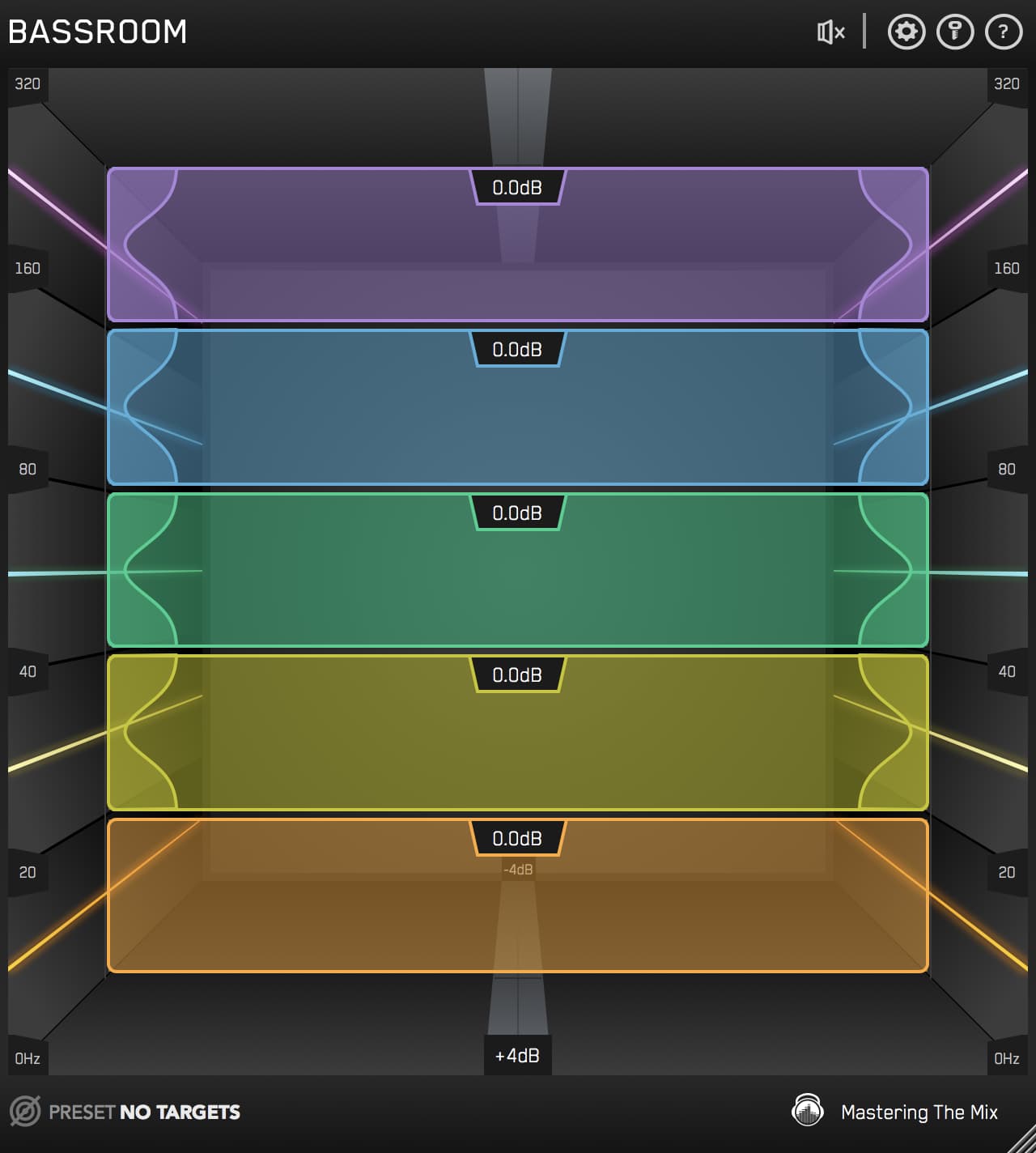
That’s where BASSROOM comes in. This mastering EQ plugin from Mastering The Mix is purpose-built to help you achieve perfectly balanced low frequencies, no matter your studio setup. With its intuitive interface and reference-based tonal targets, you can confidently shape the low-end of your mix and master so it hits hard and translates everywhere, from headphones and monitors to cars and club systems.
Use the buttons below to switch between the "Before" and "After" audio examples and hear the difference BASSROOM can make to your low-end.
Producers and engineers worldwide love BASSROOM (over 300 ★★★★★ reviews from our customers, and almost 3000 reviews on Plugin Boutique) for its precision and ease of use.
“An excellent plug-in tool that’s easy to use, with a smooth and transparent sound. BASSROOM helps improve a tricky area of the mix with consistently effective results.”
Music Tech — 10/10 Excellence Award
Ready to transform your low-end? Here’s how to get started...

Step 1: Load BASSROOM On The Master Channel
The low end of your track isn’t just about bass frequencies; it’s about how they interact with the rest of the mix. That’s why BASSROOM analyses the low-end in context with your entire mix. It’s the best tool for balancing low frequencies in your mix or master, and it sits naturally at the end of your chain alongside the rest of your mastering tools.
Start by loading BASSROOM on your master channel to give it the full picture. Where it goes in the chain depends on the type of adjustments you want:
• Big changes? Place it earlier in the chain.
• Subtle tweaks? Put it near the end.
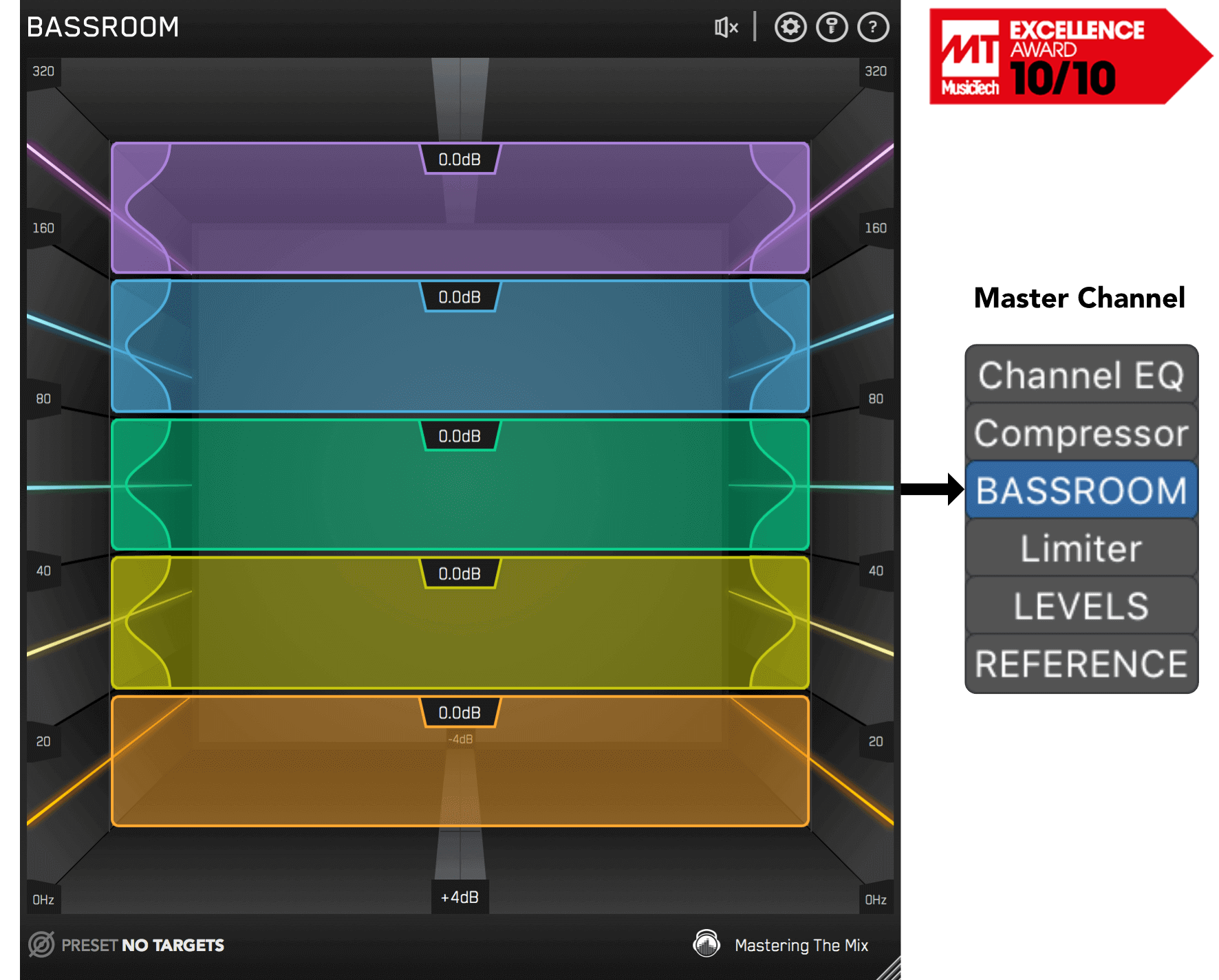
Where BASSROOM goes in the chain depends on your preferences. For considerable changes, put it near the start of your chain. For more subtle changes, it can go near the end.
Want to try BASSROOM free for 15 days? Download for MAC / WINDOWS
Step 2: Choose A Preset Or Create A Target
BASSROOM gives you two powerful ways to get started:
1. Choose a preset based on your genre or mix style.
2. Create a custom target using reference tracks.
To create a custom target, click the target icon in the bottom-left corner and import a reference track. For best results, highlight the chorus or drop, as this is usually the section with the most balanced low-end. If you want to go deeper on picking and using references well, our guide to using reference tracks whilst mixing walks through the whole workflow.

If you’re creating targets, we recommend clicking and dragging on the waveform to select the drop or chorus for the analysis, as this is usually the material with the best representation of the bass in the track.

You can load multiple reference tracks and BASSROOM will create targets based on the average tonal balance of all the tracks loaded into the analysis window.
Step 3: Shape Your Low-End
Shaping the low-end EQ is one of the most critical steps in achieving a professional mix, and now it’s time to make adjustments. Play a bass-heavy section of your track, like the drop or chorus, and BASSROOM will suggest precise EQ positions for each of its five bands.
These tonal targets are unique to your mix, so you can be confident you’re making meaningful improvements rather than guessing in an untreated room. If sub frequencies are where you tend to struggle, our walkthrough on mixing sub bass pairs well with this step.

Start by following the suggested targets, then use your ears to fine-tune until your low-end feels just right.
What makes BASSROOM so powerful is its ability to account for perceived loudness. This ensures your EQ moves sound natural and balanced, whether you’re working on a heavy EDM banger or a subtle acoustic ballad.
Step 4: Level Match
EQ adjustments can alter your track’s overall gain, which can trick your ears into thinking your mix sounds better (or worse) than it actually does. Louder almost always sounds “better” for the first few seconds, so without level matching you can’t trust the comparison. BASSROOM helps you avoid this by automatically flagging gain changes greater than 2dB.
If the speaker icon turns orange, hover over the bypass icon to open the level match pointer. Adjust the gain slider until it matches the pointer, and you’ll get a true representation of how your adjustments sound.

Hear The Difference
Once you’ve made your changes, toggle the bypass button to hear the difference. You’ll notice your low-end is tighter, clearer, and perfectly balanced with the rest of the mix.
BASSROOM’s unique filters are optimised for low-frequency adjustments, giving you precision EQ moves that don’t compromise punch or clarity. You won’t find another plugin that delivers this level of transparency.

The unique filters in BASSROOM are optimised to shape low frequencies. You won’t find another plugin that can adjust bass more transparently, retaining the punch and clarity of your music.
Ready to take control of your low-end? Download the BASSROOM free trial for 15 days and hear the difference in your music today. Whether you’re mixing, mastering, or anything in between, BASSROOM will help you achieve pro-quality results with ease.
Frequently Asked Questions
Why is the low end so hard to get right?
Affordable monitors struggle to reproduce low frequencies accurately, acoustic treatment is expensive and time-consuming, and even with great gear our ears are not naturally tuned to hear bass with precision. Too much bass sounds muddy, too little sounds weak.
Where should a mastering EQ go in the chain for the low end?
It depends on the size of the adjustment. For considerable changes, place the EQ earlier in the chain, and for subtle tweaks place it near the end. Loading it on the master channel gives it the full picture of the low end in context.
Which section should you analyse for low-end targets?
Select the drop or chorus when creating targets from a reference, since this is usually the section with the most balanced and representative low end. You can load multiple references to target their average tonal balance.
Why level match after low-end EQ moves?
EQ adjustments change overall gain, which can trick your ears into thinking the mix sounds better or worse than it does. Flagging gain changes over 2dB and matching levels gives a true representation of how the adjustments actually sound.