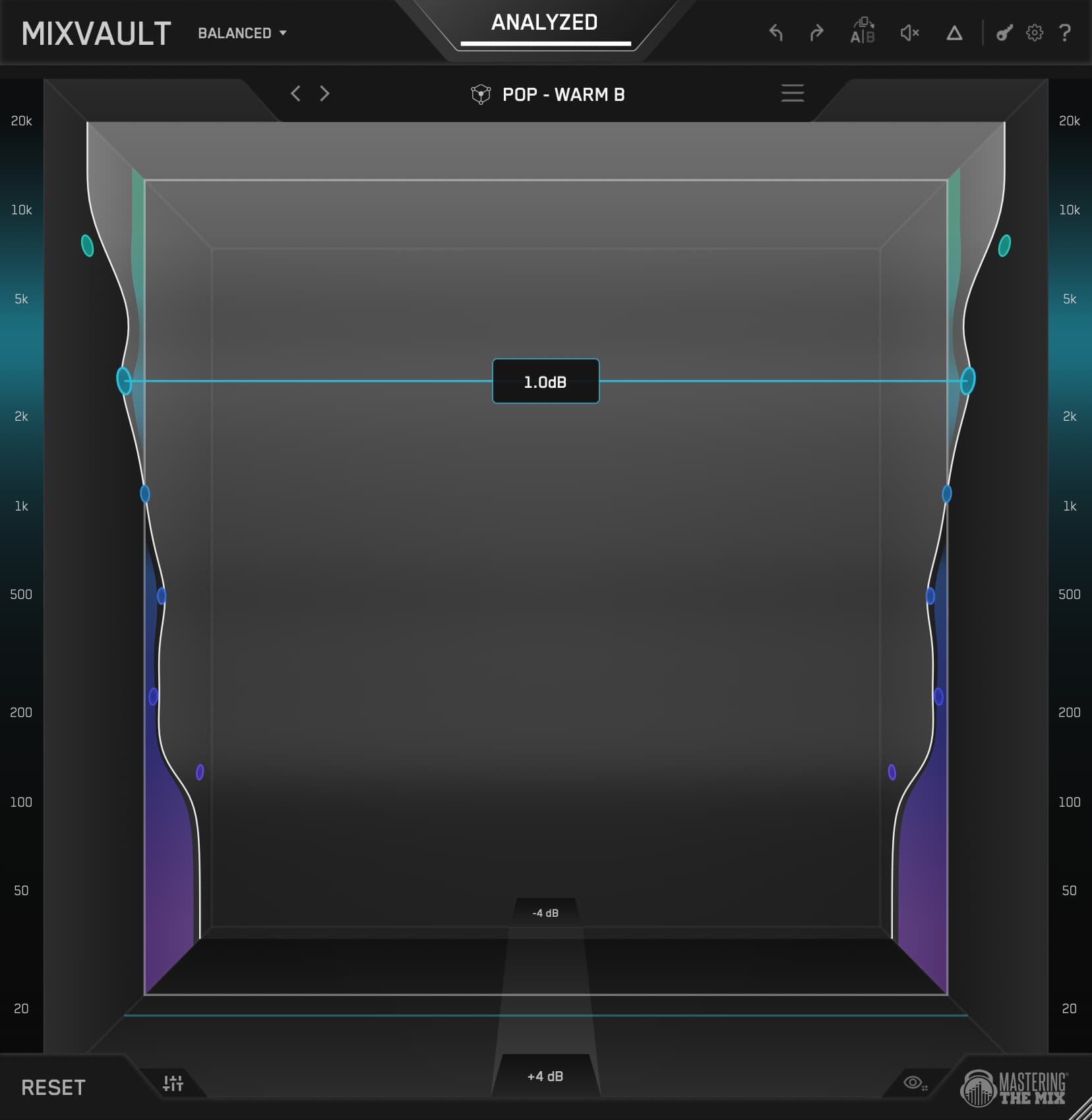

MIXVAULT is a simple, fast, smart and honest EQ. If something needs more energy, you pull that frequency closer. If it's too much, you push it away. No curves, no numbers, no getting pulled out of your flow, just you and the balance of the mix.
To mix with MIXVAULT, load it on any channel, run ANALYZE with the right source type, vocals, drums, bass or music, to get a genre-matched Smart Preset, then shape the fixed bands by feel. Because every band sits at a fixed frequency and the filters stay phase-clean, you shape tone fast on every element without ever smearing the sound. The Q comes optimised, and you can scroll over a band to fine-tune its width whenever you want. It works the same way on a lead vocal, a drum bus, an 808 or a guitar.

I'm Tom Frampton. I run Mastering The Mix, and I master records professionally alongside building the tools. Over the years I've worked with artists including CamelPhat, Tiësto and Calvin Harris, alongside thousands of independent artists, and I have over 1,000 five-star reviews from real clients on my SoundBetter profile. This guide is how I use MIXVAULT to EQ the individual elements of a mix.
1Why MIXVAULT is built for mixing
When you're mixing, you're making dozens of EQ decisions across dozens of channels, and the bottleneck is rarely knowing what you want. It's the time it takes to get there: sweeping for the frequency, setting the Q, weighing up whether to boost 3k by 1.5dB. MIXVAULT takes those decisions off the table. The bands are set and the Q comes optimised for you, so setting the gain is almost always all you do, and you can scroll over a band to fine-tune its Q when a move needs it. You stop hunting and start balancing.

That's the whole idea behind MIXVAULT, and it comes down to four things. It's simple, because you're making broad moves, which is what 95% of EQing is anyway, without an overload of controls that only give you the final 5%. It's fast, because the visual is something you can reach out and grab, so you stay in your creative flow. It's smart, because ANALYZE gives you great-sounding starting points for vocals, drums, bass, music and the full mix. And it's honest, because every move is perfectly level-matched in real time, so you're never fooled by one option simply being louder.
That honesty matters more than it sounds. Humans hear louder as better, so any EQ move that boosts the loudness can trick you into thinking you improved the sound. MIXVAULT level-matches everything automatically in real-time, which means every decision you make across the whole mix is genuinely based on what you're hearing.
MIXVAULT delivers the exact frequency response of a market-leading linear-phase EQ, at its maximum quality setting - with 36x less latency.

2The ANALYZE workflow, per element
The reason MIXVAULT is so fast across a mix is that ANALYZE knows what you're working on. Tell it the source type and it loads a Smart Preset tuned to that specific element, so a vocal starts from a vocal curve and an 808 starts from a bass curve. You're never staring at a flat EQ wondering where to begin.

Choose your source type
Set the source to Vocals, Drums, Bass or Music depending on the channel. This is what makes the starting point relevant to the element in front of you.
Pick the genre
Select the genre that fits your track. A pop vocal and a rock vocal want different shapes, and this tells MIXVAULT which one you're after.
Play the part and ANALYZE
Loop a representative section of the element and hit ANALYZE. MIXVAULT loads a Smart Preset matched to that source and genre.
Shape by feel
Push and pull the fixed bands until it sits right in the mix, and scroll over a band any time you want to tighten or widen its Q. Everything is level-matched, so you always hear the real tonal change, never just a louder version.
3Choosing your resolution
The dropdown sets how many bands you get. Fewer, wider bands for fast broad shaping, or more, tighter bands for finer control. Every option is equally clean, and switching keeps the rough shape you were working on, so you can move from Broad to Detailed, or into Bass, without starting over.

Wide Q. The fastest way to shape an element with sweeping tonal moves. Great for quick balance calls.
Balanced Q. The all-round choice for most channels and buses in a mix.
Tighter Q. Surgical control for targeting a specific problem area on a channel.
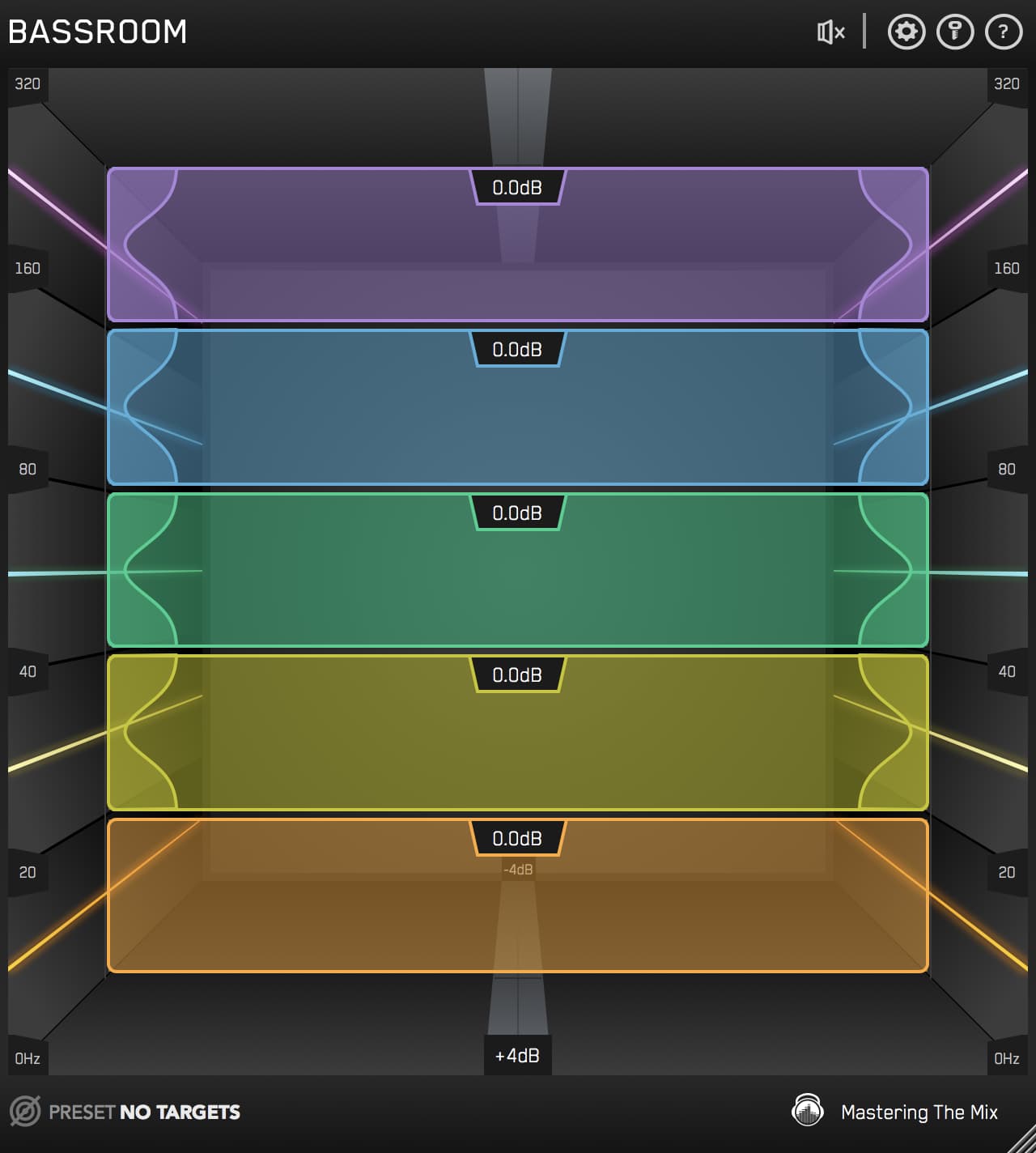
Focused low-end from 20 to 320 Hz. The fast way to dial in bass and 808s with everything else out of the way.
For most mixing, Balanced or Detailed will cover you. Reach for Detailed on elements that need a specific fix, like a harsh vocal frequency or a boxy snare, and drop to Broad when you just need a quick tonal tilt. The Bass resolution is the one to remember for low-end sources, it's built for exactly that job.
4How to EQ a vocal with MIXVAULT
The vocal is usually the most important element in the mix, and the one people over-EQ the most. What a vocal really needs is clarity and presence: enough body to feel warm, enough upper-mid to cut through, and enough air to sound expensive, without the harshness that makes it fatiguing. That's a balance problem, and it's where MIXVAULT shines.
Click ANALYZE, set the source to Vocals, and pick your genre. MIXVAULT picks a Smart Preset, and you can click the preset back arrow to go progressively darker, or the preset forward arrow to go progressively brighter.
Which way you go depends entirely on the vocal in front of you. Plenty of vocals arrive muddy and need the low-mids easing back. Just as many arrive the other way, and that's the one in the example below: bright and brittle up top with nothing underneath it, all edge and no body. The fix is the opposite of what people reach for by instinct. Pull the hard top end back and bring the low-mids closer until the vocal has some weight to stand on. If there's a specific harsh spike, switch to Detailed and ease just that band down, and turn on Auto Gain in Settings so holding a band drops the level of the others by 50% and you can hear exactly what you're changing.
The nice thing here is you stop thinking in decibels and start thinking in distance. Instead of “should I boost 3k by 1.5dB?”, the question becomes “does the vocal need to come forward?” Pull the presence closer and it steps forward in the mix. Push the low-mid weight away and the words clear up. And because every move is level-matched, you always know whether you've actually improved the placement or just made the vocal louder.
A pop vocal, before and after MIXVAULT.
Toggle Before and After MIXVAULT while it plays. Both are level-matched, so you're hearing the EQ, not a louder file. The before is bright and brittle with no low-mids under it, all edge and no body. Listen to the hard top end come back and the weight fill in so the vocal sounds warm instead of thin.

For the deeper method on getting vocals to sit right, there's how to EQ vocals to shine without sounding harsh.
5How to EQ drums with MIXVAULT
Drums hit harder when the tone's balanced properly. Whether you're shaping a full drum bus or an individual kick and snare, the goal is punch and clarity: a kick with weight and beater click, a snare with body and crack, and cymbals with air that don't turn splashy. The enemy is boxiness, that build-up in the low-mids where everything piles up and the kit loses its snap.
Click ANALYZE, set the source to Drums, and the Smart Preset gives you a great starting point curve. On a rock drum bus the move I make almost every time is a dip in the low-mids to clear the boxiness, which instantly makes the kit sound bigger, then a lift up top for the crack and air, but of course it completely depends on the recording, which is why MIXVAULT is so much powerful than EQ's that have generic presets that have no understanding of the source audio. Switch to Detailed if a specific frequency is ringing, like a boxy snare fundamental, and ease it down without dulling the rest.
A rock drum bus, before and after MIXVAULT.
Toggle Before and After MIXVAULT while it plays. Both are level-matched. Listen to the boxiness clear out of the low-mids so the kit opens up and the snare cracks through.

6How to EQ bass with MIXVAULT
Bass is where most mixes fall apart. A great bass or 808 needs weight down low, definition in the mids so it's audible on small speakers, and a controlled relationship with the kick so the two aren't fighting for the same space. The problem is usually a boomy note or two that makes the low-end feel flabby and uneven.
For a pop bass, set the source to Bass and ANALYZE, then switch to the Bass resolution: five bands from 20 to 320 Hz, everything else out of the way (but the full frequency range is still considered in the overall analysis, because context is always important). Control wherever it's booming so the low-end stays even from note to note, add a touch of weight where the sub needs it, and lift a little in the upper bass range so it translates on phones and laptops that can't reproduce the sub at all. Check it in mono so the low-end stays solid.
A pop bass, before and after MIXVAULT.
Toggle Before and After MIXVAULT while it plays. Both are level-matched. Listen to the low end even out and tighten so the bass hits consistently from note to note and still reads on small speakers.

For the full low-end method, including the kick and bass relationship, there's how to mix low-end: the complete guide and balancing kick and bass.
7How to EQ the music bus with MIXVAULT
The music bus, everything that isn't drums, bass or lead vocal, is where the mix gets its width and body: guitars, keys, synths, pads, backing vocals. EQ'd well, it fills the space around the core elements and makes the mix feel full. EQ'd badly, it crowds the vocal and thickens the low-mids until nothing has room to breathe.
Set the source to Music and ANALYZE for a starting point that fits the genre. The main job here is carving space: a gentle dip in the low-mids so the music sits under the vocal rather than fighting it, and a controlled top end so the guitars and synths shimmer without clashing with the vocal's air. Balanced resolution is usually all you need, this is broad shaping, not surgery.
A rock music bus, before and after MIXVAULT.
Toggle Before and After MIXVAULT while it plays. Both are level-matched. Listen to the low-mids clear so the bus stops crowding the middle of the mix, and the top end tidy up so the guitars and keys have their own space.

On the music bus, the single most useful move is easing back the frequencies where the vocal lives, so the two stop competing. Load MIXVAULT, dip gently through the presence range on the music, and listen to the vocal step forward without you touching it. That's mixing by subtraction, and it's the fastest way to open up a crowded mix.
8Making the elements fit together
Here's the thing that makes MIXVAULT genuinely fast in a mix: because you shape every element with the same simple, phase-clean tool, you can move between them and hear the whole picture come together. EQ the vocal for presence, dip the music where the vocal lives, tighten the bass so it locks with the kick, clear the boxiness from the drums, and suddenly everything has its own space.

That's the real value. Mixing isn't about making each element sound great in solo, it's about making them fit together. MIXVAULT is quick enough that you can work across the whole mix in the time it usually takes to EQ one channel, and clean enough that none of those moves cost you sound quality.
EQ the whole mix, fast
Vocals, drums, bass, music, every element in a mix comes down to the same question: is the tonal balance right? MIXVAULT takes the slow decisions off the table so you can answer it in seconds, on every channel, without ever smearing the sound. ANALYZE for a starting point, shape by feel, and move on.
Work this way across a whole mix and you'll feel how much faster it comes together when the EQ stops fighting you. Try MIXVAULT free and hear it on your own tracks.
?Mixing with MIXVAULT FAQ
Can I use MIXVAULT on individual channels, not just the master?
Absolutely. MIXVAULT is designed to work on any source, vocals, drums, bass, instruments, buses and the master. Just set the source type in ANALYZE to match the channel and it loads a Smart Preset tuned to that element. The fixed, phase-clean bands sound just as transparent on a lead vocal as they do on a master.
How do I EQ a vocal to cut through without harshness?
Set the source to Vocals and ANALYZE, then lift gently in the presence range for forwardness and add a touch of air up top for sheen, easing back any low-mid build-up. If there's a harsh spike, switch to Detailed resolution and ease just that band down. Because the bands are phase-clean, none of this makes the vocal thin or brittle.
What's the fastest way to fix boxy drums?
Set the source to Drums, ANALYZE, then dip the low-mids where the boxiness builds up, usually somewhere between 200 and 500 Hz, and lift the top end for crack and air. That single low-mid cut clears the mud and makes the whole kit sound bigger. Switch to Detailed if a specific frequency is ringing.
Why is there a dedicated Bass resolution?
Low-end is the hardest part of a mix to get right, and it deserves focused attention. The Bass resolution gives you five bands from 20 to 320 Hz with everything else out of the way, so you can even out boomy notes, add weight where the sub needs it, and get bass and 808s translating on small speakers, all without distraction from the rest of the spectrum.
How does MIXVAULT help elements fit together?
Because you shape every element with the same fast, phase-clean tool, you can move across the whole mix quickly and hear the picture come together. The classic move is dipping the music bus where the vocal lives so the two stop competing, mixing by subtraction. MIXVAULT is quick enough to work across every channel in the time it usually takes to EQ one.